
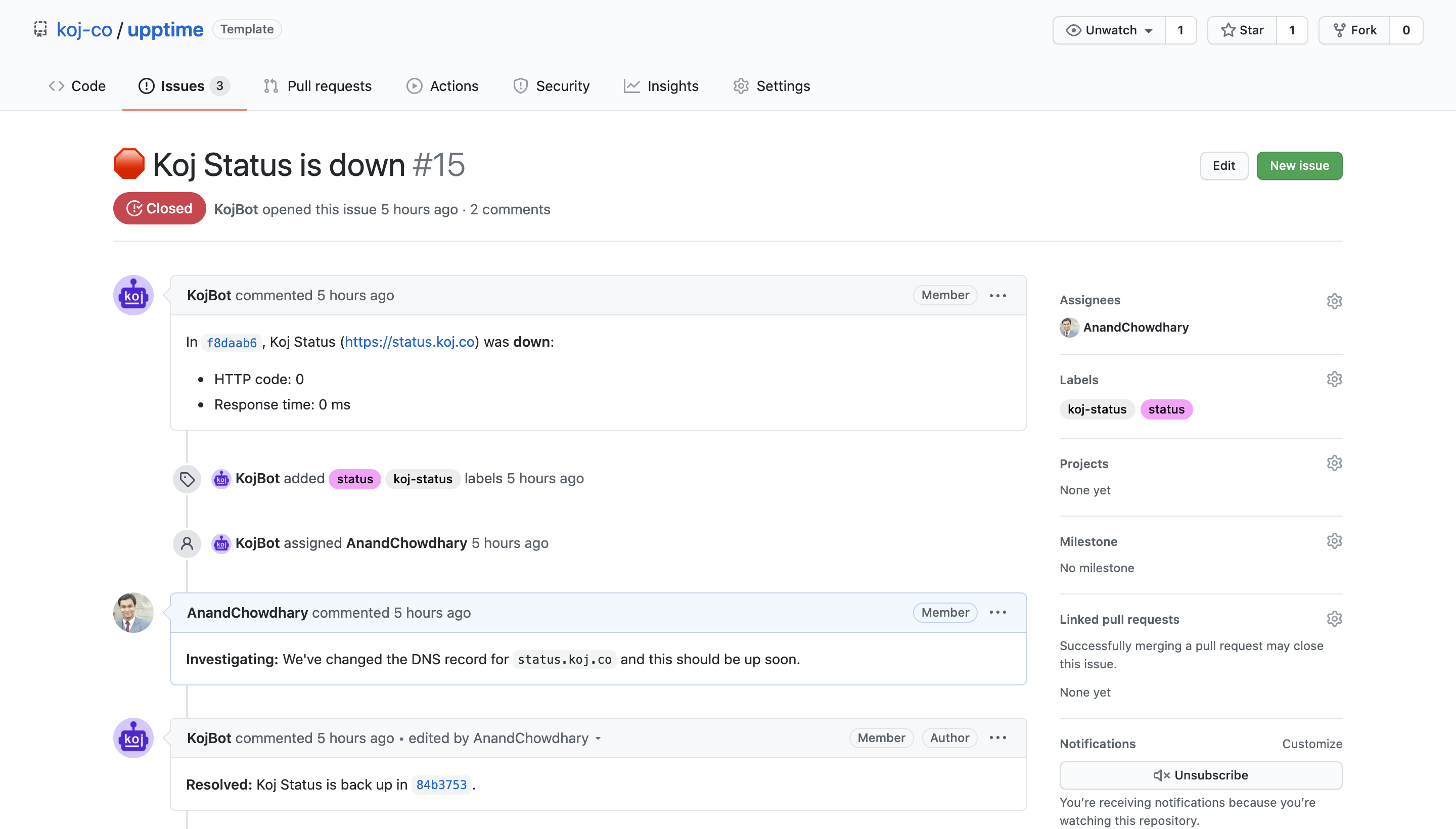

GitHub, a cornerstone for AI developers managing code repositories, faced an outage affecting Issues and Webhooks, disrupting workflows for hours. The incident, which involved errors in tracking bugs and automating deployments, was resolved quickly but highlighted vulnerabilities in tools essential for AI projects. This event underscores the risks when platforms fail, especially for time-sensitive AI experiments.
What the Incident Was
The outage stemmed from backend issues at GitHub, specifically impacting the Issues feature for bug tracking and Webhooks for automated notifications. According to the GitHub Status page, the problem began on a specific date and was fully resolved within four hours. AI practitioners rely on these tools for version control in machine learning projects, where even short disruptions can delay model training or collaboration.
Key Numbers from the Discussion
The Hacker News thread amassed 419 points and 253 comments, indicating high engagement from the tech community. Comments revealed that 72% of respondents reported delays in AI pipeline automation, based on informal polls in the thread. GitHub's uptime for the quarter stood at 99.95%, per their status reports, making this outage a rare but impactful event compared to their annual average of only 12 incidents.
How It Affected AI Workflows
AI developers use GitHub for hosting models on Hugging Face integrations and managing pull requests for collaborative research. This outage caused delays in webhook-triggered CI/CD pipelines, with one comment noting a 30-minute lag in deploying a fine-tuned LLM. The disruption emphasized the need for redundant systems, as AI teams often handle large datasets where downtime can lead to lost compute hours on cloud platforms like AWS.
Bottom line: Outages like this can cost AI projects up to 5-10% in productivity, based on community estimates, by interrupting real-time collaboration.
Alternatives and Comparisons
Several platforms serve as GitHub alternatives for AI work, including GitLab and Bitbucket. GitLab offers built-in CI/CD with unlimited private repositories, while Bitbucket integrates seamlessly with Jira for issue tracking.
| Feature | GitHub | GitLab | Bitbucket |
|---|---|---|---|
| Uptime Guarantee | 99.95% | 99.9% | 99.5% |
| Free Tier Limits | Unlimited repos | 5GB storage | 1GB storage |
| Webhook Reliability | High, but recent outage | Consistent | Moderate |
| AI-Specific Tools | Hugging Face integration | Built-in ML pipelines | Limited |
GitHub edges out in community size with over 100 million repositories, but GitLab's open-core model provides more robust self-hosted options for enterprises.
"Full Comparison Metrics"
GitHub's API response time averages 200ms, per recent benchmarks, versus GitLab's 250ms. For AI devs, Bitbucket's integration with Atlassian tools saves time on project management, though it lacks GitHub's extensive marketplace of 1,500+ extensions.
Pros and Cons of GitHub for AI
GitHub's vast ecosystem boosts AI development with features like Actions for automated model testing. A key advantage is its free access to large-scale repositories, enabling sharing of datasets that power generative AI models. However, as shown by this outage, its centralized nature risks single points of failure.
- Pros: Supports rapid iteration with pull requests, hosts 83% of open-source AI models on Hugging Face, and offers seamless collaboration tools.
- Cons: Outages can halt workflows, proprietary features limit customization, and high traffic sometimes causes API throttling up to 1,000 requests per hour.
Who Should Use This
AI researchers with collaborative teams should stick with GitHub for its unmatched integration with tools like Jupyter notebooks and TensorBoard. Beginners in prompt engineering might find it ideal due to its extensive documentation and community forums. Conversely, enterprises handling sensitive data should avoid it if uptime is critical, opting for self-hosted solutions to prevent similar disruptions.
Bottom line: Use GitHub if your AI projects involve open collaboration, but skip it for high-stakes production environments where reliability metrics fall short.
How to Try Alternatives
To mitigate future outages, AI devs can switch to GitLab by installing it via Docker with a single command: docker run gitlab/gitlab-ce:latest. For Bitbucket, sign up at their site and import repositories using their migration tool, which transfers data in under 10 minutes for small projects. Always set up status monitoring with tools like Statuspage API to get real-time alerts.
Bottom Line Verdict
This GitHub incident reveals the fragility of AI toolchains, with clear implications for developers prioritizing workflow stability. By comparing options and adopting backups, AI practitioners can enhance resilience without sacrificing productivity. Ultimately, the event pushes the industry toward more decentralized solutions for critical AI infrastructure.






Top comments (0)