

The Forge Calculator Guide (Roblox – The Forge)
The Forge Calculator is a specialized utility tool designed for the popular Roblox game The Forge.
As you progress to higher worlds such as World 3: The Peak, crafting powerful weapons and armor becomes significantly more complex. Randomly mixing ores often results in wasted materials and weak equipment.
This guide explains how to use The Forge Calculator to simulate crafting results, calculate True / Effective DPS, and uncover hidden ore synergies before spending any in-game resources.
Things You Should Know
The Forge Calculator allows you to predict crafting outcomes without risking real in-game items.
The tool supports all current game content, including:
World 3 (The Peak)
Rare Raven Cave ores such as Demonite and Rivalite
You can calculate Effective Health (EHP) for tanks and Effective DPS for damage dealers, providing a more accurate picture than in-game stats alone.
Part 1: Calculating Forging Probabilities
- Open the Calculator
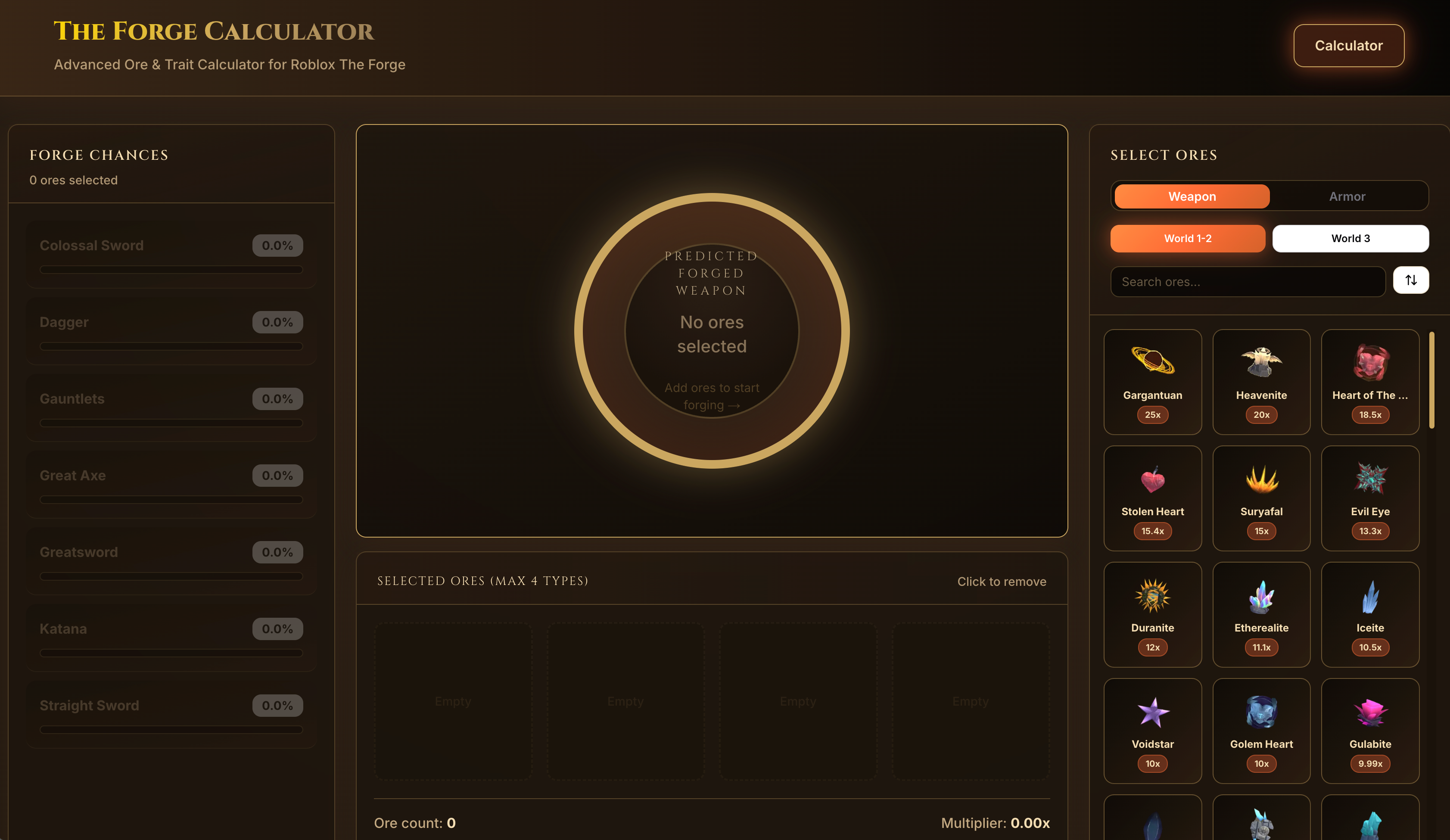
Navigate to The Forge Calculator in your browser.
The interface is designed to closely resemble the in-game forging menu for ease of use.
- Select Your Discipline
At the top of the page, choose between:
Weapon
Armor
This selection is critical, as weapons and armor use different probability tables.
- Choose Your Ores
The calculator lists all available ores from:
World 1
World 2
World 3
Click the icons of the ores you currently own or plan to use.
You can select up to 4 distinct ore types per recipe.
Example:
Selecting Rivalite and Demonite will immediately apply their specific multipliers.
- Review Predicted Forge Results
As ores are added, the center panel updates in real time.
Check the percentage (%) next to each possible result.
This shows the exact chance of forging a specific item (e.g., Colossal Sword vs. Dagger).
Adjust your ore composition until your desired item has the highest possible success rate.
Part 2: Analyzing True Combat Stats
Effective DPS Calculation
The in-game Damage stat does not account for factors such as Critical Hits or Attack Speed.
The calculator uses the following formula:
Base Damage × (1 + Crit Chance × Crit Multiplier)
This allows you to determine whether a high-crit ore (such as Rivalite) provides more real damage output than a pure damage ore for your build.
Effective Health (EHP) for Armor
For tank builds, review the EHP section.
This calculation includes Damage Reduction from ores like Darkryte or Obsidian
Helps you decide whether increasing HP or Defense results in better survivability against bosses
Active Traits and Synergies
Below your selected ores, the calculator displays all active traits.
High-tier ores may activate passive effects such as:
Lifesteal
Movement speed bonuses
Area-of-effect damage
The tool highlights which traits are active, making it easier to identify powerful ore synergies.
Part 3: Using the Inventory Optimizer
Smart Inventory Optimizer
If your inventory is cluttered and you are unsure what to craft, scroll to the Smart Inventory Optimizer section.
Input Your Ores
Manually enter your ore counts
Or use the OCR (Optical Character Recognition) feature (if supported) by uploading a screenshot of your Roblox inventory
Get Recipe Recommendations
The optimizer suggests the most cost-effective recipes you can craft immediately.
This is especially useful for:
Clearing low-tier ores
Creating useful equipment or merge fodder efficiently
Tips
World 3 Support: Fully updated for The Peak. Ideal for testing Raven Cave drops and new meta weapons.
Watch negative stats: Some powerful ores reduce one stat to heavily boost another. The calculator clearly highlights these trade-offs.
Save strong recipes: If you discover a near-optimal or “golden ratio” recipe, take a screenshot for future use.
Warnings
Game updates: Roblox games are patched frequently. Always verify calculator values against the latest patch notes after major updates.
RNG still applies: A 90% success rate still carries a 10% chance of failure. The calculator shows probabilities, not guarantees.



Top comments (0)