
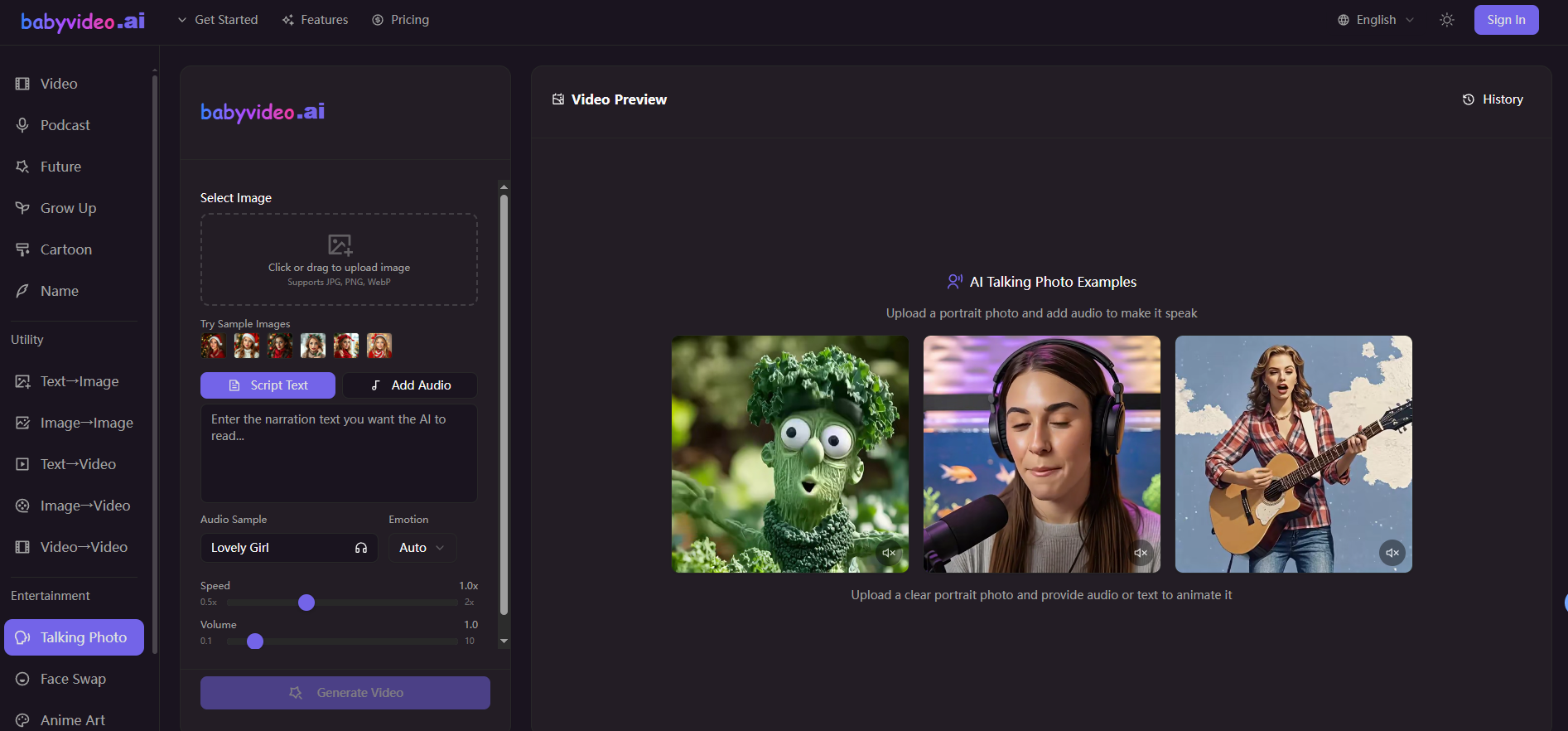

Inspiration: Why Did I Create BabyVideo.ai?
The initial motivation was simple: I discovered that "parent-child/baby" content has a natural power to spread on social media platforms—whether it's cute, funny, heartwarming, or topics like "what will the future baby look like?", people can't help but click, comment, and share. However, creating truly "good-looking, presentable, and shareable" baby content quickly and easily is actually quite challenging for ordinary people: you need editing skills, color correction skills, and the ability to create source materials, plus time.
I wanted to create a tool that "requires no editing skills": users simply upload a photo or enter a description, choose a template, and can directly generate a finished video/image. Ideally, it should also cover the most popular types of content:
Future Baby Prediction: Couples upload photos of themselves and generate a "future baby's" appearance (highly entertaining).
Growth/Age Progression: Generate multiple age comparisons from the same image (strong commemorative value).
Cartoon Baby: Turn baby photos into various styles of cartoon avatars with one click (multiple sharing scenarios).
Baby-themed video templates: Transforming "content creation" into "selecting templates and generating videos," lowering the barrier to entry.
BabyVideo.ai was born with this goal in mind: to make "baby content creation" a product that everyone can use and share immediately after use.
Development Experience: From 0 to Launch, What Pitfalls Did I Encounter?
1) A Product Isn't Just About "Connecting a Model"
Many people think that AI products are simply about connecting to a model API and generating images/videos. However, the most difficult part isn't the model itself, but rather making the entire process stable, controllable, and scalable.
For example: Even with the same "video template," the quality of input photos from different users can vary greatly—lighting, angle, clarity, face occlusion, group photos… all affect the final result. Therefore, I had to implement many "product-level safeguards":
When users don't input a description, use default suggestions to ensure stable video output.
When users input a description, limit length/sensitive words/unreasonable requests to prevent generation failures.
Failures must be retryable, problem-solving mechanisms must be available, and a points refund/compensation mechanism must be in place (otherwise, users will quickly churn).
2) Cost and Billing: The biggest pain point isn't the technology, but "accounting."
The cost of AI-generated content is dynamic: sometimes, for the same 7-second video, a long inference run can cause costs to skyrocket; concurrency, queuing, and retries can all make single-transaction costs uncontrollable.
So I spent a lot of time on two things:
Cost monitoring: The actual cost per function, per generation, and per second of video must be statistically calculated.
Points system: Convert dollar costs into "points" that users can understand, while ensuring long-term profitability.
If this isn't done well, the product can easily fall into the situation where "the more users use it, the more you lose." For independent developers, this is almost fatal.
3) Engineering Details: Login, Storage, Queuing, Failure Handling
Once deployed, you'll find that user issues are often very "life-like," but solving them requires a highly engineered approach:
Login System: Email login, third-party login, CAPTCHA, anti-fraud measures, anti-abuse measures
Storage System: Generated videos/images must be stored in object storage, with an extensible path structure (different directories for different functions)
Queuing and Concurrency: AI tasks cannot run indefinitely; queuing, rate limiting, and status tracking are necessary.
Task Status: Generating, Failed, Successful, Expired, Retry—each step must have a clear state machine.
Anomaly Handling: Model timeouts, third-party interface fluctuations, and non-compliant user input all require handling logic.
Often, users only see a button, but behind it lies a whole stability system.
4) Multilingualism and SEO: It's not just about translation
To reach more users, I created multilingual pages. However, it was quickly discovered that:
Multilingualism involves more than just translation; it also requires considering the search habits of local users (e.g., keyword differences between Russian and English).
Page structure, H1/H2 pages, FAQs, schemas, and internal links all affect indexing and ranking.
There's also the issue of "content duplication": how to avoid competition between pages offering the same functionality in different languages, and how to properly canonicalize content.
SEO is crucial for AI tool sites, but it's also a long-term, iterative, and systematic project.
Operational Process: How did I move from "creating" to "having users"?
1) In the very early stages: Focus on "shareable results," not "advanced features."
In the early stages of operation, my primary focus was on whether users were willing to share the results they generated.
Because for a product like babyvideo.ai, the best growth isn't advertising, but rather users sharing on social media platforms themselves.
Therefore, I prioritized streamlining the template, output quality, generation speed, and sharing experience:
The generated results should be "so appealing you'll want to share them at first glance."
The output should be clear enough, and the style should be consistent.
Don't require users to fill in too many complex parameters (to reduce churn).
2) Channel Experimentation: Directory Exposure, Community Posts, Short Video Materials
I tried many methods: submitting to AI tool directories, posting on community forums, and driving traffic through platforms like Pinterest/Quora. But I quickly discovered a pattern:
The exposure directory of nofollow links doesn't necessarily directly improve SEO, but it can bring real clicks, brand search, and subsequent organic mentions.
Buying backlinks that "look like dofollow links" has very limited SEO value if the placement is social media/UGC.
The most effective approach is often:
Content + Demo + Result Comparison. Showing users the difference between input and output naturally encourages them to click and try.
Therefore, I started focusing more on creating "reproducible demo materials":
Future Baby Prediction: Couple Photos → Baby Prediction Images
Growth Changes: One Image → Comparison of Multiple Age Groups
Cartoon Babies: Original Image → Collection of Multiple Style Avatars. This content is advertising in itself, and it's easier to spread than hard-sell ads.
3) User Feedback Drives Iteration: Treat "Generation Failure" as a Product Task
The most crucial feedback in operations isn't "How good does it look?", but rather:
Why did generation fail?
Why does it not look right?
Why is the queue too long?
Why is the points consumption incomprehensible?
Each of these issues can directly translate into product iteration points: better input suggestions, more stable default parameters, clearer billing explanations, more transparent task status, and more reasonable failure compensation.
For independent developers, operations are not "doing marketing," but "using real users to push the product to become stronger."
The current understanding: The hardest thing about building SaaS is "continuously doing one thing well."
Building it from 0 to 1 is just the beginning. The real challenges are:
Controllable costs
Stable user experience
Continuously improving output quality
Continuous channel testing
Continuous SEO/content accumulation
Continuous user feedback iteration
BabyVideo.ai is also constantly iterating. I hope it becomes a tool where "anyone can easily generate baby-themed content": no editing, no design, no complicated learning curve, just open a webpage to get a shareable result.





Top comments (0)