

For a while, my AI video prompts kept getting longer.
If I wanted to make a simple product clip, I'd describe the product, room, lighting, camera angle, movement, mood, colors and probably five other things I didn't really need.
Sometimes it worked.
Other times I'd get a nice-looking video that had very little to do with what I had pictured.
Eventually I realized I was trying to make the prompt do everything.
So I tried the opposite.
I started showing the model more and describing less.
A Coffee Video Made This Obvious
I was making a short concept video for a fictional coffee brand.
Nothing complicated. Just a package on a table, warm morning light and a slow camera move toward the product.
My first prompt was way too long.
I described the wooden table, the café, the packaging, the sunlight, the shadows, the lens and the camera movement.
The result looked polished, but the mood was wrong.
So I started again.
This time I used a product image for the package, a café photo for the lighting, and a short clip that had roughly the camera movement I wanted.
Then the written instruction became:
Keep the product as the focus. Match the warm morning light from the café reference and follow the slow forward movement from the video reference.
Much simpler.
More importantly, I knew what each input was supposed to control.
I Started Giving Every Reference One Job
That became my new rule.
If I add a reference, I should be able to explain why it's there in a few words.
For example:
Image 1 → product appearance
Image 2 → lighting and mood
Video 1 → camera movement
Audio 1 → rhythm and atmosphere
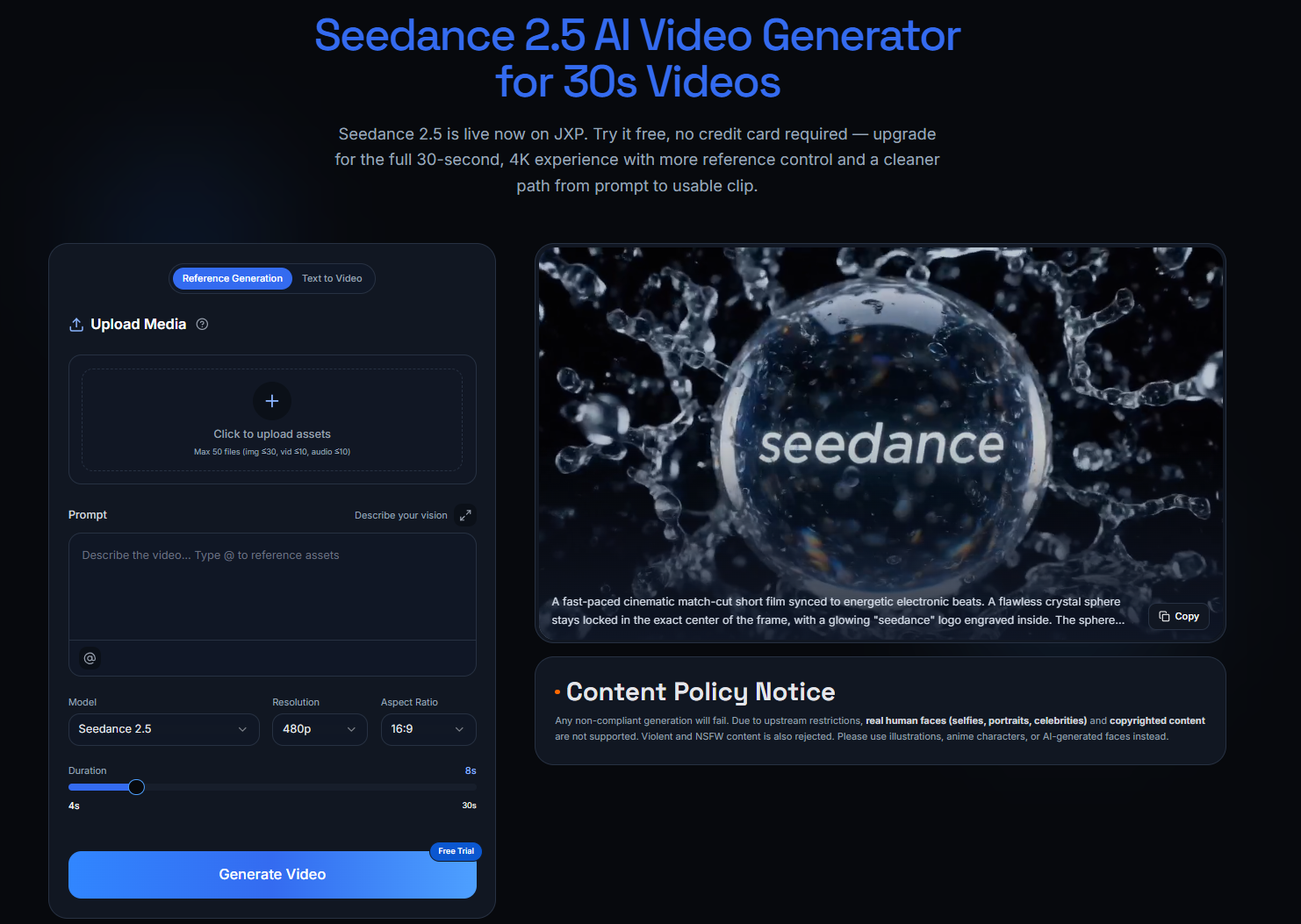
This clicked for me while testing reference-heavy prompts with the Seedance AI Video Generator. Instead of asking one giant prompt to carry the whole idea, I could let different references handle different parts of it.
It also made troubleshooting much easier.
If the movement was wrong, I knew where to look.
If the mood was wrong, I didn't immediately rewrite the whole prompt.
More References Can Actually Make Things Worse
I learned this one by making a mess.
For another product test, I used a bright studio product photo, a dark café interior, and a fast handheld camera reference.
Individually, I liked all three.
Together, they made very little sense.
The result wasn't exactly bad. It just looked like it couldn't decide what kind of video it wanted to be.
That's when I stopped treating reference slots like a checklist.
Just because I can add another image doesn't mean I should.
Now I would rather use four references with obvious jobs than fifteen references pointing in different directions.
My Prompts Got Shorter After That
This was probably the most unexpected part.
Once the references were doing the visual work, I didn't need paragraphs of description anymore.
Instead of writing:
A beautifully designed premium coffee package sitting on a rustic wooden table inside a cozy European café with warm golden morning sunlight...
I could write something closer to:
Use @Image1 for the product. Match the warm light of @Image2. Follow the slow push-in from @Video1. Keep the package centered and finish on a clean close-up.
It isn't a prettier prompt.
It's an instruction.
That distinction has been useful.
The Four Questions I Ask Before Generating
I don't have a complicated prompt formula anymore.
Before I generate anything, I just check four things:
- What absolutely needs to stay the same?
- What should actually move?
- Do I already have a reference that shows what I mean?
- What still needs to be explained in words?
A sneaker video is a good example.
If I already have a clean product image, I don't need half the prompt describing the shoe.
I'd rather spend those words explaining what happens:
The sneaker lands softly on the platform. Camera makes a slow half-orbit and settles on the side profile. Hold the final frame for two seconds.
The image handles appearance.
The prompt handles behavior.
That division makes sense to me.
This Works Beyond Product Videos
I've ended up using the same idea for completely different projects.
For a food clip, one image can establish how the dish should look while a video reference handles the camera move.
For a travel scene, an environment image can establish the location while the prompt focuses on what happens there.
For a storyboard test, I care more about blocking and movement than tiny visual details.
The references change.
The principle doesn't.
Show what is easier to show. Describe what needs to happen.
What I Do Differently Now
My old process was roughly:
Idea → huge prompt → generate → something is wrong → rewrite everything → generate again
Now it's more like:
Idea → choose references → give each one a job → write the missing instructions → generate → fix one variable
It's not a dramatic new technique.
It just removes a lot of guessing.
And when something goes wrong, I have a better idea why.
Final Thoughts
I still enjoy experimenting with prompts.
I just don't think a prompt needs to contain the entire video anymore.
If I already have a picture that shows the exact lighting I want, I'll use it.
If a five-second clip shows the camera movement better than I can describe it, I'll use that too.
The biggest lesson for me has been surprisingly simple:
Prompts are good at telling the model what to do. References are good at showing it what you mean.
Once I stopped asking one giant prompt to do both jobs, making AI videos became a lot less frustrating.





Top comments (0)