

Hook
A few months ago, I was spending more time visualizing ideas than actually creating videos.
Every time I came up with a story concept, I had to:
- sketch rough scenes
- search for references
- imagine camera angles
- test different editing approaches
The biggest challenge wasn't writing ideas.
It was turning those ideas into something visual quickly.
That's why I started looking into AI video generation tools.
What
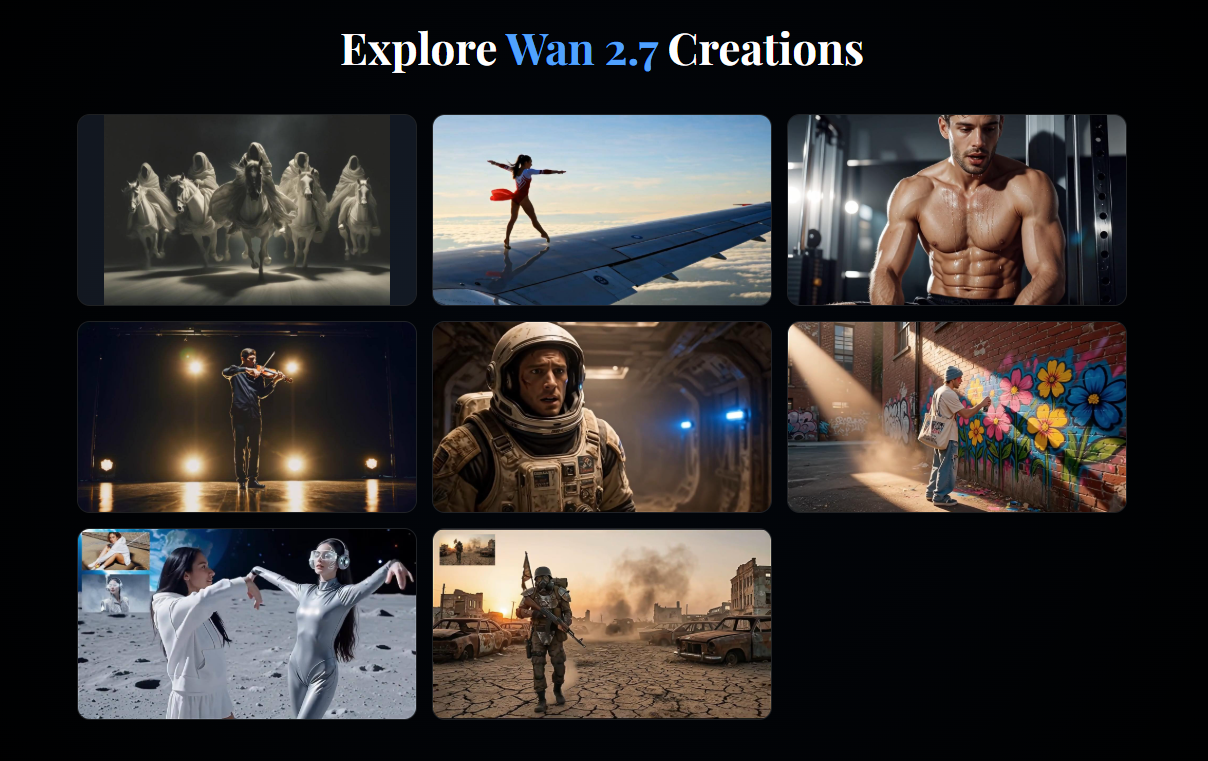
One of the tools I recently tested was Wan 2.7.
What interested me wasn't just text-to-video generation.
It was the ability to build visual concepts much faster.
Some features I found useful:
- Text-to-video generation
- Image-to-video workflows
- Multi-shot storytelling
- Reference-based creation
- Video extension and editing
The goal wasn't replacing production.
It was reducing the time between idea and visualization.
How
My Workflow
Step 1: Write a Simple Scene
Instead of creating a huge prompt, I start with a basic story idea.
Example:
A detective walks through a rainy neon street searching for clues.
Step 2: Break It Into Shots
Rather than one long prompt, I create separate shots.
Shot 1:
Wide shot of a rainy cyberpunk street.
Shot 2:
Detective walking toward camera.
Shot 3:
Close-up of detective examining evidence.
Step 3: Add Camera Direction
This is where results improved significantly.
Instead of:
detective walking
I use:
slow tracking shot, detective walking through neon reflections, cinematic lighting, atmospheric fog
Step 4: Generate Multiple Variations
I usually test:
- different camera movements
- different lighting
- different pacing
Then choose the strongest result.
Example Prompt
Cinematic tracking shot, detective walking through a rainy neon alley, soft fog, realistic reflections, slow camera movement, film-noir atmosphere.
Use Case
I've found this workflow useful for:
YouTube Creators
Testing visual ideas before editing.
AI Short Films
Creating storyboard sequences.
Marketing Videos
Visualizing concepts before production.
Social Media Content
Generating cinematic clips for short-form content.
Creative Experiments
Exploring scenes without expensive production costs.
Why
A few things made the workflow useful:
- Faster concept validation
- Better visualization of story ideas
- Easier camera experimentation
- More consistent creative workflow
- Less time spent creating rough storyboards
The biggest benefit wasn't video quality.
It was speed.
Instead of spending hours imagining a scene, I could test multiple versions in minutes.
Final Thoughts
I'm still experimenting with different prompting approaches, but using AI video tools as a storyboard workflow has been surprisingly productive.
If you're creating short films, social content, or visual concepts, try building a simple shot-based workflow instead of relying on one long prompt.
I'd be interested to see how other creators structure their prompts and storyboards.




Top comments (0)