

The Gap Between a Brief and a Photo
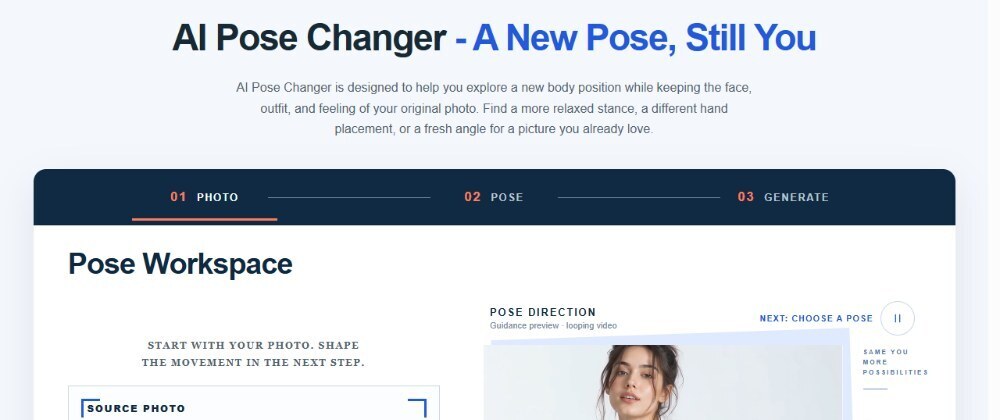
A visual brief usually describes an attitude before it describes a picture: confident stance, relaxed lean, three-quarter turn toward camera. The photo you actually have rarely matches that language exactly, and scheduling a reshoot to fix a stance is often disproportionate to the problem. This is one of the reasons some designers and marketers have started treating pose changes the way they treat prompt changes in text generation — as something to iterate on rather than something to re-shoot. Tools built for this, such as AI Pose Changer, sit in that gap: you keep the original photo and adjust the direction through description instead of a new photo session.
Iterating on Pose Direction Like You'd Iterate on a Prompt
The useful mental model here is closer to prompt iteration than to traditional photo editing. Instead of manually retouching a limb or rotating a body in a graphics tool, you describe the change you want — a gentler head tilt, a shift in body position, a slightly different angle toward the camera — and generate a result you can compare against the original. According to the product page, the workflow supports describing a new pose directly or supplying a reference image alongside the source photo, then generating a result while keeping the subject's identity in focus. That second part matters more than it sounds: a pose change that quietly changes who the person appears to be defeats the purpose of the exercise. The generation step is treated as one attempt among several, not a final answer, which is exactly how prompt iteration works in text-based tools — you adjust the wording, not just the output.
In practice this means a small loop: describe the pose direction, generate, look at what changed and what stayed the same, then refine the description if the result drifted from the brief. The product page describes this as giving the photo a clear direction rather than a single fixed transformation, which fits how creative teams actually work — nobody expects the first draft of a pose to be the one that ships.
A Practical Case: Testing Three Directions Before a Shoot
Consider a small marketing team preparing a product page that needs a person shown in three different stances for A/B testing — one neutral, one more dynamic, one with a slight turn and softer expression. Booking a photographer for three micro-variations of the same shot is rarely worth the cost or the calendar time, especially early in a campaign when the final direction hasn't been decided yet. A more realistic path is to take one usable base photo, describe each pose variation in turn, and generate three candidates to put in front of a reviewer before committing to any of them.
This is where the iteration framing earns its keep. The first generated pose might exaggerate the turn too much, or the head tilt might read as awkward rather than relaxed. Instead of treating that as a failed output, it becomes feedback: adjust the description — less rotation, softer tilt — and generate again. Two or three passes usually converge on something usable, which mirrors how a copywriter tightens a paragraph across drafts rather than expecting the first sentence to be final.
What to Check Before You Ship the Result
Before any generated pose goes into a deck, a page, or an ad, run a short, specific review instead of a glance:
- Identity check: the face and identifying features still read as the same person — the most common place a pose edit quietly goes wrong.
- Plausibility check: body proportions and the way clothing falls look physically believable for the new stance; viewers notice an unnatural pose faster than a slightly off color grade.
- Brief match check: the direction actually matches what the brief asked for, not just a plausible-looking alternative — it is easy to accept a good image that is not the image you needed.
- Provenance check: the source portrait is one you have consent to use for this purpose, and the intended placement (internal review, client pitch, public page) is clear to everyone reviewing.
If something is off, that's a prompt problem before it's a tool problem: revise the pose description with more specific language — the angle, the tilt, the point of focus — the same way you'd rewrite an unclear instruction to a designer. Teams that treat this as a review step rather than a one-shot request tend to get usable results faster, because they're iterating on direction instead of hoping the first output happens to fit.
If your team is already testing multiple visual directions from a single brief, it's worth trying this loop on a real asset rather than a throwaway image, so the review step reflects an actual decision you need to make. You can see how the workflow is described, including the pose and reference options mentioned above, on the AI Pose Changer product page.




Top comments (0)