

Hook
Whenever we launch a new product, there's always pressure to create video content quickly.
The challenge isn't getting ideas.
The challenge is producing enough visual content before launch day.
Traditional video production takes time:
- shooting footage
- editing clips
- creating animations
- exporting multiple formats
For small teams, that's often the biggest bottleneck.
That's why I started testing AI video workflows.
What
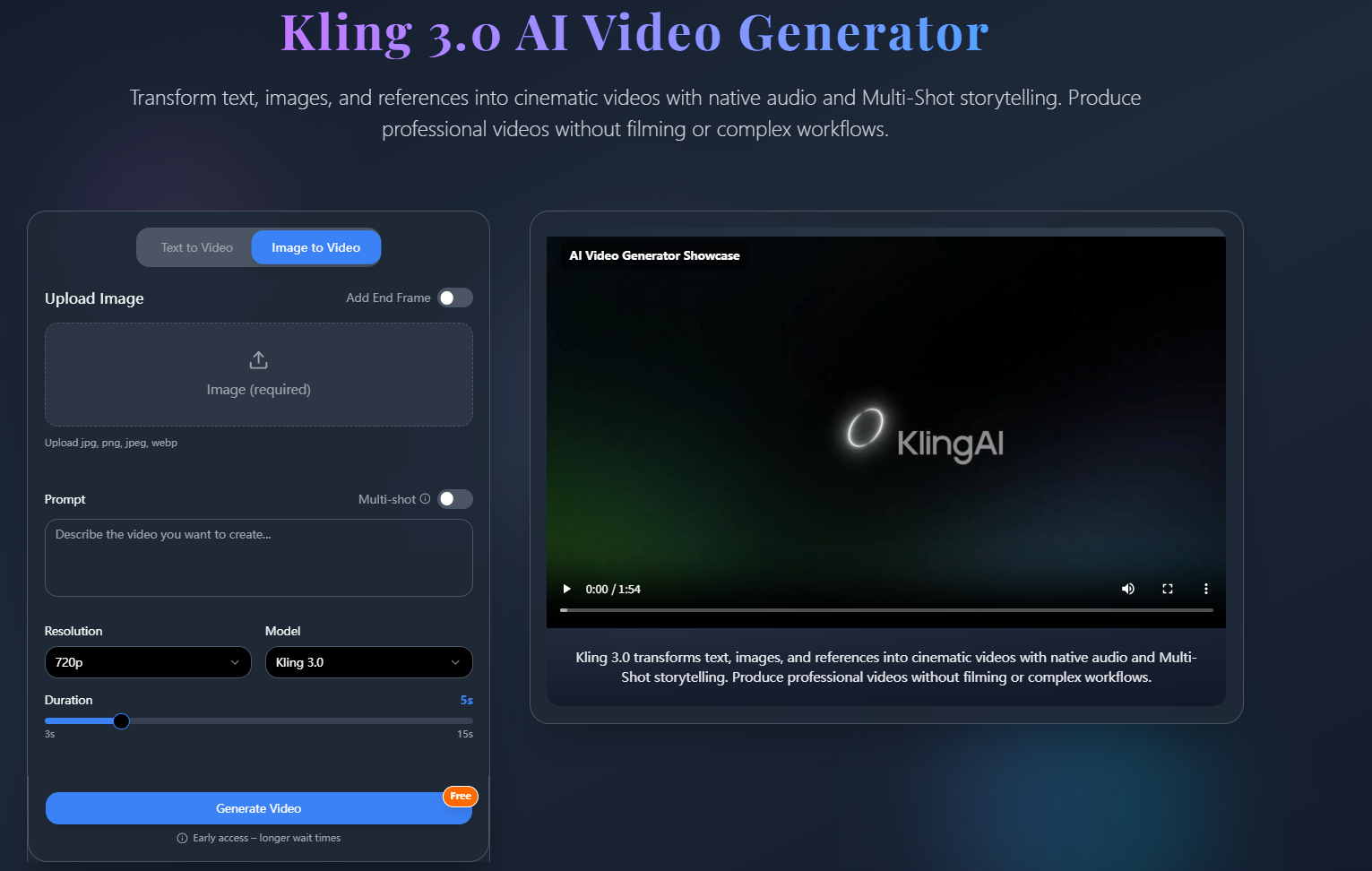
Recently I've been experimenting with Kling 3.0 for creating product teaser videos.
Instead of replacing our normal workflow, I use it during the early content planning stage.
A few features I found useful:
- Text-to-video generation
- Image-to-video workflows
- Cinematic camera movement
- Multi-scene generation
- Social-media-friendly formats
The goal isn't creating a final commercial.
It's creating launch assets faster.
How
Step 1: Prepare a Product Image
I usually start with:
- a product render
- a website mockup
- a packaging image
One strong image is enough.
Step 2: Create a Teaser Prompt
Instead of describing the product itself, I focus on presentation.
Example:
premium product reveal, slow rotating camera movement, dramatic lighting, dark background, cinematic commercial style
This immediately produces more usable results.
Step 3: Generate Multiple Angles
I typically test:
- close-up reveal
- side profile
- rotating showcase
- dramatic zoom-in
This gives me several options for social content.
Step 4: Export Short Clips
Most of the time I use clips for:
- Twitter/X posts
- LinkedIn announcements
- landing page headers
- Instagram Reels
- YouTube Shorts
Prompt Example
cinematic product reveal, premium wireless headphones on reflective surface, slow orbit camera movement, studio lighting, luxury advertising style, realistic reflections
Use Case
This workflow works well for:
SaaS Founders
Creating feature launch videos.
E-commerce Brands
Generating product showcases.
Marketing Teams
Building teaser campaigns.
Content Creators
Creating promotional visuals.
Startup Founders
Testing launch concepts quickly.
Why
After several launch cycles, I noticed a few advantages:
- Faster content production
- More creative variations
- Less dependency on video editing
- Easier experimentation
- Faster campaign preparation
The biggest improvement wasn't video quality.
It was speed.
Instead of spending half a day creating one concept, I could test multiple ideas in less than an hour.
Final Thoughts
I still use traditional editing tools for final campaigns.
But Kling 3.0 has become a useful part of the ideation process, especially when I need several visual concepts before a launch.
If you're creating marketing content, product announcements, or teaser campaigns, try building a simple AI video workflow before jumping into production.
You might discover ideas that wouldn't have appeared in a traditional editing process.
Explore the workflow yourself and see how it fits your content creation process.




Top comments (0)