

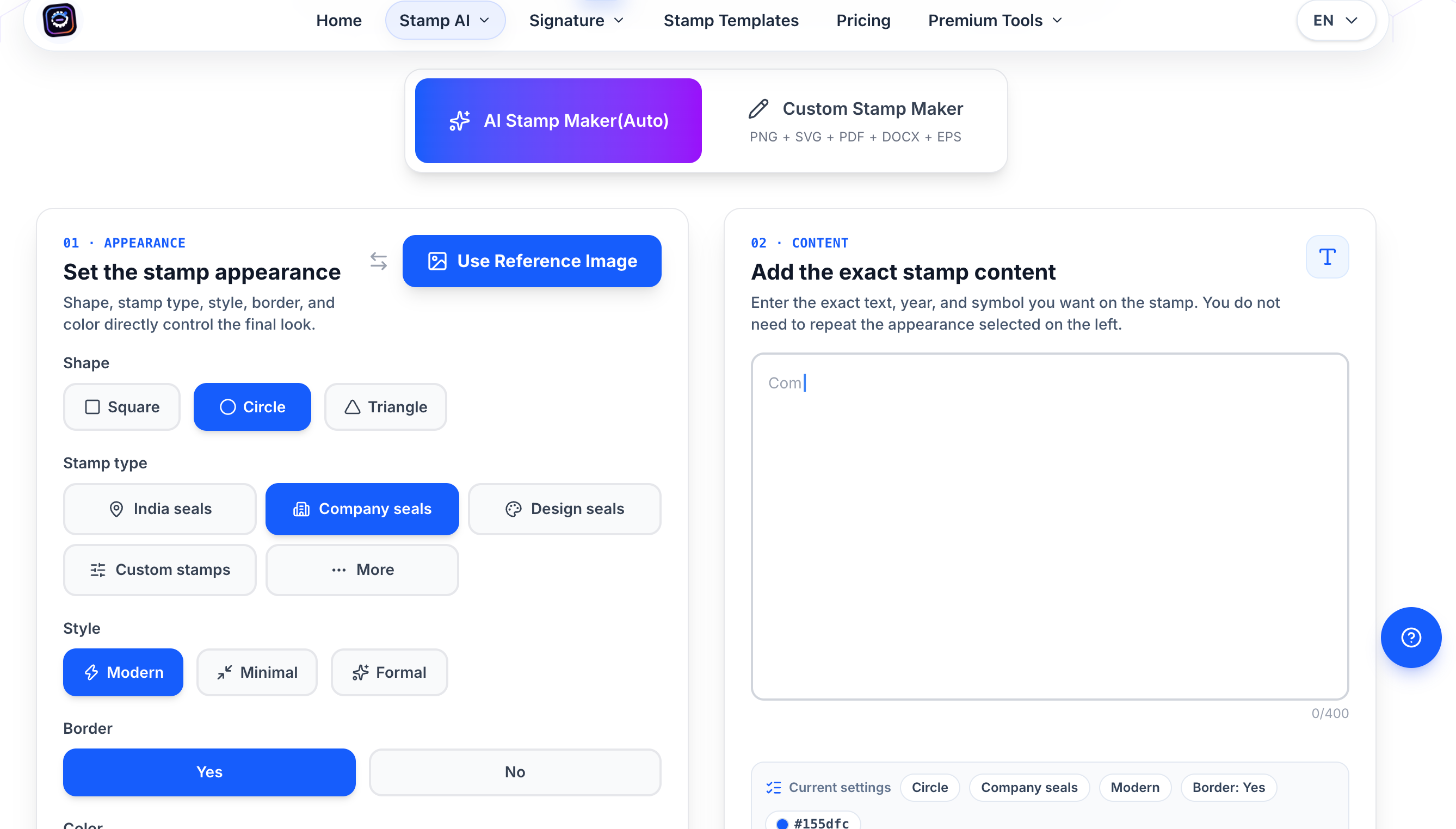
Most AI image prompting advice assumes you're making something loose and interpretive, where "close enough" has a wide margin. Stamp and seal design is close to the opposite case — the output has to be legible at a couple inches across, structured correctly for whatever the document workflow needs, and it has to survive the jump from screen preview to actual print or export. I've been running prompts against Stampdy's AI Stamp maker, which runs on GPT-Image-2.0 with a stamp-specific prompt layer rather than a general-purpose image model, and the pattern that consistently produces something usable on the first try is narrower than what works for generic image prompts.
Why vague prompts underperform here
The tool has two modes: generating from scratch off a text description, or feeding in a reference template and describing the changes you want. The system reports a 99.2% first-shot quality rate for common office stamp layouts, but that number is clearly measured against well-specified prompts. Feed it a placeholder-style description and you get a placeholder-quality layout back.
What the interface itself signals about the right approach
The generator splits input into two explicit fields — appearance (shape, stamp type, style, border, color) and content (exact text, year, symbol) — rather than one prompt box. Treating these as genuinely separate produced noticeably cleaner results than cramming both into a single sentence.
A prompt that worked cleanly on the first pass
Appearance: circle, company seals, modern style, border on, blue. Content: "Harlow & Finch Consulting" as the main text, registration number beneath in smaller type, established year at the bottom.
Where curved text still needs a second pass
The product's own guidance calls this out directly — name the shape, size, main text, and tone instead of overloading the prompt with decoration, then refine spacing in the editor rather than regenerating repeatedly. Curved text around a ring is a spacing problem more than a prompt problem.
The output format tradeoff worth knowing before you start
The AI generator itself only outputs a transparent PNG. If the end file needs SVG, EPS, JPG, PDF, or Word, that requires moving the result into the standalone stamp editor afterward.



Top comments (0)