

There are moments when a melody arrives before the words do. You hum it into your phone, play it on a keyboard with one hand while your coffee gets cold, or capture a rough guitar idea before it disappears. MusicMaker’s Audio to MIDI converter is built for that kind of moment — fast, simple, and useful when an idea matters more than perfect recording quality.
Instead of leaving a sound clip stuck in audio form, this tool helps turn it into something editable. That means more control, more freedom, and less time wrestling with technical barriers. For musicians, producers, teachers, and curious creators, that can make the difference between a passing idea and a finished piece.
What Audio to MIDI really does
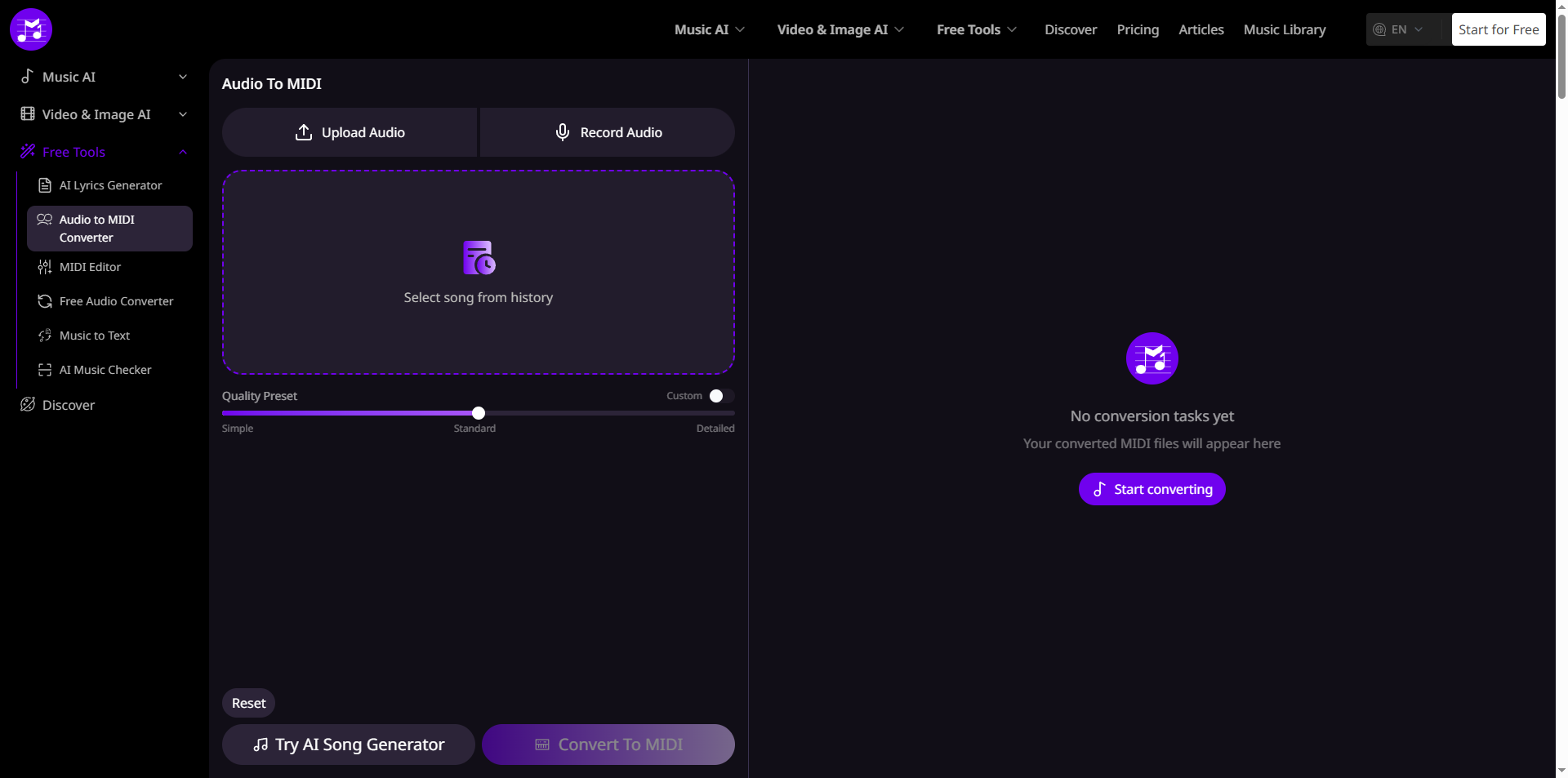
Audio to MIDI conversion changes recorded sound into MIDI data that you can edit in a digital audio workstation or MIDI editor. MusicMaker says its tool supports MP3, WAV, OGG, FLAC, and browser recording, and it can transcribe melodies, chords, and rhythms into MIDI format. It also emphasizes that no signup is needed, which keeps the process quick and approachable.
That simplicity matters. A tool like this is not just about technology — it is about protecting creative momentum. When inspiration shows up during a late-night session, on a commute, or between ordinary tasks, the last thing you want is a complicated workflow getting in the way.
Why this tool feels relevant today
Modern creativity rarely happens in one neat block of time. People work in fragments now: a few minutes here, a quick recording there, a revisit later in the evening. MusicMaker’s converter fits that rhythm by making it easier to move from captured sound to something you can actually build on.
That is part of why tools like this feel so natural in today’s world. We live surrounded by devices, recordings, messages, and half-finished ideas, and creativity often begins in those small interruptions. A converted MIDI file gives shape to something that started as a moment.
Key features that stand out
MusicMaker highlights several practical features: multi-format audio support, direct browser recording, AI-powered transcription, and a built-in MIDI editor. The page also describes the output as professional-ready, which suggests the tool is designed for more than casual experimentation.
The value here is not only speed. It is also flexibility. Once audio becomes MIDI, you can change notes, adjust timing, swap instruments, clean up a rough performance, or build an entirely new arrangement from the same musical idea.
Who this is for
MusicMaker positions the tool for music producers, arrangers, educators, remix creators, and anyone who needs to transcribe vocals or instruments into editable notes. That makes it useful in both creative and practical settings.
For producers, it can help pull ideas out of a reference track or a recorded sketch. For teachers, it can make musical structure easier to see and explain. For learners, it can turn a sounded idea into something visible, repeatable, and easier to understand.
How it works
The workflow is intentionally direct. Users upload a file or record audio in the browser, click convert, and then download the MIDI file or open it in the MIDI editor. MusicMaker presents the process as a three-step path designed to reduce friction and keep the focus on the music itself.
That is a strong choice because creative tools work best when they stay out of the way. The easier it is to move from idea to output, the more likely people are to keep creating instead of stopping to troubleshoot.
More than a converter
MusicMaker places the Audio to MIDI tool inside a broader ecosystem that includes other AI music tools for generation, vocal features, multilingual input, and long-form music creation. This suggests the converter is part of a larger creative workflow, not a standalone feature.
That matters because music creation is rarely a single action. A melody may become a chord progression, then a demo, then an arrangement, then a finished track. Tools that support each stage make the creative process feel less fragmented and more alive.
Why people keep returning to tools like this
The strongest reason is trust in the workflow. If a tool is fast, intuitive, and useful across different musical situations, people are more likely to return to it when new ideas appear. MusicMaker’s Audio to MIDI page leans heavily on that promise: quick conversion, editable output, and a clear path from rough sound to structured music.
There is also something quietly powerful about making music more editable. A sound file can feel final, but MIDI invites change. It lets people rethink a phrase, move it into another key, assign a different tone, or reshape the mood entirely. That is a small technical shift with a very large creative effect.



Top comments (0)