

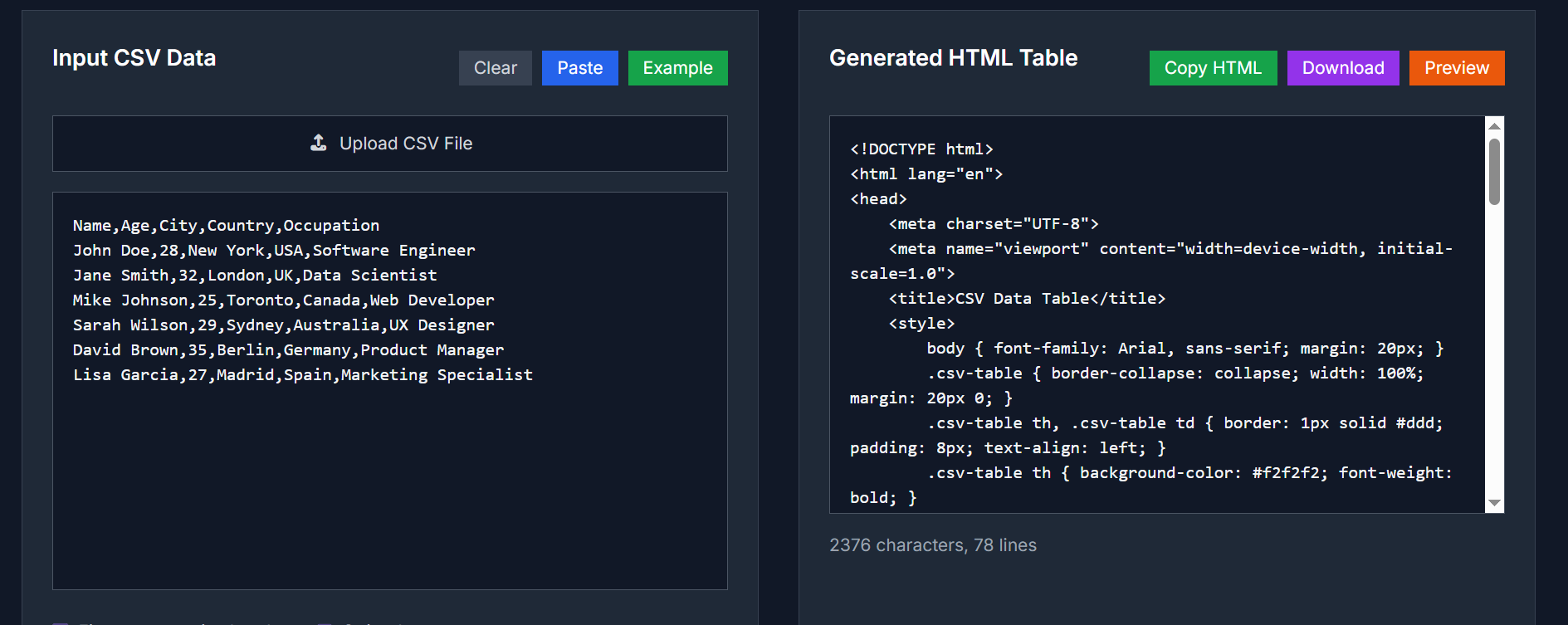
🛠️ Tool Overview
The CSV to HTML Converter is a free, user-friendly online tool that transforms CSV data into beautifully styled HTML tables. It's perfect for developers, content creators, and anyone who needs to present spreadsheet data in a clean, web-ready format.
🔧 Key Features
- Customizable Styling: Choose from options like striped rows, borders, and responsive layouts to match your website's design.
- Flexible Delimiters: Supports comma (,), semicolon (;), tab, and pipe (|) delimiters. The tool automatically detects the delimiter used in your CSV file.
- Header Row Configuration: Option to include or exclude the first row as headers.
- Local Processing: All conversions are done in your browser using JavaScript, ensuring your data remains private and secure.
-
Downloadable Output: Copy the generated HTML code or download it as a
.htmlfile for easy integration into your projects.
📋 When to Use
- Website Data Tables: Convert spreadsheet data into responsive HTML tables for websites, blogs, and web applications.
- Report Generation: Transform CSV reports from analytics tools, databases, or spreadsheets into professional HTML tables for presentations.
- Documentation Tables: Create clean HTML tables for technical documentation, API references, and user manuals.
- E-commerce Product Lists: Convert product catalogs, inventory lists, and pricing data from CSV format into attractive HTML tables for online stores.
- Employee Directory: Transform employee data, contact lists, and organizational charts from CSV files into searchable HTML tables.
- Event Schedules: Convert event schedules, timetables, and calendar data from CSV format into organized HTML tables for websites.
🚀 How to Use
- Input CSV Data: Paste your CSV content into the input box or upload a CSV file.
- Configure Settings: Choose delimiter, header row, and styling options.
- Convert: Click the "Convert to HTML" button to generate the table.
-
Download or Copy: Copy the generated HTML code or download it as a
.htmlfile.
🔐 Privacy & Security
Your data is processed locally in your browser using JavaScript. No information is sent to external servers, ensuring complete privacy and security.
For more details, visit the CSV to HTML Converter page.



Top comments (0)