

🛠️ Tool Overview
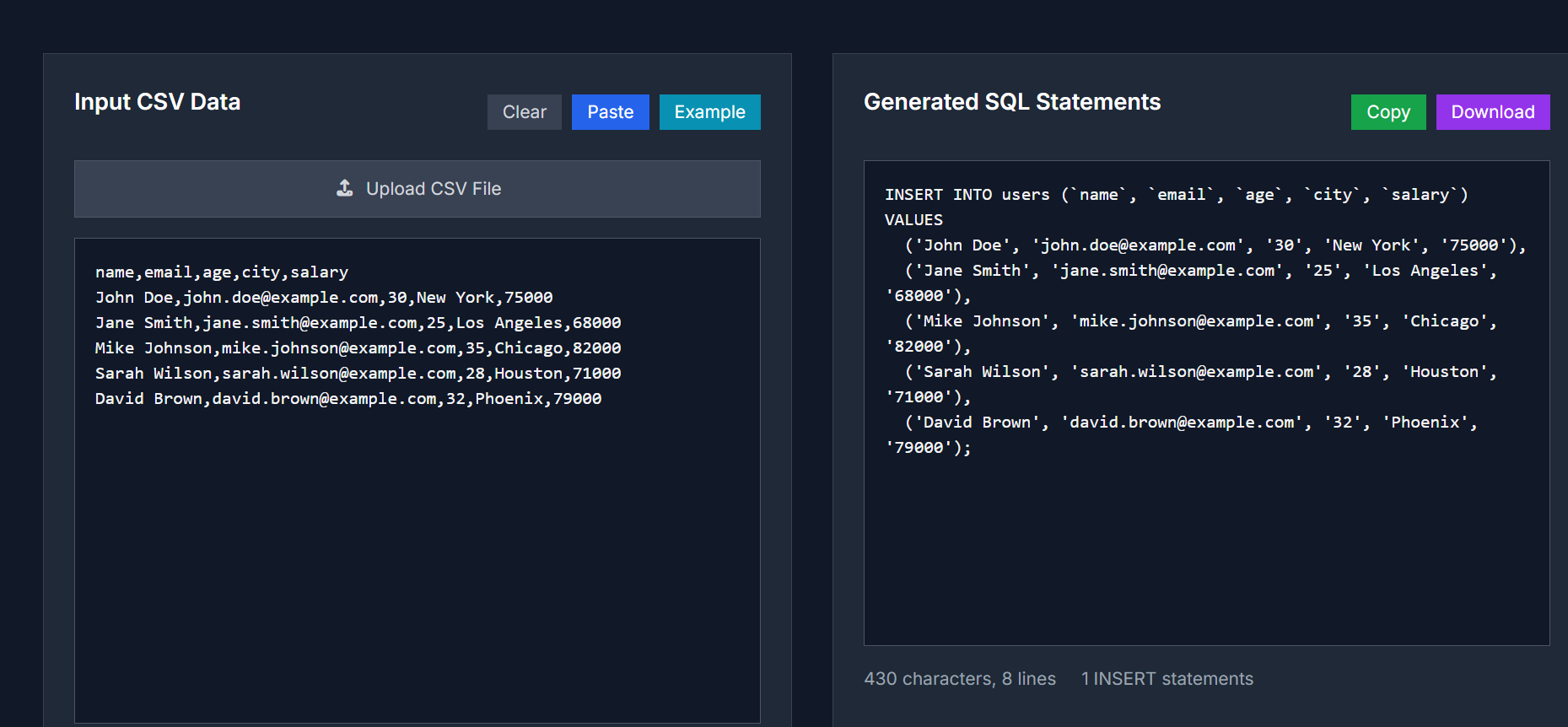
The CSV to SQL Converter is a free, user-friendly online tool that transforms CSV data into SQL INSERT statements. It's perfect for developers, data analysts, and anyone who needs to import spreadsheet data into a database quickly and efficiently.
🔧 Key Features
- Multiple SQL Dialects Supported: Choose from MySQL, PostgreSQL, SQL Server, or SQLite to generate compatible SQL statements.
- Batch Insert Support: Generate single or multi-row INSERT statements to optimize data insertion.
- Customizable Table Name: Define the table name to match your database schema.
- Flexible Delimiters: Supports comma (,), semicolon (;), tab, and pipe (|) delimiters.
- Header Row Handling: Option to include or exclude the first row as column headers.
- Data Validation: Automatically checks for common formatting issues in your CSV data.
-
Preview and Download: View the generated SQL statements before downloading them as a
.sqlfile.
📋 When to Use
- Database Migration: Migrate data from spreadsheets or legacy systems to modern databases.
- Data Import Projects: Import customer lists, product catalogs, or inventory data from CSV files into your database.
- Development Testing: Generate test data for development environments.
- Backup and Recovery: Convert CSV backups back into SQL format for database restoration.
- API Data Integration: Transform API responses exported as CSV into database-ready SQL statements.
🚀 How to Use
- Input CSV Data: Paste your CSV content into the input box or upload a CSV file.
- Configure Settings: Choose SQL dialect, table name, delimiter, and other options.
- Preview Data: Click the "Preview Data" button to validate your CSV content.
- Convert to SQL: Click the "Convert to SQL" button to generate the SQL statements.
-
Download SQL File: Copy the generated SQL statements or download them as a
.sqlfile.
🔐 Privacy & Security
Your data is processed locally in your browser using JavaScript. No information is sent to external servers, ensuring complete privacy and security.
For more details, visit the CSV to SQL Converter page.



Top comments (0)