

Product Vision
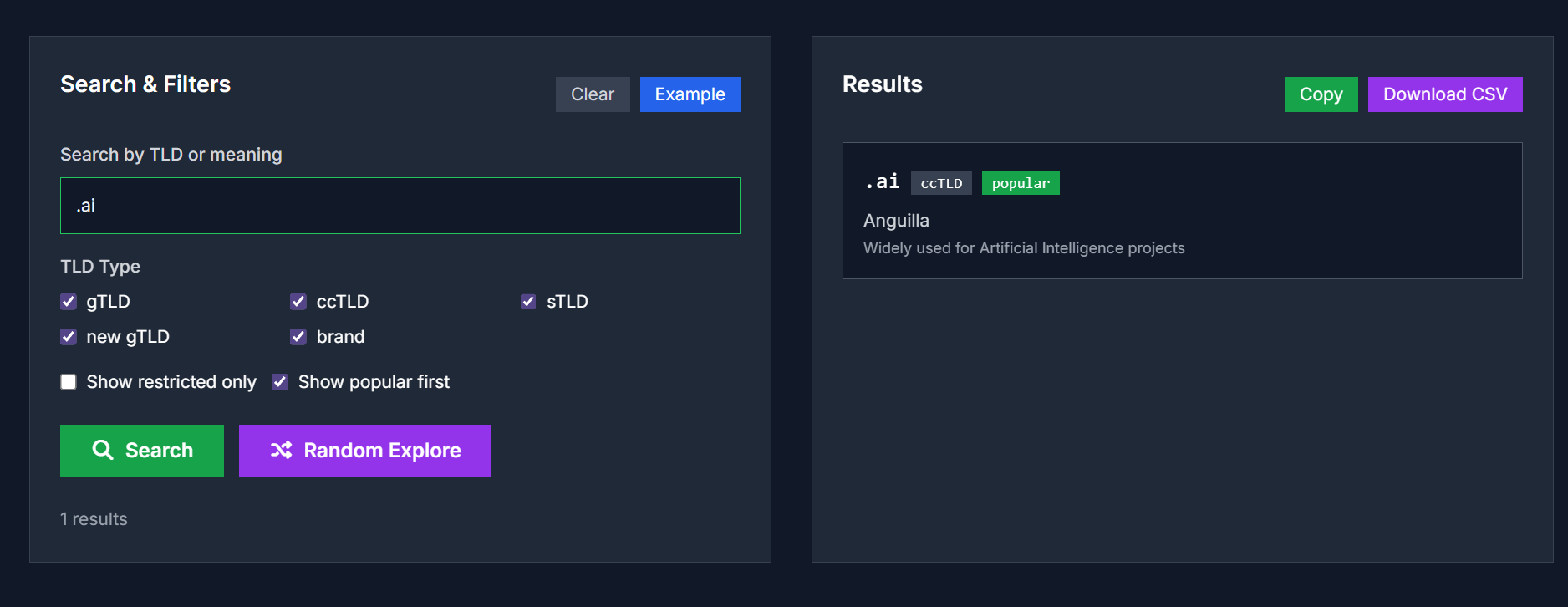
The Domain Extensions Meanings tool helps users quickly look up and understand the meaning, type, and use of any domain extension (TLD). Whether you’re selecting a brand domain, exploring country codes (ccTLDs), checking new gTLDs, or analyzing domain investments, this tool provides clear and structured insights.
Key Features
- Support for Multiple TLD Types: Includes generic TLDs (gTLDs), country-code TLDs (ccTLDs), sponsored TLDs (sTLDs), branded domains, and new gTLDs.
-
Search by Extension or Meaning: Users can search using the TLD itself (e.g.,
.tech) or by meaning/industry keywords (e.g., “technology”). - Filter and Sort: Filter by type, registration restrictions, popularity, and more.
- Export Data: Copy or download search results as a CSV file for further analysis.
- Local Processing & Privacy: All operations run in the browser; no data is uploaded or stored externally.
Use Cases
- Brand Domain Selection: Choose the most suitable domain extension for your brand and target market.
- Country Market Analysis: Explore ccTLDs to understand local domain registration trends.
- Discover New TLDs: Find creative and emerging domain extensions with potential for your projects.
- Domain Investment Analysis: Analyze popularity and trends of domain extensions for investment purposes.
- Education & Training: Teach students or team members about domain systems and TLD classifications.
FAQs
What is a TLD (Top-Level Domain)?
A TLD is the last part of a domain name, like.com,.org, or.cn, indicating the type or country of the domain.How do I choose the right TLD?
Consider your brand identity, target market, audience familiarity, and SEO impact when selecting a TLD.Are some TLDs restricted?
Yes, certain TLDs like.govor.eduare only available to specific organizations.Can I export the filtered list?
Yes, click the “Copy” button to copy results or “Download CSV” to export structured data.
Try It Now
Explore domain suffixes and their meanings: Domain Extensions Meanings





Top comments (0)