

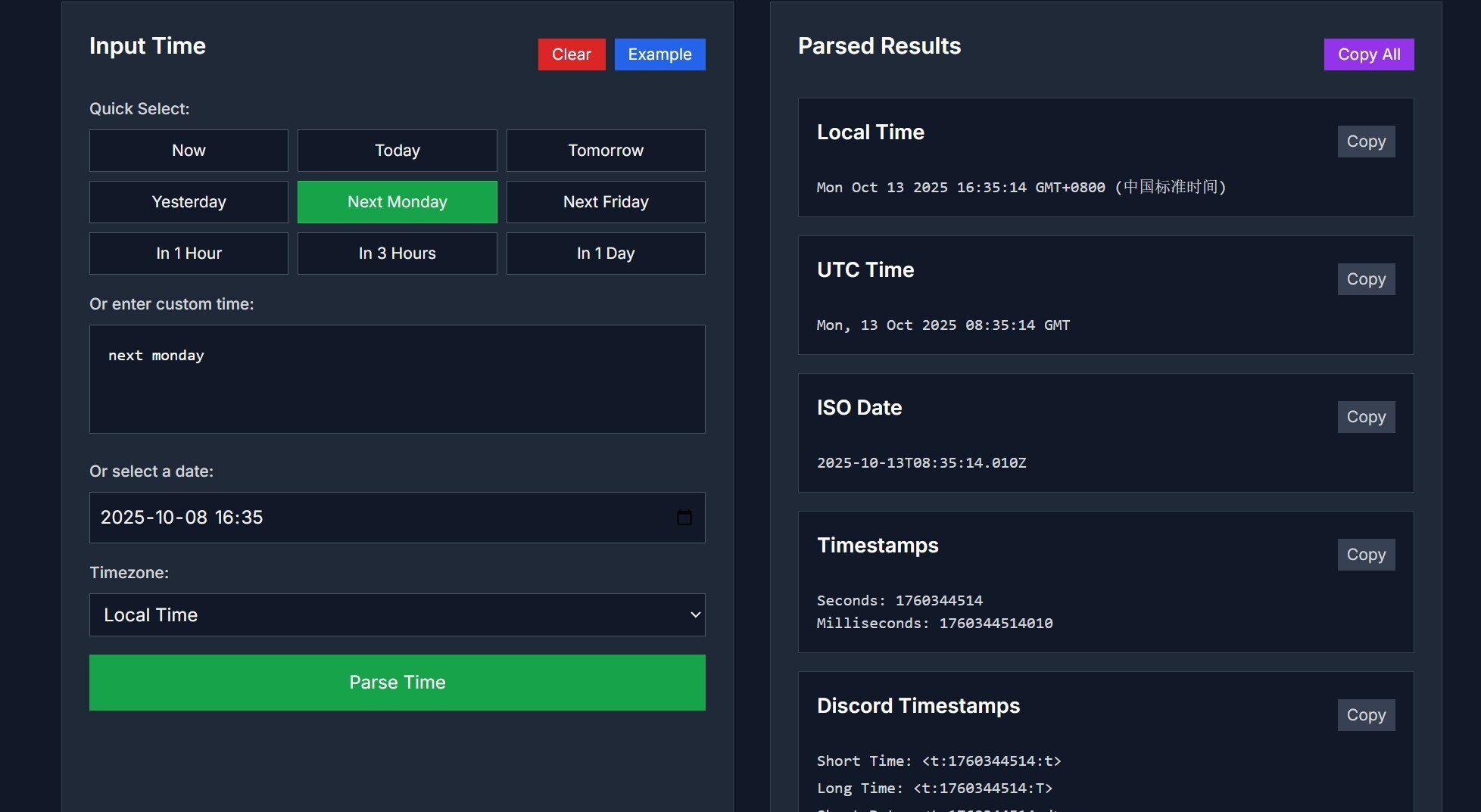
I recently discovered the Friendly Time Parser on Prompt2Tool and it has quickly become one of my go-to time utilities. The tool lets me type natural language expressions like “next friday at 6am” or “in 2 hours” and it outputs structured formats instantly. There is a clean interface with shortcuts for “now”, “today”, “tomorrow”, and popular relative times. Adjusting the timezone is straightforward, with options for local time, UTC, and major cities.
One feature I really like is how it shows multiple output formats all at once. After entering a time expression, I see the local time, UTC equivalent, ISO date, Unix timestamp, and even Discord timestamp formats. That makes it simple to copy whichever format I need for different contexts. When I’m preparing messages or scheduling programs, I rarely have to switch tools. Everything I need is right there in one pane.
In practical use, I use the parser when planning online meetups across different timezones. I’ll type something like “next wednesday at 14:30 Tokyo” and immediately get what that translates to in my local zone or in UTC. This saves me from doing manual conversion or double-checking online converters. It’s especially handy when coordinating with friends or colleagues across Asia, Europe, or the Americas. I no longer worry about miscommunicating meeting times.
Another scenario where the tool shines is when setting bots or scheduling posts. Discord timestamp formats are built right into the results, so I can paste directly and have the time render in users’ zones. I’ve used that when planning event announcements or timed notifications. The parser supports many common expressions, so I don’t have to micromanage logic. Its coverage of relative phrases, days of week, and specific dates makes it flexible.
The tool also shows transparency about how it works and its limitations. It mentions that parsing is done locally in the browser for privacy, and that extremely ambiguous or highly complex expressions might fail. That honesty gives me trust in using it for important timings. For most common needs, though, it nails the conversion immediately. I use it daily now for planning, coordinating, and converting times with confidence.
If you ever deal with cross-timezone coordination, scheduling bots, or just want to translate human language times into formal formats, this tool is incredibly handy. Try it for your next time conversion task.



Top comments (0)