

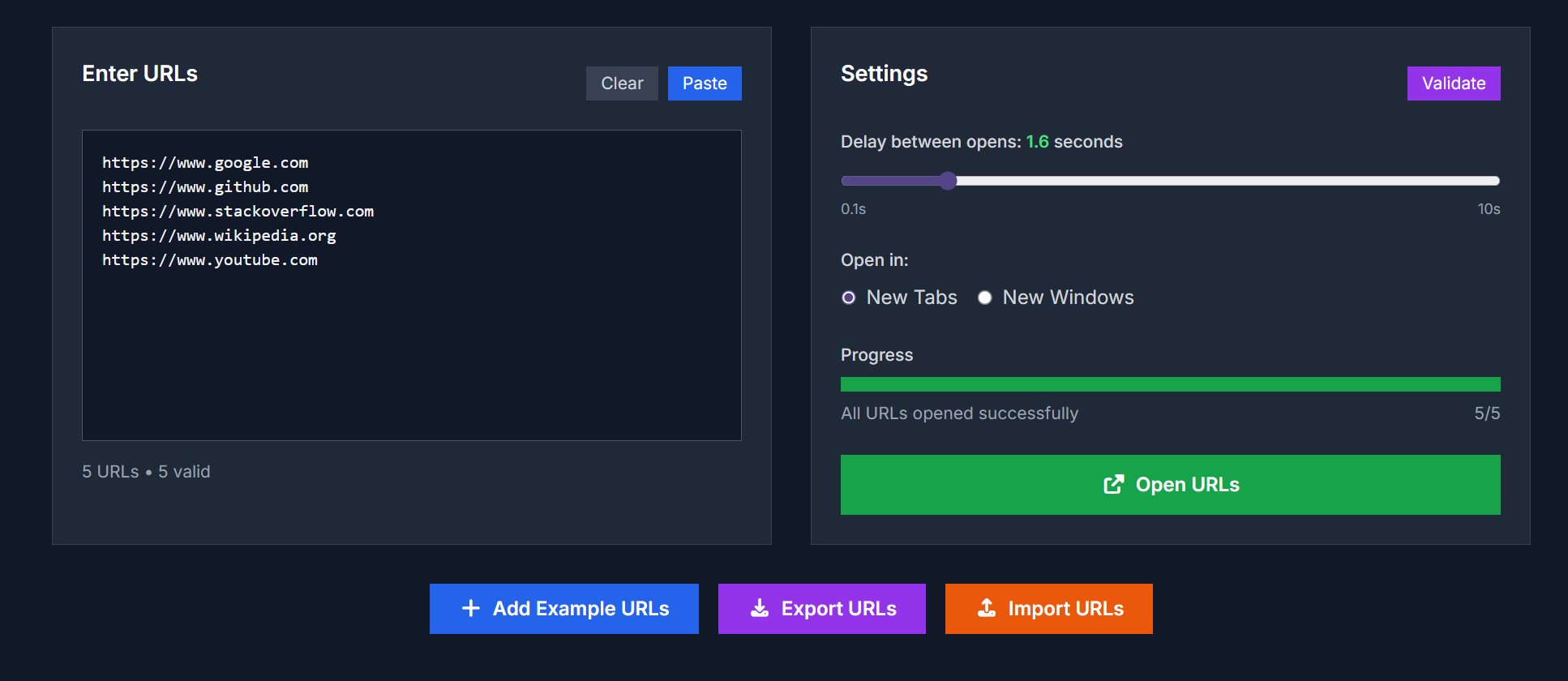
OpenURLs is a free, browser-based tool that lets you open multiple URLs in one go with customizable delay intervals. Ideal for researchers, SEO experts, testers, or anyone who needs to work efficiently across many web pages.
Key Features
- Paste multiple URLs (one per line), then open them all at once
- Set delay between opens (from 0.1 to 10 seconds) to avoid browser overload or spam filters :contentReference[oaicite:0]{index=0}
- Choose whether to open URLs in new tabs or new windows :contentReference[oaicite:1]{index=1}
- Import or export URL lists for reuse :contentReference[oaicite:2]{index=2}
- Works entirely in your browser; no sign-ups or fees required :contentReference[oaicite:3]{index=3}
Use Cases
| Scenario | How It Helps |
|---|---|
| Academic / Research | Quickly open multiple papers or sources for reading and comparison |
| SEO / Competitive Analysis | Simultaneously load competitor sites, dashboards, tools etc. |
| Web Development | Test many URLs across browsers/devices without manual clicking |
| Price / Product Comparison | Open product pages from different stores to compare pricing easily |
| Monitoring / News | Keep track of news sites, blogs, analytics dashboards all in one go |
How to Use
- Navigate to the OpenURLs page.
- Paste or type in the URLs you want to open (one per line).
- Adjust the delay slider to your preferred interval (0.1-10 seconds).
- Choose whether to open in new tabs or new windows.
- Click Open URLs to begin. You can also import or export URL lists for later use.
Advantages
| Feature | OpenURLs | Traditional Manual Opening |
|---|---|---|
| Speed | Opens many URLs quickly with one click | Requires manual one-by-one opening |
| Control over load | Delay lets browser handle workload smoothly | Opening too many at once can crash or slow browser |
| Reusability | Save and reload URL sets as needed | Usually manual copy/paste each time |
| No cost / registration | Completely free, no sign up required | Some tools require accounts or payment |
FAQ
Is there a limit to how many URLs I can open?
There is no strict tool-imposed limit, but using 20-25 URLs at once is recommended for optimal performance without overloading your browser. :contentReference[oaicite:4]{index=4}
Is OpenURLs free?
Yes — the tool is completely free, with no registration or subscription needed. :contentReference[oaicite:5]{index=5}
Is my data saved or sent anywhere?
No. All processing is done client-side in your browser. The tool does not store, collect, or transmit any data to servers. :contentReference[oaicite:6]{index=6}
Does it work on mobile?
Yes, OpenURLs is responsive and works in modern browsers on desktops, tablets, and phones. :contentReference[oaicite:7]{index=7}
Why do I need to allow pop-ups?
Modern browsers block pop-ups by default. To open multiple URLs in new tabs or windows, you’ll need to allow pop-ups from this site. :contentReference[oaicite:8]{index=8}



Top comments (0)