

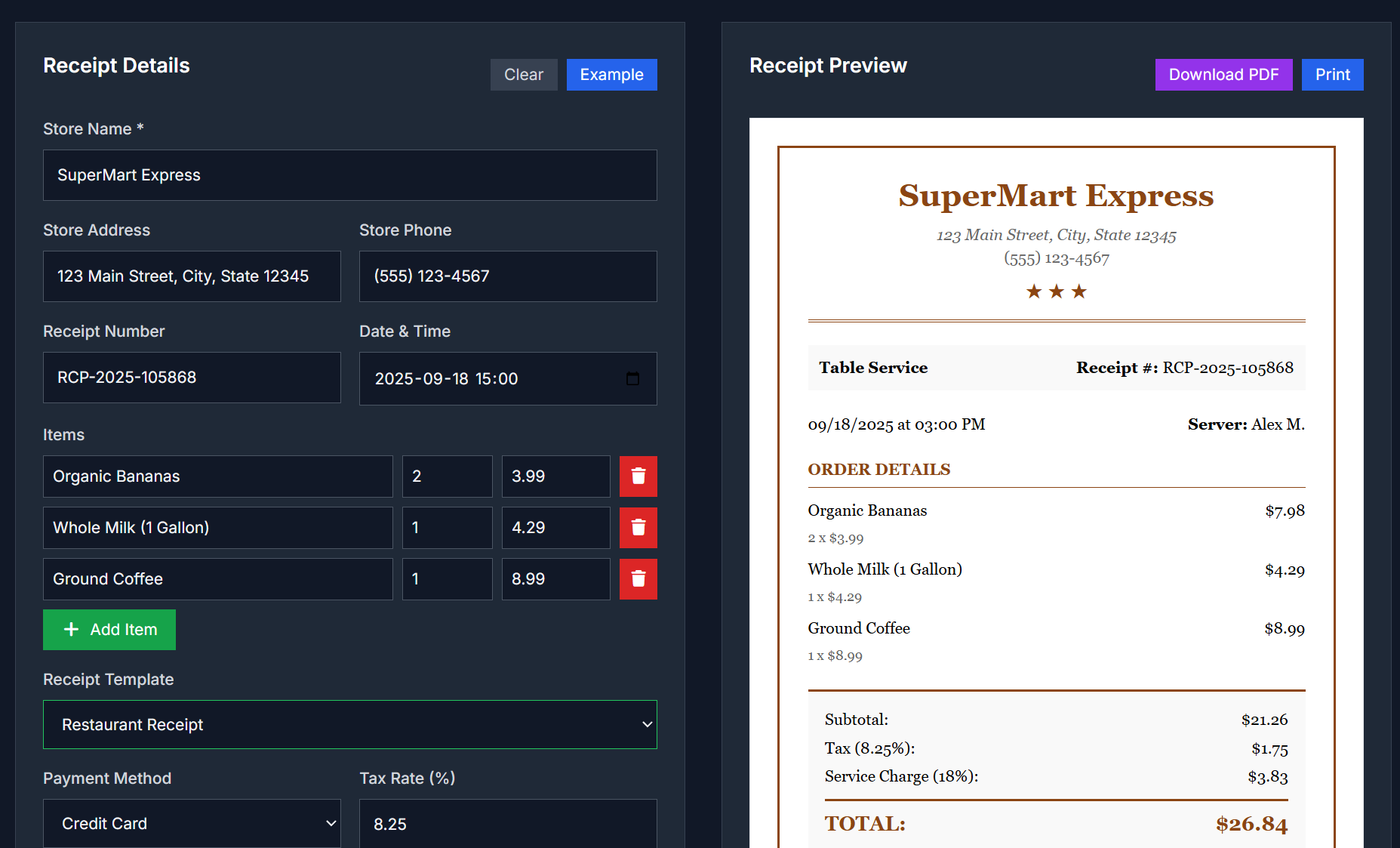
You just made a sale, handed over a product or delivered a service. What your customer sees next often matters—the receipt. With Print Receipt, you can generate clean, branded transaction receipts in seconds, legit enough for business, simple enough for everyday.
What You’ll Get
- Customize receipt layout: header with your business name/logo, date/time, itemized list of products or services
- Specify quantities, unit prices, taxes, discounts, totals, payment method
- Option to add footers: thank-you notes, refund policy, contact info
- Clean design for printing or saving as PDF/image
When You’ll Use It
Imagine this:
You’re running a small bakery. A customer buys bread + coffee. You want them to leave with a receipt: list of items, the date, a friendly “Thanks!”, maybe a policy. You don’t want to handwrite it or fuss with a generic template. Print Receipt helps you produce a nice one in moments.
Other times:
- At pop-ups, fairs, markets
- Freelancing or consulting: delivering service, giving proof
- Small shops: receipts for walk-ins, for expenses or returns
- For record keeping: your accounting, tax filing, or customer warranty
How to Use
- Open the Print Receipt tool in your browser
- Fill in your business name, date/time, optional logo or header text
- List each item: description, quantity, price; add discounts or tax if needed
- Choose payment method (cash, card, etc.)
- Preview the receipt layout; adjust if needed
- Print directly or export/save as PDF/image
What Makes It Good
- No steep learning curve—just fill in what you need
- Looks professional, so customers trust it more
- Flexible enough for many small business setups: food stalls, services, etc.
- Works instantly in browser; no installation or account setup required (if that’s the case)
- Helps with bookkeeping since format is consistent
Common Questions
Can I include my logo or business branding?
Yes, usually you can upload or specify logo or header text to make the receipt yours.
Is the printed version going to fit standard paper sizes?
Yes—tool is designed for typical receipt or A4 formats depending on your printer.
Can I edit after seeing preview?
You should be able to adjust before finalizing—change items, prices, discount, footer.
Is there a fee or watermark?
For many such tools, basic version is free without watermark. For premium design or features, maybe paid—depends on tool version.
Give It a Try
Make your transaction look polished and trustworthy:
Print Receipt



Top comments (0)