

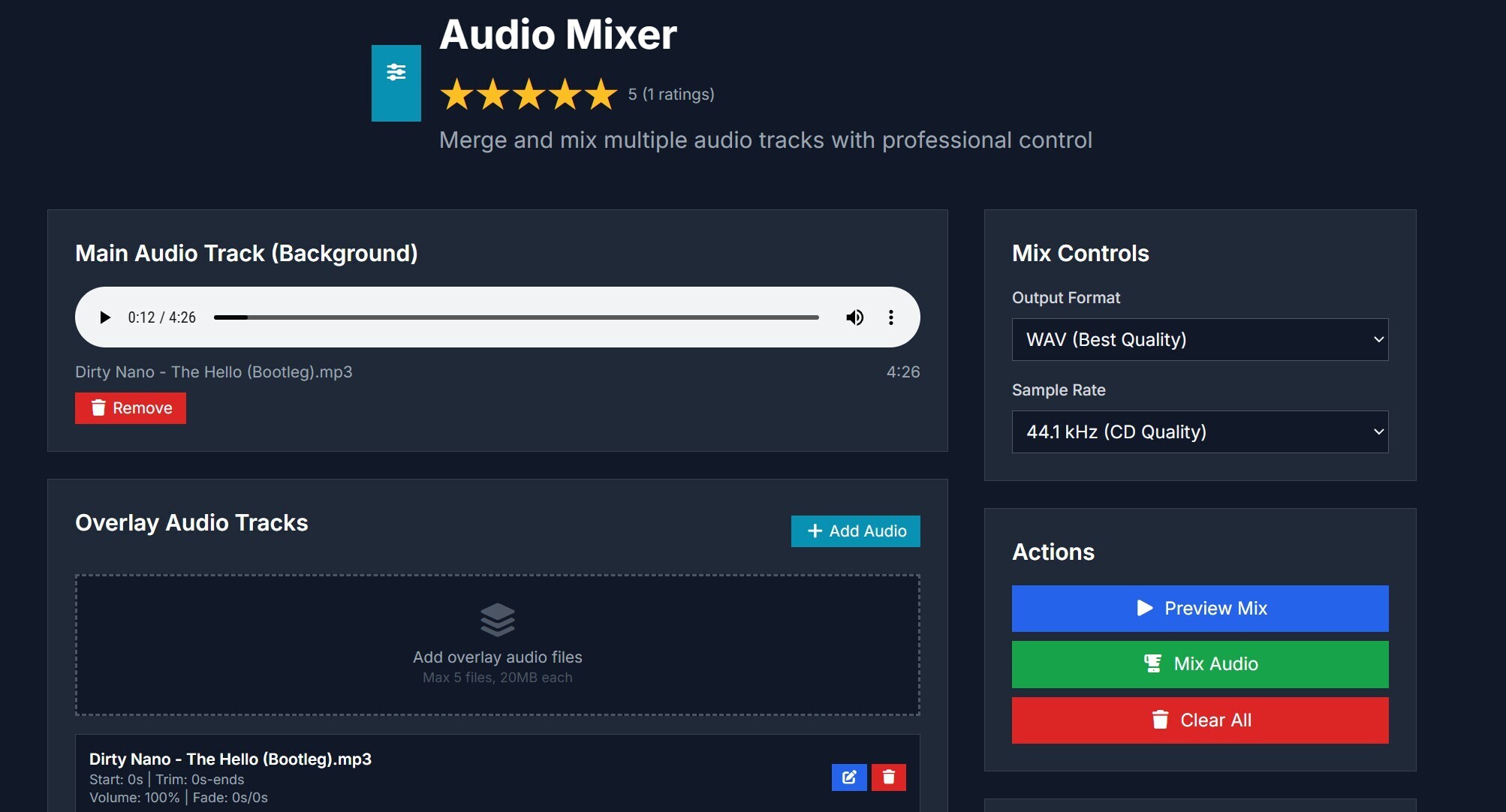
I recently began using the Audio Mixer tool on prompt2tool and found it to be genuinely useful for managing audio files quickly and cleanly. As someone who occasionally edits voice-overs, background music and sound clips for small projects, I’d previously relied on bulky desktop software or juggling multiple online apps. This tool lets me upload multiple audio tracks, adjust levels, trim unwanted parts and mix them together all within my browser. The simplicity and speed make it feel like it belongs in my regular toolkit now.
One feature I discovered is the real-time preview as I adjust volume sliders, pan control and fade‐ins/outs. I could combine a voice track with ambient background music, then gradually reduce the music when the voice starts speaking—something I used to painstakingly line up in a full DAW. The interface is clean, so I didn’t waste time hunting through hidden menus. I appreciated how clear it was that the output format and quality settings were visible, giving me confidence that my final mix would sound crisp.
Another practical value is the export flexibility. After creating my mix, I exported it to a high-quality MP3 and then reused it straight away for a video project—with no extra conversion needed. That streamlined my workflow significantly. I’ve also mixed in a sound effect track, adjusted the timing so the effect lands exactly as my video cue hits, and exported with everything aligned. Being able to do that from the browser saves me from opening another application just to fine-tune small edits.
The tool also fits seamlessly into the broader prompt2tool ecosystem. Since prompt2tool offers a wide suite of online utilities—from image editing to file conversion—having Audio Mixer there means I stay within one ecosystem rather than hopping between disparate sites. If I need to convert audio to a different format or compress it for upload, I know prompt2tool has those tools as well. That continuity gives me a smoother creative path and fewer context switches.
After working with it for several sessions, I feel comfortable recommending Audio Mixer for content creators, podcasters, educators or anyone needing simple—but reliable—audio mixing without a steep learning curve. It won’t replace a full studio setup, but for many day-to-day tasks it hits the sweet spot of power plus ease of use. If you’ve been looking for a lightweight, browser-based way to mix audio tracks cleanly, this tool is worth checking out.



Top comments (0)