

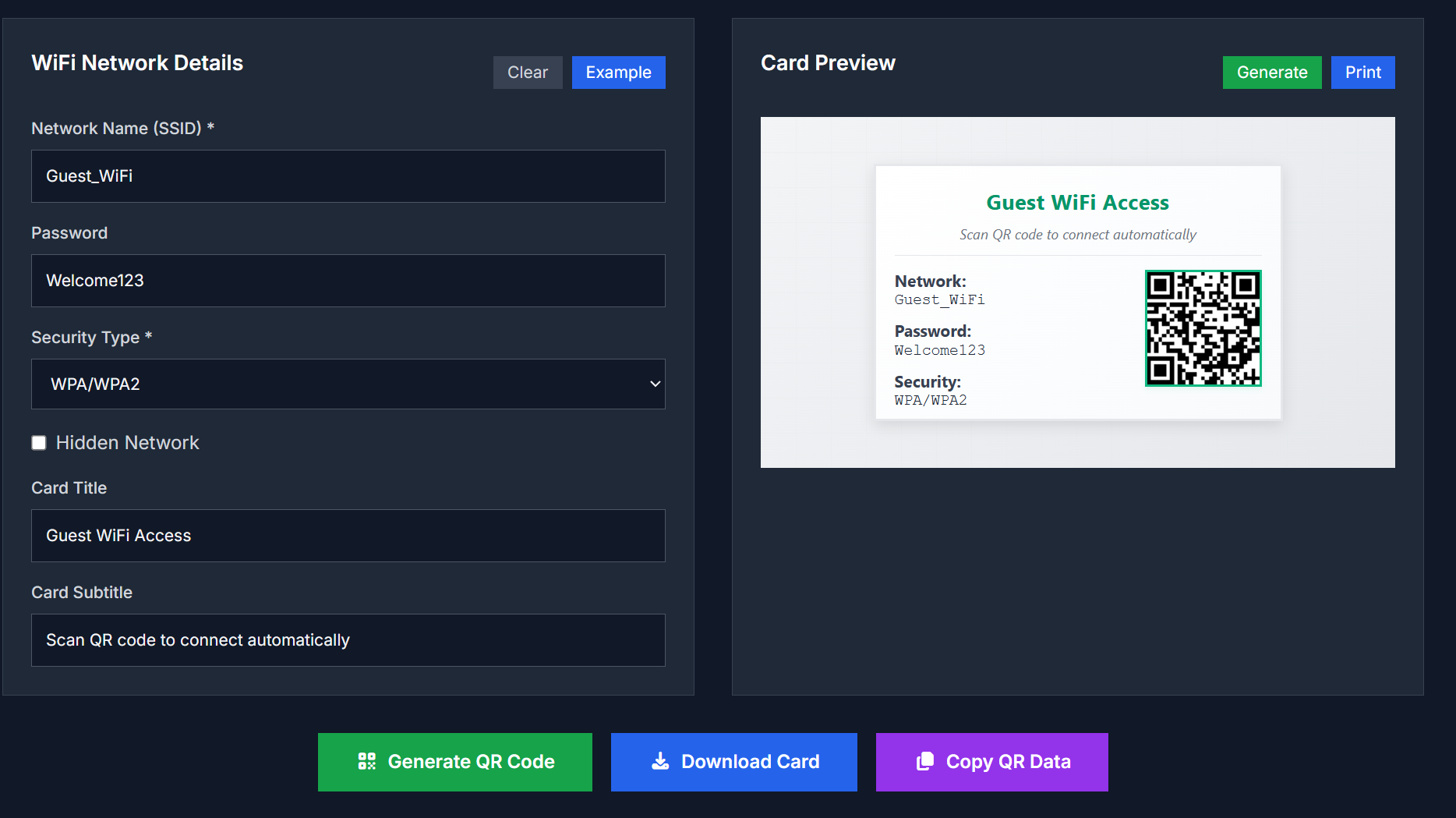
WiFi Card Generator is an online tool for designing custom WiFi cards that display your network’s SSID, password (optionally), and a QR code that guests can scan to join. It’s helpful for homes, offices, coffee shops, events, or any place where you want visitors to connect easily.
Key Features
- Input WiFi network details: SSID, password, encryption type, hidden network flag
- Generate a QR code that encodes the WiFi credentials
- Customize card layout, style, and visual design (background, text size, icons, colors)
- Option to show or hide password visually
- Print-friendly format or download as image
Use Cases
| Scenario | Benefit |
|---|---|
| Hospitality & Cafés | Provide guests with a card they can scan rather than typing password manually |
| Offices & Co-working Spaces | Make WiFi access easy for visitors without staff assistance |
| Events & Conferences | Prepare WiFi cards for attendees or registration desks |
| Personal / Home Use | Create nice printed cards for guests |
| Rentals / Airbnb | Leave WiFi access clearly presented without compromising security |
How to Use
- Open the WiFi Card Generator tool in your browser
- Enter the WiFi network name (SSID) and password; select encryption type (WPA/WPA2/WEP/none)
- Choose whether the network is hidden, whether to display the password on card
- Customize visual elements: background, font size, QR code placement
- Generate the card; preview it; then download or print
Advantages
- Saves time: no manual design needed to generate a guest access WiFi card
- Reduces errors: guests scan rather than enter credentials manually
- Customizable look: you can match style or branding
- Works offline in browser (if implemented that way), respects privacy of credentials
FAQ
Is the WiFi information stored anywhere?
No. All data is handled locally in your browser; nothing is transmitted to external servers.
Do I need to register or pay?
No. The tool is free to use and does not require creating an account.
Will the QR code work for any device?
Yes. Most modern smartphones or devices with QR scanning or camera support will read a WiFi QR code and prompt to connect.
What if my WiFi network is hidden or uses uncommon encryption?
You can indicate that the network is hidden; make sure the encryption type matches your router’s settings (WPA/WPA2 etc.).
Try It Now
Make guest access easier with a beautiful WiFi card:
WiFi Card Generator



Top comments (0)