
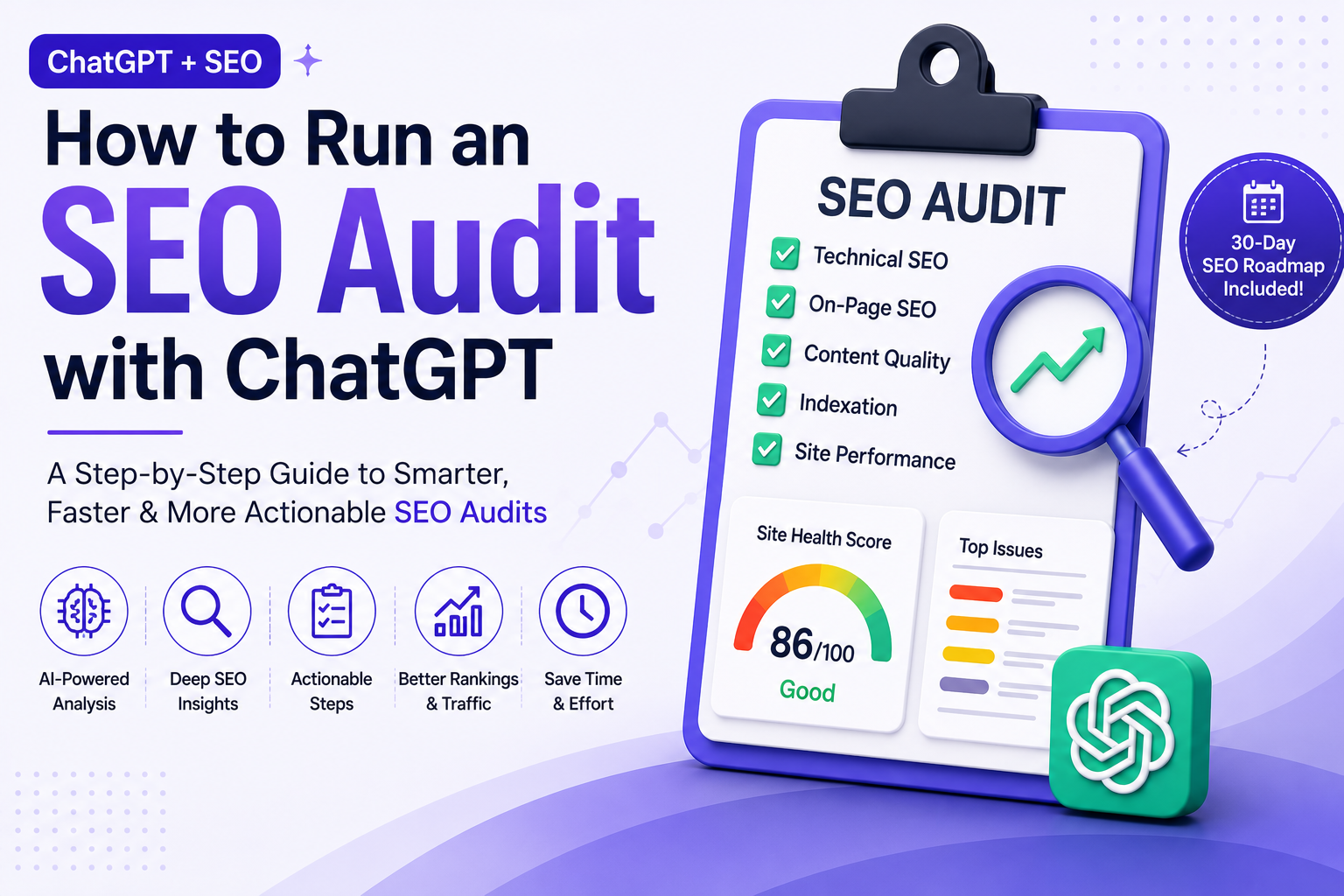

Running an SEO audit can feel overwhelming, especially when you're dealing with hundreds or even thousands of pages. Modern SEO tools can collect an incredible amount of data, but sorting through crawl reports, indexing issues, broken links, and content gaps often takes longer than gathering the data itself.
That's where ChatGPT has become a valuable part of my workflow. I don't use it to replace SEO tools—instead, I use it to analyze reports, identify patterns, prioritize issues, and turn raw data into an actionable plan.
Here's the exact workflow I use to perform a complete SEO audit with ChatGPT.
Why ChatGPT Is Helpful for SEO Audits
One of the biggest misconceptions about AI is that it can instantly audit a website by simply entering a URL. In reality, ChatGPT works best when you provide it with structured information from trusted SEO tools.
Once it has the right data, it can quickly summarize findings, categorize issues by priority, explain technical problems in plain language, and even recommend practical next steps. Instead of spending hours reviewing spreadsheets, you can focus on implementing improvements that make a real impact.
Step 1: Give ChatGPT a Clear Role
The first step is creating a detailed prompt. Generic prompts usually produce generic answers, so I always explain exactly what I expect ChatGPT to do.
For example:
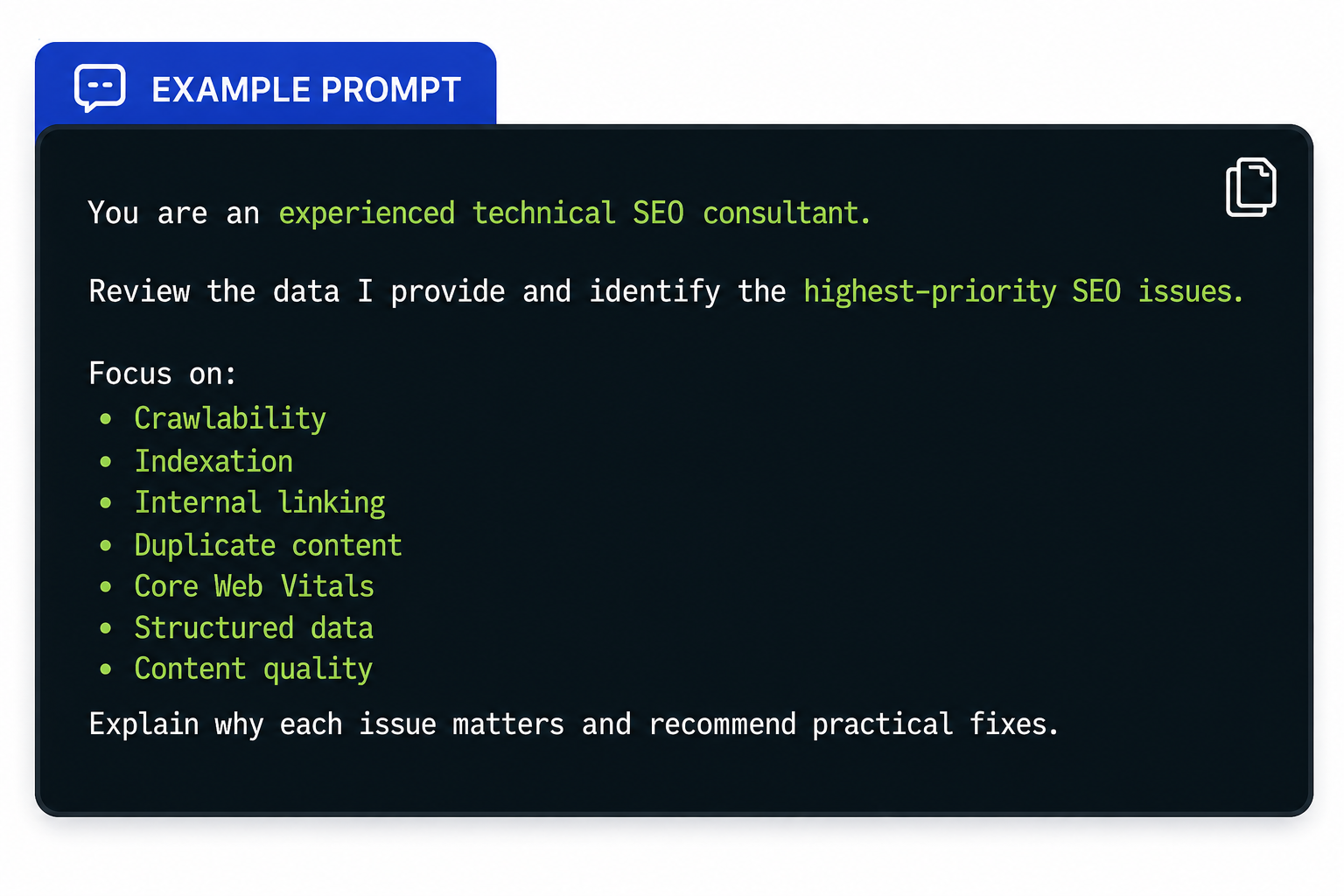
Giving ChatGPT a defined role helps it provide more focused recommendations instead of broad SEO advice.
Step 2: Export Data from Your SEO Tools
Before asking AI to analyze anything, gather information from your preferred SEO platforms.
My typical exports include:
- Google Search Console
- Google Analytics
- Screaming Frog
- Ahrefs or Semrush
- Google PageSpeed Insights
CSV exports work particularly well because ChatGPT can identify trends across large datasets.
Step 3: Prioritize the Biggest SEO Problems
One of the most valuable parts of an SEO audit is determining which issues deserve immediate attention.
After uploading a crawl report, I use a prompt like this:
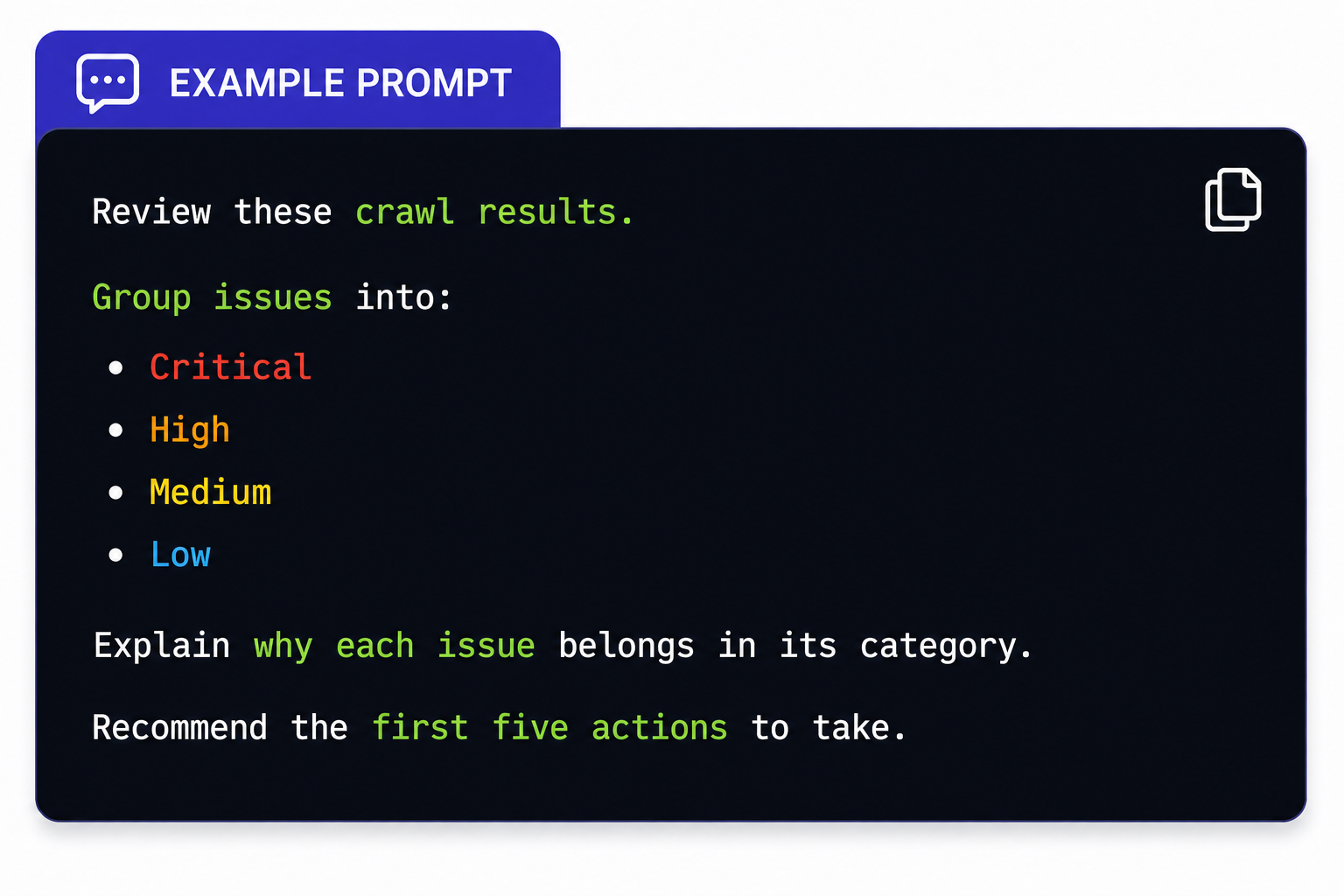
Instead of manually reviewing hundreds of crawl errors, I receive a structured priority list that helps me decide where to start.
Step 4: Review Crawl and Site Health
Technical issues often have the biggest impact on search performance, but they're also the easiest to overlook when working with large websites.
This is where AI becomes especially useful. I upload crawl exports and ask ChatGPT to identify recurring patterns, pages with multiple issues, redirect chains, orphan pages, and duplicate content.
For In-depth website audits, this approach makes it much easier to organize technical findings into meaningful categories instead of reviewing thousands of individual URLs one by one. AI won't replace your crawler, but it can dramatically reduce the time needed to interpret the results.
Step 5: Analyze Indexation Issues
Indexation problems can prevent valuable pages from appearing in search results.
I'll export indexing reports and ask ChatGPT to identify trends using prompts like:
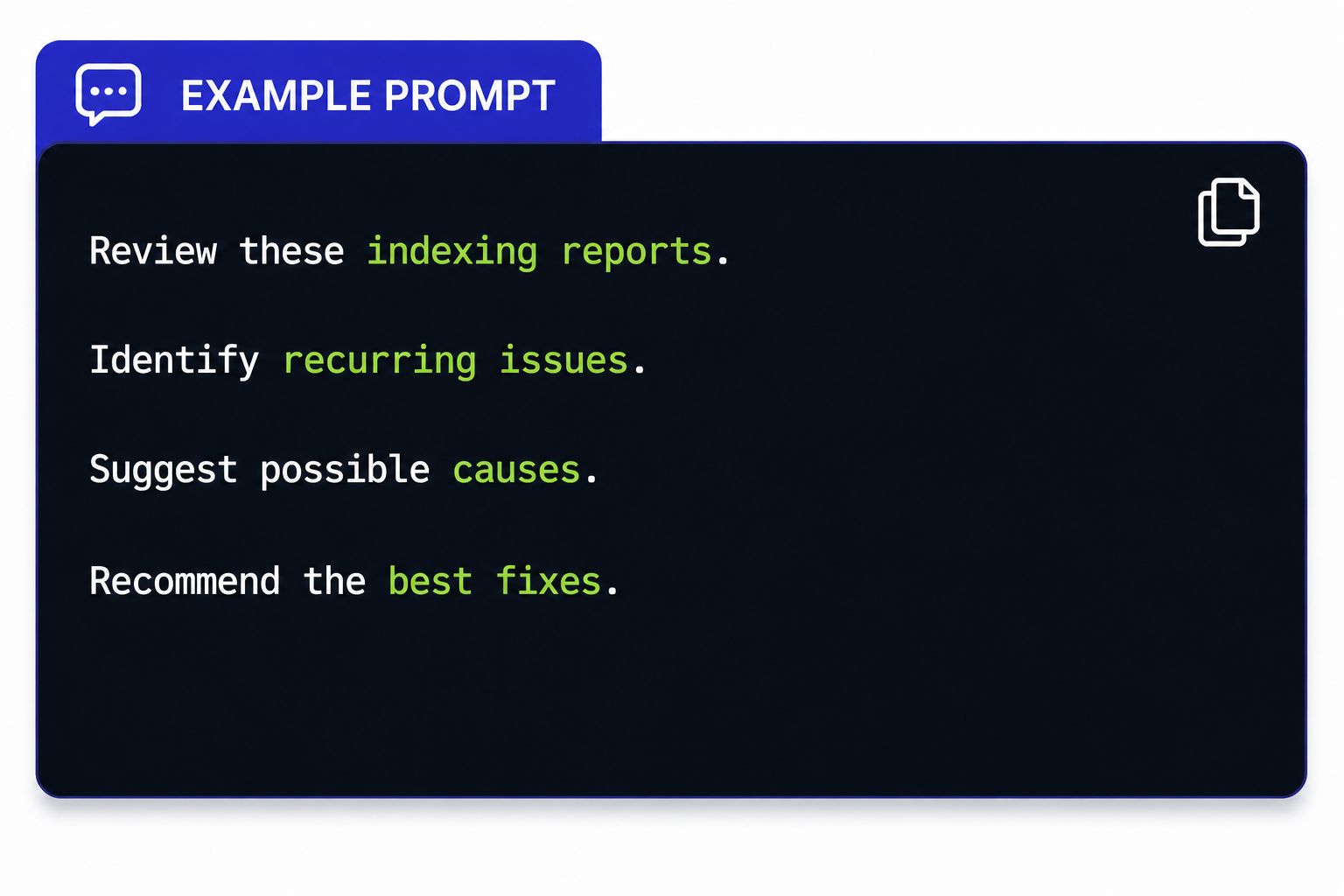
This often highlights patterns that are difficult to notice when reviewing reports manually.
Step 6: Improve Internal Linking
Internal linking becomes increasingly difficult to manage as websites grow.
I usually export my site's URLs and ask ChatGPT to recommend logical internal links between related pages.
Example prompt:
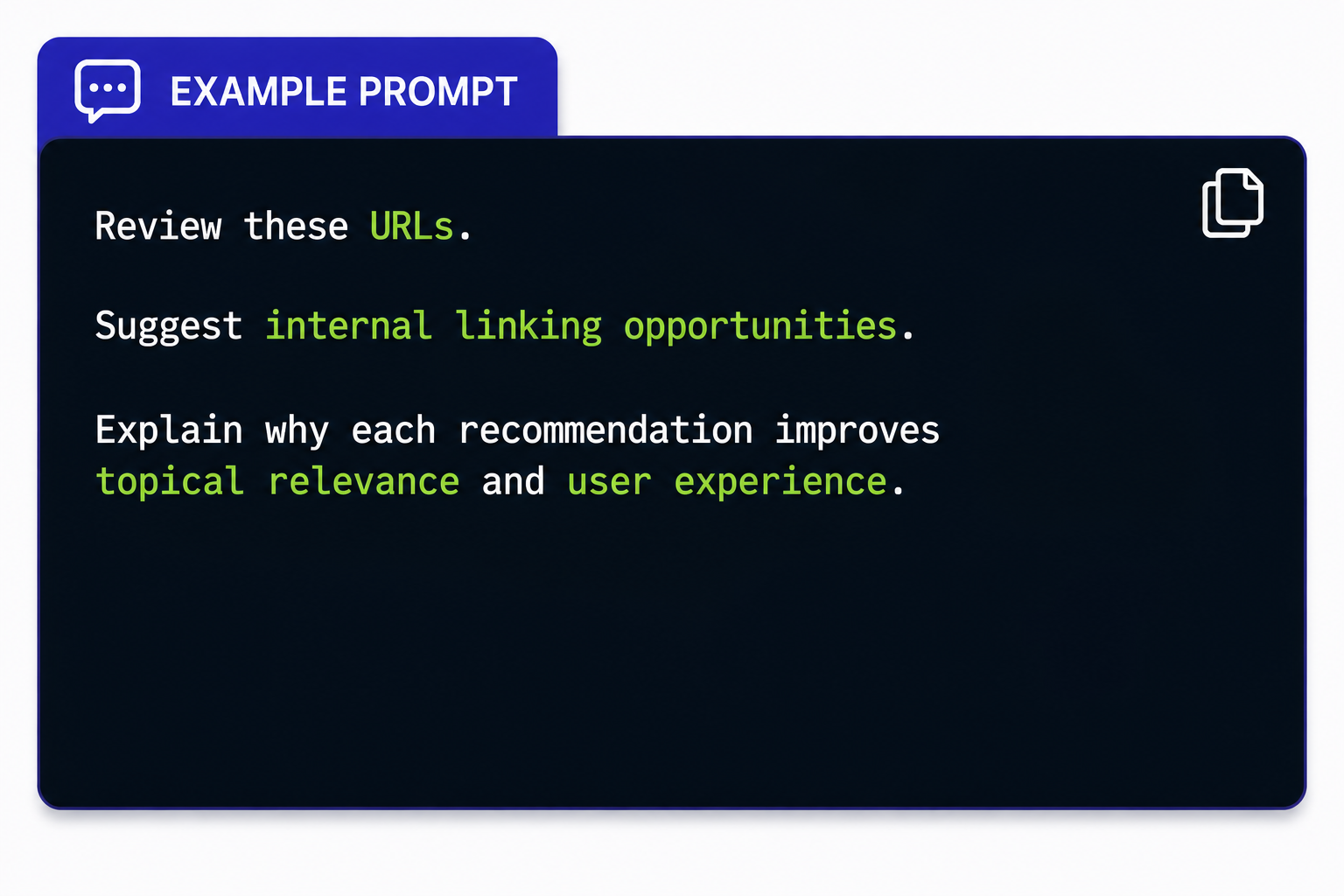
The recommendations aren't always perfect, but they provide an excellent starting point that saves considerable time.
Step 7: Evaluate Content Quality
ChatGPT is particularly effective at reviewing content from an SEO perspective.
I'll paste an article into the chat and ask it to evaluate:
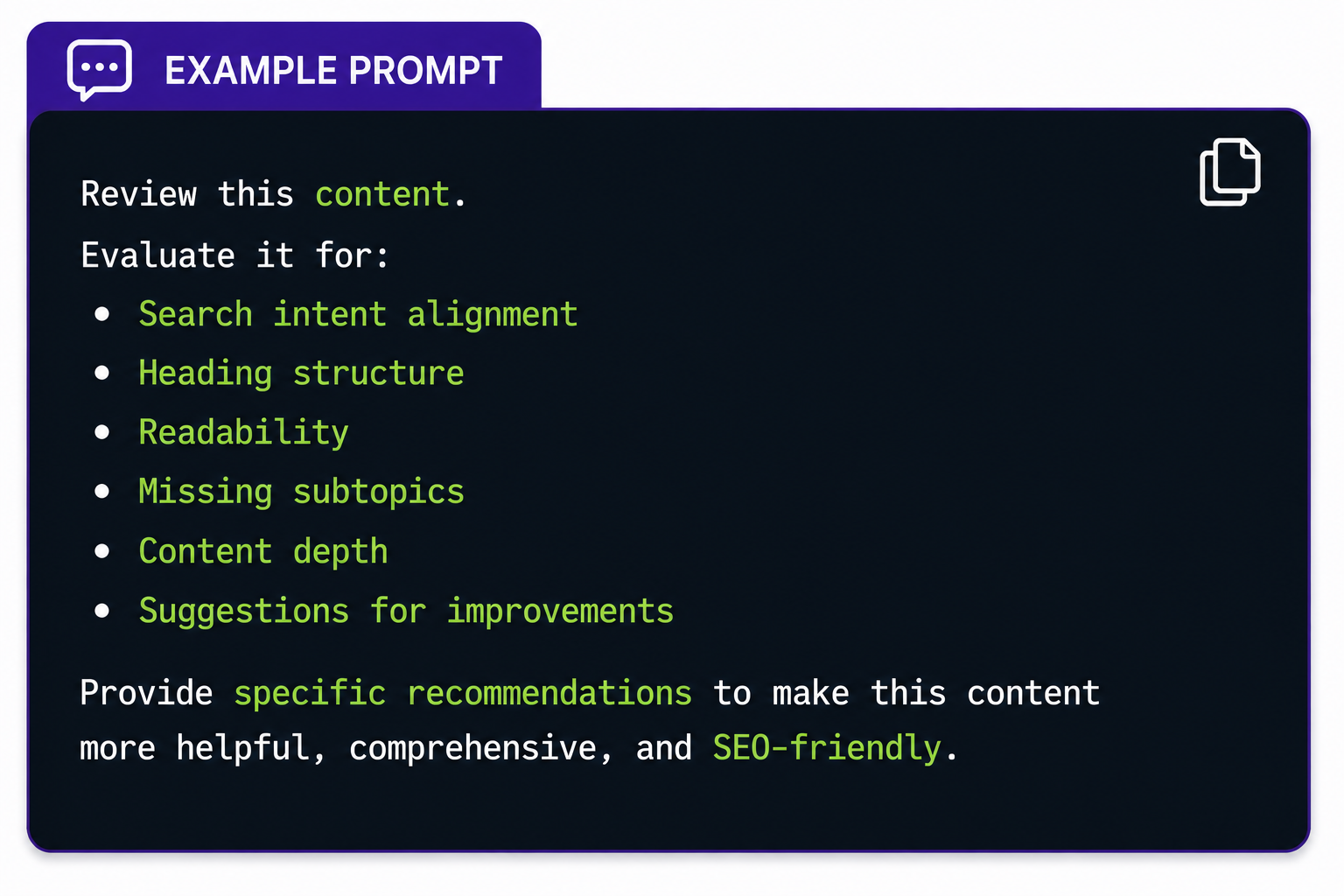
Rather than rewriting the article, I use the feedback to identify areas where the content can better satisfy user intent.
Step 8: Organize Technical Issues
Large SEO audits often produce dozens of different technical problems.
Instead of keeping everything in one long spreadsheet, I ask ChatGPT to organize issues into categories such as:
- Crawl errors
- Redirect issues
- Broken links
- Duplicate pages
- Missing metadata
- Structured data errors
- Image optimization opportunities
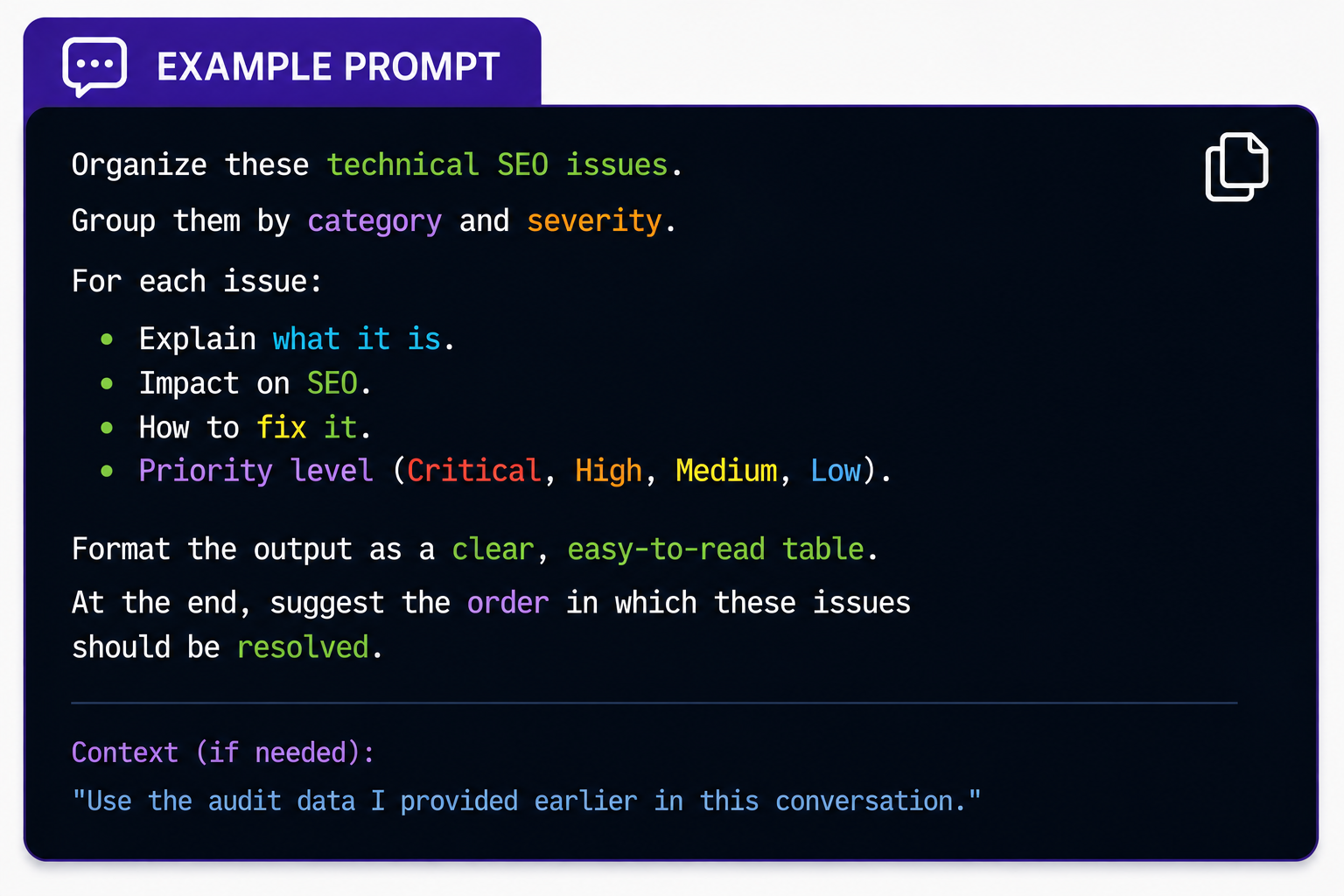 This makes reports much easier for developers, marketers, and stakeholders to understand.
Step 9: Create a Practical SEO Roadmap
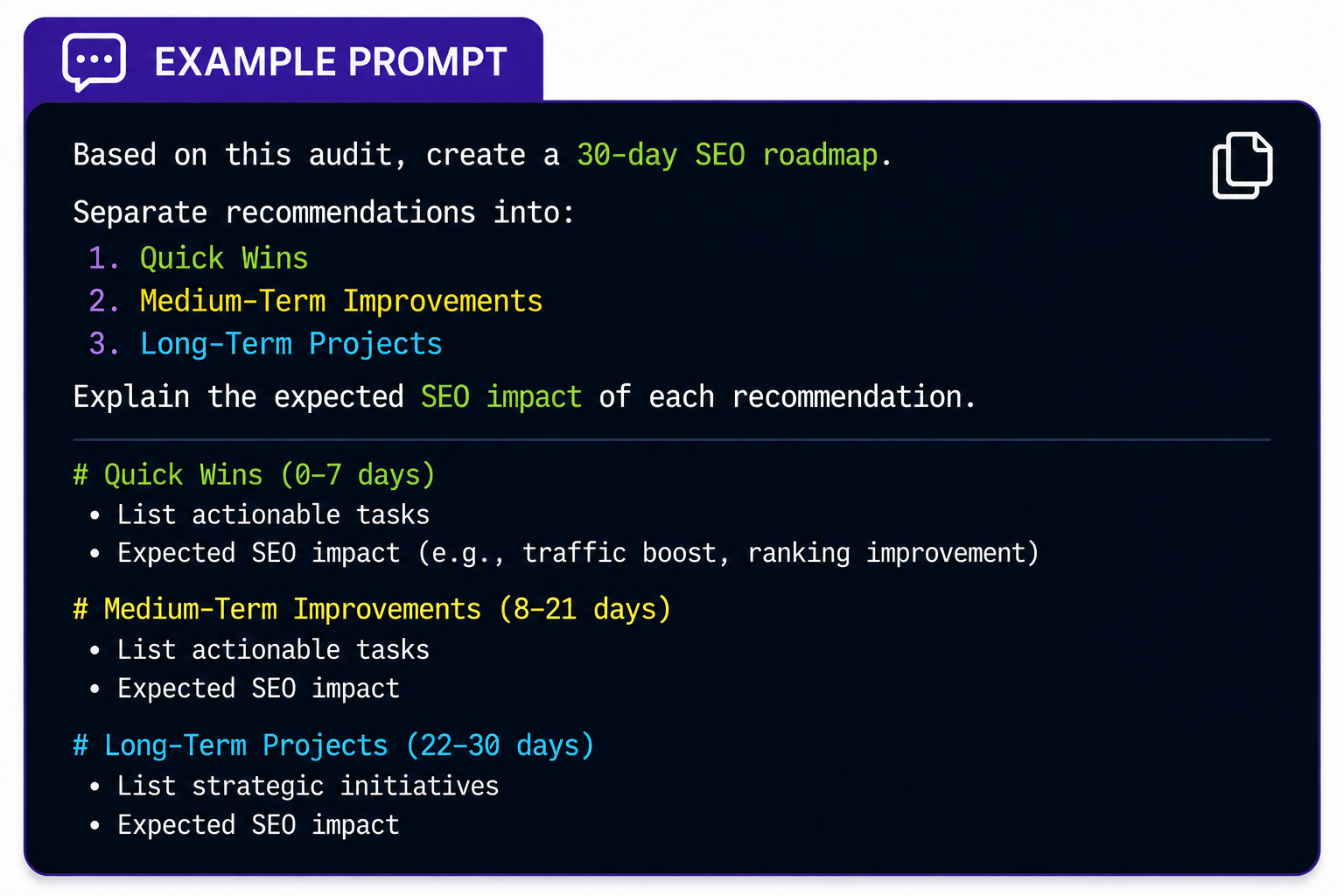
The final step is turning audit findings into a clear action plan.
I typically use a prompt like this:
What ChatGPT Can't Replace
While ChatGPT is incredibly useful, it's important to recognize its limitations.
It still cannot replace specialized SEO software for:
- Live website crawling
- Core Web Vitals testing
- JavaScript rendering
- Log file analysis
- Real-time Google Search Console data
- Monitoring ongoing website changes AI works best as an assistant that helps interpret data—not as the tool that collects it.
Best Practices for Better Results
After using this workflow across multiple projects, a few habits consistently improve the quality of AI-generated insights.
- Export clean and organized datasets.
- Review one section of the audit at a time instead of uploading everything at once.
- Ask follow-up questions whenever a recommendation needs more explanation.
- Validate important recommendations using trusted SEO tools.
- Use AI to simplify technical findings when presenting reports to clients or stakeholders. These practices help produce more reliable and actionable recommendations.
Final Thoughts
ChatGPT has become one of the most useful assistants in my SEO workflow because it speeds up analysis rather than replacing expertise. It helps organize complex reports, identify patterns, and prioritize improvements without replacing professional SEO tools.
The most effective SEO audits still rely on human judgment, experience, and strategic thinking. AI simply makes the process faster and more organized.
At SEO Circular, we've found that combining trusted SEO tools with AI-assisted analysis allows teams to spend less time sorting through data and more time implementing meaningful improvements that drive long-term organic growth.






Top comments (0)