
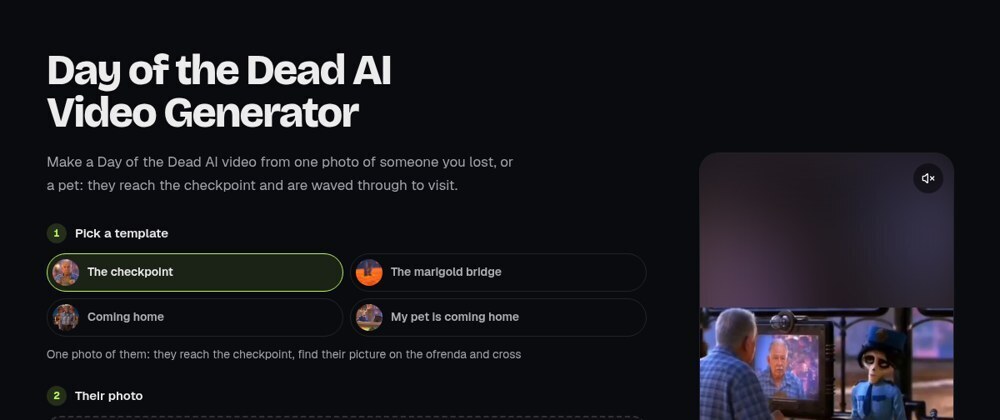

A trend template is a prompt reused by people who never see it. They add a photo and press one button, so it has to work for a grandmother, a tabby cat or five friends without anyone editing it. These are the prompt patterns I use for the trend templates I run, with real prompts from the config and the failures that changed their wording.
One note before the examples: the production prompts are written in Chinese. Everything below is translated and trimmed, and I say where I cut.
What the reference clip carries, and what the prompt still has to say
The biggest prompt-design decision happens before any wording: the scene is not described from scratch, it is attached. Every template sends a short reference video (@video1), cut to the exact seconds of the trend clip people saw, with its own sound kept and any caption bands or app marks blurred or cropped out. The visitor's photo arrives as @image1.
That splits the work cleanly. The reference carries the camera, the cuts, the timing, the lighting and the music. Describing those in words would be weaker and slower. The prompt carries the things a clip cannot say on its own: who gets replaced, which features come from the photo, what must not be kept from the original person, and the constraints the reference would otherwise leak (text, logos, a narrator).
Here is the "checkpoint" template from a Day of the Dead trend, translated, with the shot list shortened:
Replace the old man arriving at the checkpoint in @video1 with the person in @image1:
face, hairstyle, age, build and clothing all follow @image1. Do not keep the old
man's face, white hair, beard or blue plaid shirt from @video1.

Keep @video1's shots, camera moves, lighting and the timing of every shot exactly:
[close-up, straw hat held to the chest] → [wide: the checkpoint counter] →
[the monitor shows this person's face] → [scan glows green, then warm red,
their photo appears on an ofrenda] → [the skeleton officer smiles and speaks].

Keep @video1's landscape frame. Give the skeleton officer and the set original
designs; do not copy any character from an existing film.
Sound: keep the music and sound of @video1, add no narration.
No text, captions, logos or watermarks in the picture.
The beat list looks redundant next to the video, but it is a backup: if the model reads the clip loosely, the words still say what happens and in which order. The rest of the prompt follows a fixed shape.
The six blocks every template prompt has
Every prompt I ship has the same six blocks, in the same order:
| Block | Job | Example wording (translated) |
|---|---|---|
| 1. Swap | who is replaced, by which input | "Replace the kitten leaning out of the taxi window in @video1 with the animal in @image1" |
| 2. Inherit list | features taken from the photo, named one by one | "fur, markings, face shape, eye colour, ears and build" |
| 3. Do-not-keep list | the original's features, named, so they don't bleed through | "do not keep the white kitten's looks and coat" |
| 4. Keep scene | camera, moves, rhythm, plus a short beat list | "keep the scene, shots, camera moves and rhythm of @video1" |
| 5. Sound | keep the reference audio | "keep the music and sound of @video1, add no narration" |
| 6. Negatives | what the picture must never contain | "no text, captions, logos, car badges or watermarks" |
Two smaller patterns live inside these blocks. The first is the conditional fallback. A pet template cannot know what animal it gets, so the swap says: "if @image1 is a dog or another pet, it plays the lead instead." The Day of the Dead pet template adds a conditional costume rule: "do not put the striped outfit from @video1 on it, unless it is already wearing clothes in @image1." A costume that belongs to the original performer is the easiest thing to leak.
The second is the prop that must stay but must be clean. In the cat dance template the kitten wears a tin can as a hat, and the reference is a yellow taxi with a door emblem and a roof sign. The prompt keeps the can but says "the can has no label and no text on it", and block 6 names "car badges" on top of the usual logos.
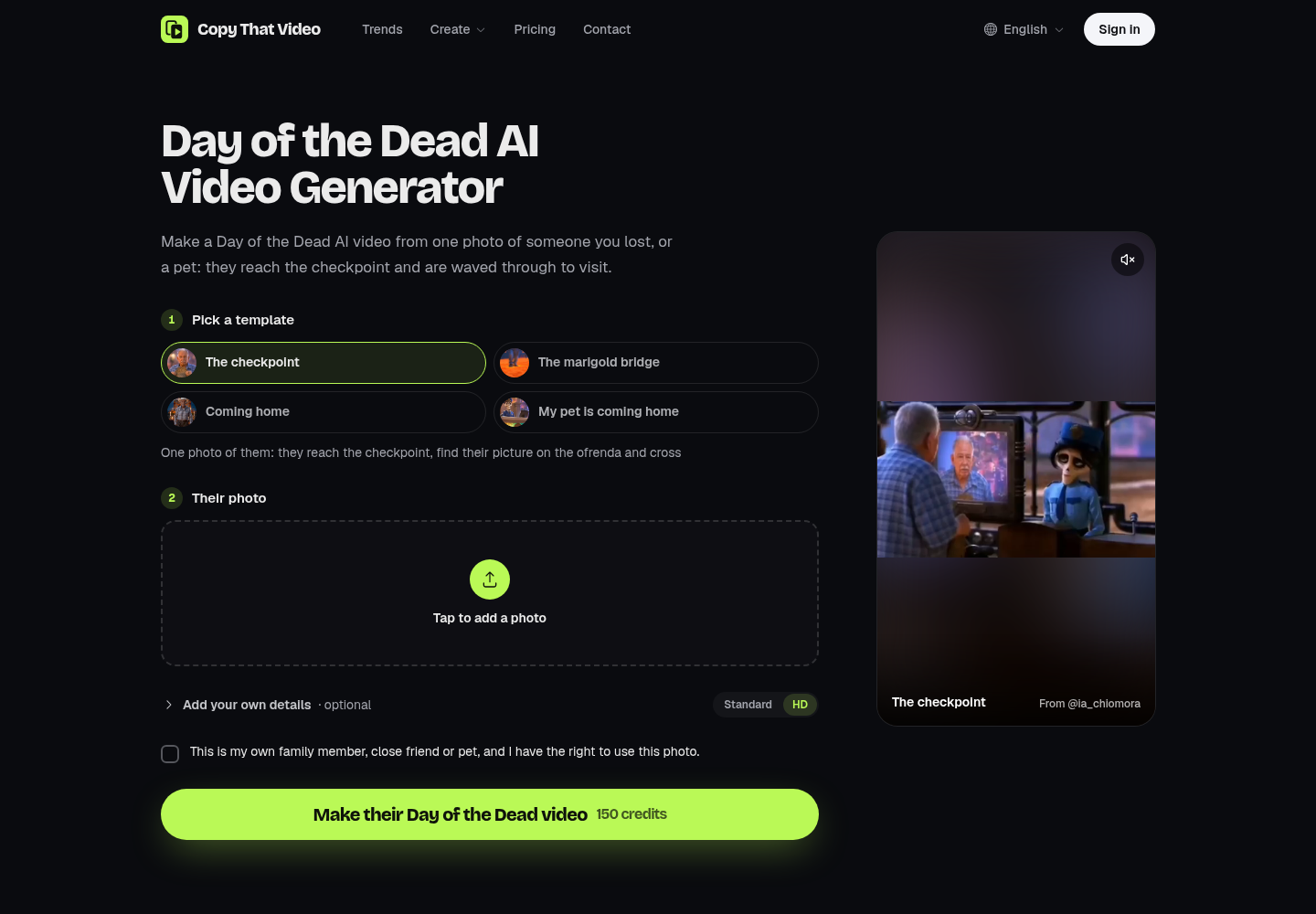
Above is what the visitor sees: a template picker, a photo slot and an optional details field. They never see the prompt, but all three feed it.
Photo slots as variables, and the bug that came from naming clothes
Single-person templates can hard-code @image1. Group templates cannot, because people may send one group photo, a photo each, or leave some parts empty. So the multi-person prompts are written with placeholders, and each photo slot carries the words that fill them:
{ key: 'lead',
  label:    'Lead singer',
  inGroup:  'the second person from the left in the group photo @image1',
  original: 'the original lead singer',  // used when the slot is left empty
  optional: true }
The prompt for a five-person band template is a timeline that names people by {slot}, translated:
Replace the people in @video1 with the people in the photos, by time:
0–5.3 s, the band{kf-band}: singing at the keyboard is {lead}; behind him on the
left is {backup-1}, on the right {backup-2}.
5.3–11.6 s, close-up{kf-close}: only {you}.
11.6–15 s, sax close-up{kf-sax}: on the sax is {sax}; in the lower-right foreground, {lead}.
Each person's moves and expressions follow the person in the same place in @video1. {keep}
A sent photo fills its slot as "the person in @image3". An empty optional slot fills with its original words, and {keep} says those people stay as they are. Any slot that is still empty is not mentioned at all. Moves are left to the reference: the prompt only says who stands where and when.
The failure that shaped this: on October 27 an early version named a person by what they wore, roughly "replace the person in the red cap and black hoodie with @image1". The model treated that as a description of the target and put the red cap and hoodie on the visitor. Now people are named by position only, never by clothing, and one rule covers clothes: the face always comes from the photo; hair, hats, glasses and clothes follow the photo; "do not add a hat or glasses the photo does not show"; the original's clothes only where the photo shows none.
The user's note: 200 characters, appended last, scrubbed first
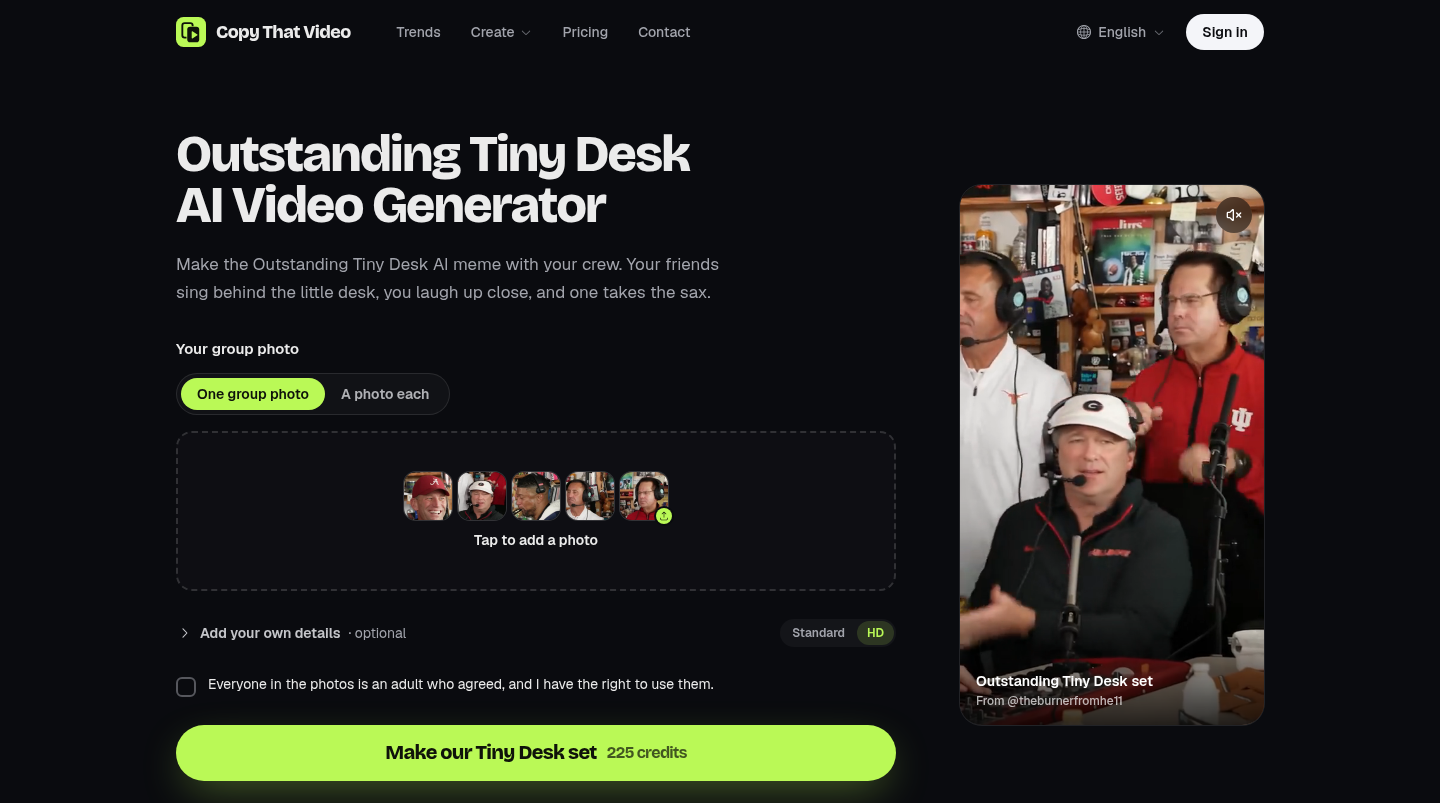
Every template has a collapsed "Add your own details" field, because people want a different background or a jacket they own. That field is untrusted text going straight into a prompt, so it gets four treatments:
const note = raw
  .replace(/[@{}\r\n]+/g, ' ')  // no @image1/@video1, no {slot} words, one line
  .replace(/\s+/g, ' ')
  .trim()
  .slice(0, 200);               // NOTE_MAX

const prompt = note
  ? `${base}User's extra request (where background, clothing or lighting ` +
    `differs from the above, this wins; people's looks still follow the photos): ${note}`
  : base;
Stripping @ matters most: otherwise a note could say "use @video1's original face" and point the model at an input the prompt suppresses. Stripping braces stops a note from smuggling in a {slot} word before placeholders are filled.
The wrapper sentence sets precedence explicitly. The note wins over the template's background, clothing and light, but never over identity. Because it comes last, it reads as the final word instead of being diluted in the middle.
One more rewrite applies only to runs that make a new clip rather than edit the reference (a portrait version of a landscape trend). In those runs, edit verbs in the note are softened: "replace with" becomes "change to", "remove" or "delete" becomes "no", and "add" becomes "include". "Replace…" phrasing is what makes the model treat a request as a video edit, and an edit is a different task type with different constraints. A user's casual "replace the sky" could otherwise flip the whole run.
A JSON verdict prompt for multi-person keyframes
Group scenes exposed a limit of prompting alone. In the band template, the faces at the back of the wide shot and the sax player seen in profile kept the original performers' faces, even at the higher quality setting. Lower quality was worse: small faces in a group scene kept the original more often, which is why runs now start on HD.
The fix was to draw a still for each shot with the visitor's people placed in it, check it, and only then hand the still to the video model as an extra reference. The drawing prompt reuses the same inherit and do-not-touch blocks: "Each new person has exactly the face, hair, facial hair, glasses and hat of their own photo… Leave everyone and everything not named exactly as in the first image." The check is a separate vision call with a deliberately tiny contract:
SYSTEM: You check stills drawn for a short-video app against the photos they
were drawn from. Be strict about faces.

Image 1 is a still for a video, drawn with people replaced from the photos that follow.
Image 2 is the photo of the person who should be <the man playing the saxophone>.
Check image 1: is each of these people clearly the same person as their photo
(face shape, hair, facial hair; glasses and hat as in their photo), in the right
place, and shown once? Is it a clean, photographic frame, with no text, no warped
faces or hands and no extra people?
Answer with JSON only: {"ok": true} when all of that holds, else
{"ok": false, "why": "<one short English sentence on what is wrong>"}.
It runs at temperature 0. The code takes the first {…} in the reply, and anything without a boolean ok counts as "not checked" and is not used. "Image 2" in the why text is rewritten to the slot's name for the admin view. A failed still is redrawn, three tries at most. Only stills that passed are attached, and their {kf-…} placeholders become "frame follows @image6". With none, the placeholders vanish and the prompt reads as before.
Asking a model which photo caused a refusal
The same verdict pattern fixed a support problem. When the video model refuses a run, it does not say which photo it objected to. On October 26 one visitor sent a photo containing a flag four times in a row. Now a background call asks a text model to point at the likely photo:
The video model refused with: "<reason, max 300 chars>".
3 photos follow in order: photo 1 is the first image, photo 2 the second, and so on.
Photos commonly refused show: national flags or political symbols, well-known
public figures, children or anyone who may be under 18, nudity or suggestive
poses, weapons, violence, drugs, hateful symbols, or a screenshot of someone else's post.
Answer with JSON only: {"photo": N, "why": "..."}
- photo: the single most likely photo, or 0 when none clearly stands out.
- why: one short sentence to the user, at most 90 characters. Plain words;
  do not blame the user; do not mention AI, models or moderation.
(The list is trimmed slightly here.) It runs at temperature 0.2, against 0 for the keyframe check. Three details carry most of the reliability. First, the explicit escape value 0 means the model is never forced to accuse a photo. Second, the tone rules are written into the output spec, so the hint can be shown to the visitor as is. Third, the validation is strict: photo must be an integer between 1 and the count, and why must be under 160 characters, or the hint is dropped. Either every photo is fetched or none is, because one missing image would shift the numbering the answer depends on. The refusal is shown either way; the hint only adds a line saying which photo to change.
A checklist for reference-video prompts
The short version, if you build reference-video templates of your own:
- Attach the scene; describe only the swap. The prompt carries identity, exclusions and negatives.
- Name what to inherit and what not to keep. "Face, hairstyle, age, build, clothing" from the photo; "white hair, beard, plaid shirt" dropped.
- Name people by position, never by clothing. A description of the original becomes an instruction for the result.
- Treat user text as data. Cap it, strip tokens and placeholders, append it last with a precedence sentence.
- Checker prompts return JSON with an escape value; an unclear answer is a failed check.
Most of these lines were added after a specific render came out wrong. The templates these prompts drive are on the wall of AI video templates, and the checkpoint and pet prompts quoted above are two of the four on the Day of the Dead AI page, live ahead of November 1–2. The site is independent and not affiliated with TikTok or the creators whose clips the templates follow.
Further reading: the pipeline around these prompts (trend configs, credit reservation, polling and portrait reframing) is in my dev.to write-up, Turning a viral TikTok AI trend into a one-photo template. My other notes and links are on bio.site/tessarhodes.
If you have a prompt pattern that keeps identity stable through head turns, I would like to compare notes in the comments.



Top comments (0)