


Stable Video Diffusion takes a single image and produces a few seconds of video from it. There is no text prompt in the pipeline at all, which surprises people coming from Stable Diffusion, and it changes where your effort has to go: everything you want in the clip has to already be in the still, and the only levers you have afterwards are four conditioning values. This walks through what those levers do, how to choose an input frame that actually moves, and where the model still fits.
Image conditioning, not text conditioning
Stability AI published Stable Video Diffusion in November 2023 as a research release, with the weights on Hugging Face and the code in the generative-models repository. It was the first open-weight image-to-video model that a lot of people could actually run, and the architecture is a latent video diffusion model built on top of the same family of ideas as the image models.
The important structural fact is that it is conditioned on an image and not on text. You hand it a frame; it predicts a sequence of frames that could plausibly follow from it. You cannot tell it what should happen. If you want a camera push, you have to give it a still that implies a camera push. If you want a person to turn their head, there is no reliable way to ask.
That sounds like a limitation and mostly is, but it also means the model never fights a prompt. The failure surface is smaller: bad output almost always traces back to the input frame or to one of the conditioning values, not to wording.
Two checkpoints
| Checkpoint | Frames per clip | Typical use |
|---|---|---|
stable-video-diffusion-img2vid |
14 | Faster iteration, short loops, testing an input frame |
stable-video-diffusion-img2vid-xt |
25 | Final renders where the extra length is worth the VRAM and time |
Both were trained around a 1024x576 landscape frame. Feed something far from that shape and quality drops noticeably, so crop or outpaint your still to the native aspect ratio before you animate it rather than letting the pipeline squash it.
On licensing: these weights went out under a Stability research license, not a permissive open-source one. Read the current terms on the model card before putting output in anything commercial, because those terms have been revised more than once.
The four settings that matter
| Setting | What it controls | Practical guidance |
|---|---|---|
motion_bucket_id |
How much movement the model attempts | Default sits around 127. Below roughly 80 you get near-stills with drifting light; well above 150 you start trading coherence for movement |
fps_id |
The frame rate the model conditions on | Lower values imply larger gaps between frames, so the motion reads as faster and looser. This is a conditioning signal, not the playback rate |
noise_aug_strength |
How far the output is allowed to drift from the input image | Small by default. Raising it unlocks more motion but also lets the subject deform |
decode_chunk_size |
How many frames are decoded at once | Purely a VRAM knob. Drop it to 1 or 2 on a small card; it costs time, not quality |
The two that interact badly are motion_bucket_id and noise_aug_strength. Both increase apparent motion, and pushing both at once is the fastest route to a subject that melts halfway through the clip. Move one at a time, and when a clip is close but too static, raise motion first and leave noise augmentation alone.
Start from a still that can move
Because there is no text conditioning, input selection is the whole job. Frames that animate well share a few properties: a clear foreground subject against a separable background, something in the scene that has an obvious direction of travel (water, cloud, smoke, fabric, traffic), and depth cues the model can parallax against. Frames that animate badly are flat, symmetrical, densely detailed across the whole surface, or contain small faces and hands, which deform first.
Generating the conditioning frame yourself is the usual workflow. Anything that produces a clean, well-composed still works. As an example of a still built for this, here is an SDXL prompt with a single subject, an obvious background element that can move, and no fine detail to break:
comic colorful and vibrant, whimsical pencil illustration, cute Cthulhu rising above the ocean shore, big eyes, highly detailed, high quality, intricate, 4k
With the matching negative prompt:
photograph, glitch, noisy, realistic, stock photo
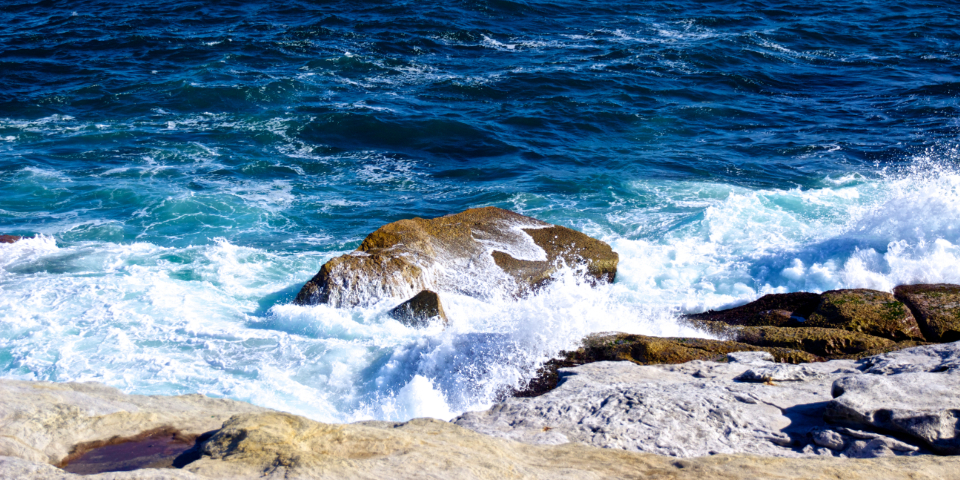
The ocean behind the subject is doing deliberate work: it gives the video model an unambiguous region to animate, so the character can stay comparatively stable while the water carries the motion. That trick generalizes. When you want a mostly stable subject, put something obviously moveable behind it.
Failure modes and what to do about them
-
Nothing moves. Raise
motion_bucket_idin steps rather than jumping. If the frame has no moveable region at all, no setting will save it, so change the still. -
The subject melts or warps. Lower
noise_aug_strengthfirst, thenmotion_bucket_id. Faces and hands go first, which is a signal the input was too fine-detailed for the amount of motion requested. - The camera drifts when you wanted a locked shot. The model decides camera behavior on its own. Generate several seeds and keep the one whose camera matches your intent; there is no direct control.
- The clip is too short. It is meant to be. Chain clips by using the last frame of one as the input to the next, accepting that quality degrades with each hop, or treat the output as a loop.
-
Out of memory. Reduce
decode_chunk_size, then switch from the 25-frame checkpoint to the 14-frame one.
Where it fits
Open-weight video generation has moved on a long way since 2023, and models with text conditioning, longer clips and better temporal consistency now exist. Stable Video Diffusion is still worth knowing for three reasons: it is small enough to run on modest consumer hardware, it does exactly one thing so there is very little to configure, and image-conditioned animation of an existing still is a genuinely different task from generating video from text. If you already have artwork you like and want subtle motion in it, that is the job this model was shaped for.
Takeaways
- There is no text prompt. All creative decisions live in the input frame.
- Crop to the native landscape shape before animating.
- Change
motion_bucket_idandnoise_aug_strengthone at a time; raising both together destroys coherence. -
decode_chunk_sizeis a memory dial and has no effect on output quality. - Compose the still so something in the background can obviously move, and keep fine detail away from faces and hands.





Top comments (0)