

A sprite that looks grounded in an AI preview can look wrong on a different floor. One common culprit: a cast shadow baked into the cutout, plus another shadow added by the game.
Start With a Clear Layer Contract
Keep surface shading that describes the character’s form separate from the shadow it casts onto the floor. The first belongs to the subject; the second may need to respond to the scene. For fixed illustrations, baking both together can be fine.
A Prompt to Test
“Single game character, full body, neutral backdrop, consistent lighting, no cast shadow on the ground, preserve shading on the character, leave space around the silhouette.”
Treat this as a request, not a guarantee. A plain backdrop is not transparency, and “no shadow” can accidentally flatten the character. Inspect the actual output.
Run a Two-Floor Check
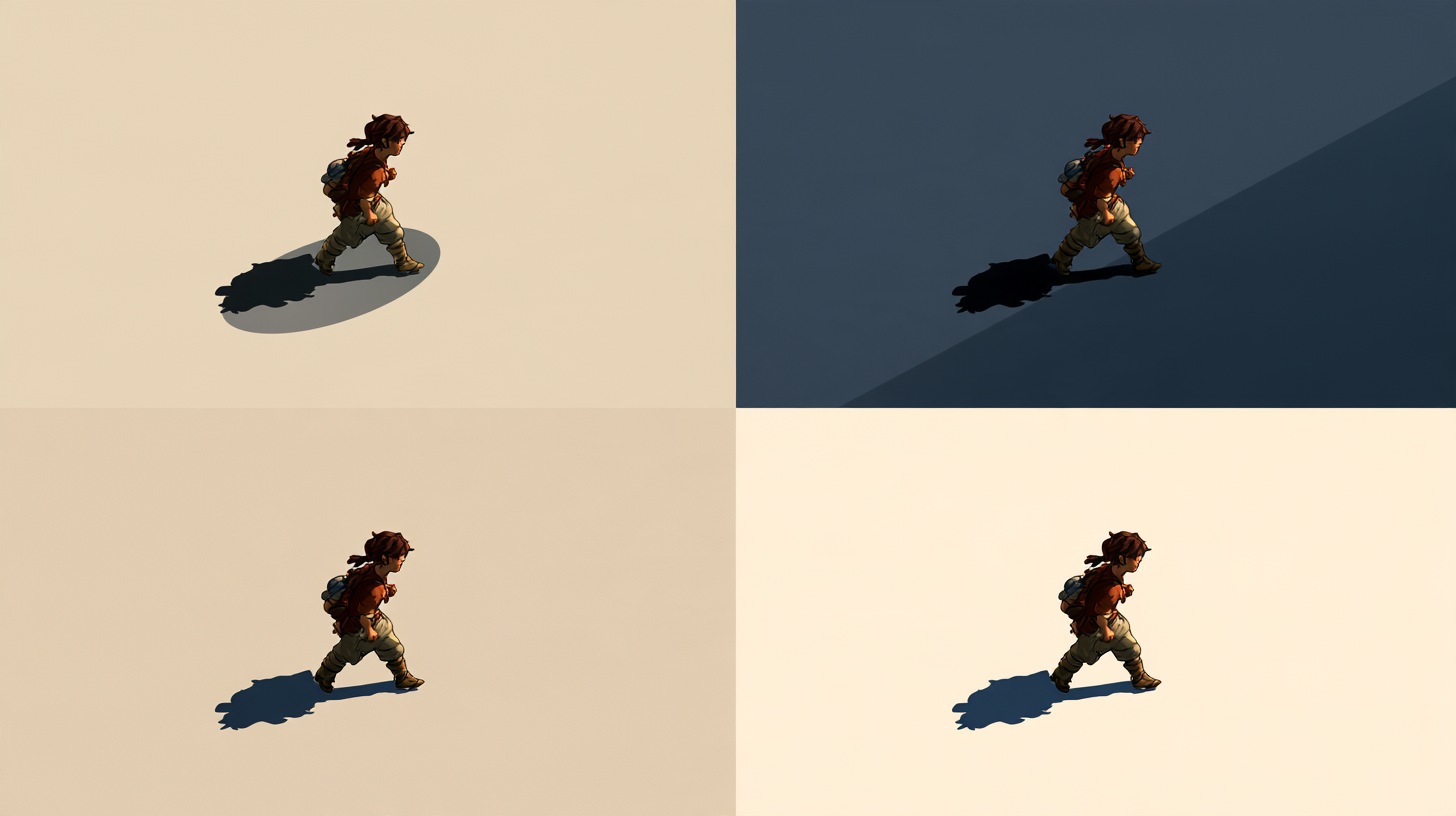
After a transparent background maker pass, place the exported sprite on a light floor and a dark one. Look under the feet for a leftover grey patch, missing pixels, or a bright fringe. Compare against the source before accepting the cutout.
Then enable the game’s shadow and play a short walk cycle. Does a second shadow appear? Does a baked patch slide with the image? The Godot 2D lighting guide is a useful engine-specific reference; check your renderer’s own setup too.
If the feet now float, fix the contact cue in the scene rather than regenerating the entire character immediately. Hold the pose and floor constant while changing one thing at a time, so you can tell which change helped.
What Would You Keep Baked In?
Save the prompt, one difficult frame, and the test scene with your asset notes. Before generating a full set, decide whether the shadow comes from a separate sprite or scene lighting. Which approach works better for your camera angle and animation style?






Top comments (0)