

Blank prompt boxes are weirdly intimidating.
You may know exactly what kind of image you want: a sharp product shot, a cinematic portrait, a launch-day social post, a poster concept, maybe a logo direction for a new idea. But when it is time to describe that image in words, the first draft often comes out flat.
“Make a cool product photo.”
Technically, that is a prompt. In practice, it leaves too much up to chance.
That is where GPT Image Prompts comes in.
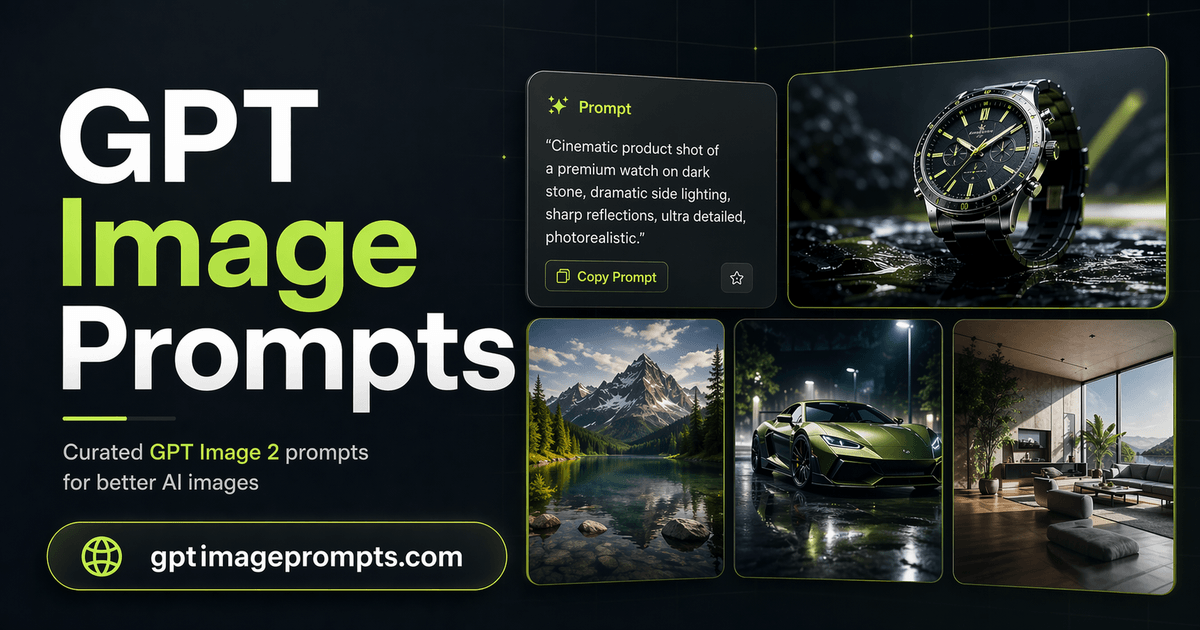
GPT Image Prompts is a curated library of image prompts built for people who want stronger AI image results without rewriting every prompt from scratch. Instead of starting with a blank field, you can browse GPT Image 2 prompts, copy one that is close to your goal, and adapt it to your own subject, brand, product, mood, or style.
It is simple by design: find a good starting point, change what matters, generate, then refine.
Why Better Prompts Matter
AI image tools are powerful, but they still need direction.
A short prompt can produce something interesting, but “interesting” is not always useful. If you are making visuals for a product page, client presentation, campaign, profile image, or social post, you usually need more control over the result.
A stronger prompt does more than name the subject. It gives the model a sense of:
- what the image should show
- how the scene should be framed
- what kind of lighting or atmosphere it needs
- what style or visual treatment fits the goal
- how polished, realistic, cinematic, editorial, playful, or minimal it should feel
The prompt examples on GPT Image Prompts already include those pieces. You can use them directly, but the better habit is to treat them like small creative briefs. Keep the structure, then swap in your own details.
That small shift makes the whole process feel less like guessing.
What You Can Find on the Site
The library covers the kinds of image prompts creators actually reach for.
Portraits
For creator headshots, editorial-style portraits, character concepts, fashion close-ups, founder images, and cinematic people-focused scenes.
Product Photography
For studio shots, ecommerce visuals, skincare bottles, packaging scenes, splash images, advertising-style compositions, and cleaner product hero images.
Logos and Branding
For brand mark concepts, minimalist identity directions, symbol explorations, and presentation-ready visual ideas.
Posters
For campaign art, event posters, movie-style key art, dramatic compositions, and title-safe layouts.
Cinematic Scenes
For story-led images with stronger mood, lighting, atmosphere, and environmental detail.
Social Visuals
For launch announcements, creator posts, branded feed images, thumbnails, and vertical content ideas.
Each prompt is written to be edited. You are not locked into the exact wording. If a prompt describes a skincare bottle, you can turn it into a coffee can, a SaaS dashboard mockup, a sneaker, a book cover, or whatever your project needs.
The value is in the shape of the prompt.
A Faster Workflow for Image Creation
The site works best when you use it as part of a quick creative loop.
First, explore the prompt library and choose the one closest to your visual goal. It does not need to be perfect. It only needs to be close enough to give you a useful base.
Next, copy the prompt and replace the subject, setting, brand cues, color direction, or mood. Keep the parts that describe composition, lighting, camera feel, and output quality.
Then you can create images directly and look at what happened. If the result is close, refine one piece at a time. Adjust the framing. Change the lighting. Make the background simpler. Add more product detail. Shift the mood.
That is much easier than rewriting the whole prompt after every attempt.
Over time, you also start to notice patterns. Strong prompts tend to describe the image in layers: subject first, then environment, style, light, composition, and final use. Once you see that pattern often enough, writing your own prompts gets easier too.
Who It Is For
GPT Image Prompts is useful for anyone who regularly needs visual ideas, especially:
- marketers creating campaign assets or social posts
- designers exploring mood, layout, or concept directions
- founders making launch visuals and product mockups
- creators who need fresh images for content
- freelancers producing quick visual drafts for clients
- anyone learning how to write better AI image prompts
You do not need to think of yourself as a “prompt engineer” to use it. The prompts are written in plain English, with enough detail to be useful and enough flexibility to be changed quickly.
That matters. A prompt library should save time, not become another thing to manage.
The Real Benefit
The best part of GPT Image Prompts is not that it gives you magic words.
It gives you a better first draft.
That sounds modest, but it changes the creative process. A better first prompt usually means fewer throwaway generations, clearer feedback, and a faster path toward an image you can actually use.
Sometimes you need a polished product visual. Sometimes you just need to test three directions before a meeting. Sometimes you have the picture in your head, but the words are lagging behind.
GPT Image Prompts helps with that awkward middle step between idea and image.
It gives you something solid to start from, then gets out of the way.
If you want to try it, start with the curated GPT Image 2 prompt library, or go straight to the image creation tool.



Top comments (0)