

If you want image generation fast enough to feel interactive - type a word, watch the picture change - the sampling step count is the thing standing in your way. Distilled checkpoints like SDXL Turbo collapse that loop from dozens of passes down to one. Below: how the distillation trick works, the settings you have to change before it behaves, and the quality you trade away for the speed.
Why the step count is the bottleneck
A diffusion model does not paint an image in a single shot. It starts from noise and repeatedly predicts a slightly cleaner version of that noise, and every one of those predictions is a full forward pass through a network with billions of parameters. A conventional SDXL run uses somewhere in the range of 20 to 40 of those passes. If you use classifier-free guidance - and almost every default workflow does - each step costs two passes rather than one, because the model has to evaluate both the prompted and the unprompted branch.
You cannot simply turn the step count down on a normal checkpoint. Do that and you get a half-finished picture: smeared silhouettes, mushy texture, colours that never settled. The step budget is baked into how the model was trained, so shortening it has to happen at training time, not at inference time.
What Adversarial Diffusion Distillation changes
SDXL Turbo, which Stability AI published in late November 2023, was trained with a method its accompanying paper calls Adversarial Diffusion Distillation, usually shortened to ADD. The goal is to train a student model that jumps directly to the answer a full multi-step teacher would have reached after all those passes.
Two training signals do the work together:
- A distillation loss pulls the student's output toward what the pre-trained diffusion teacher produces over a complete sampling run. On its own this gets the content roughly right.
- An adversarial loss comes from a discriminator trained to separate real images from generated ones. This is the part that stops a one-step output from looking soft. Pure distillation tends to converge on something like an average of all the plausible outcomes, and averages are blurry. A discriminator penalises that directly.
The outcome is a checkpoint that produces a usable image in a single step and a slightly better one in two to four. Stability released a companion model built the same way on top of Stable Diffusion 2.1, SD Turbo - smaller, quicker, lower ceiling. Both are on Hugging Face, and stabilityai/sdxl-turbo is the reference weights for the SDXL variant.
ADD was not the end of that line. Later few-step families - Latent Consistency Models and LCM-LoRAs, SDXL Lightning, Hyper-SD - reuse the same bargain with different distillation recipes, and several ship as LoRAs you can stack onto a checkpoint you already have.
The settings you have to change
A Turbo checkpoint loaded with default sampler settings produces garbage, and the reason is guidance. Here is what actually differs:
| Setting | Conventional SDXL | SDXL Turbo |
|---|---|---|
| CFG scale | roughly 5 to 8 | 1.0 - guidance off |
| Sampling steps | 20 to 40 | 1 to 4 |
| Native resolution | 1024 x 1024 | 512 x 512 |
| Negative prompt | shapes the result | ignored |
| Sampler | DPM++ family, Euler | Euler / Euler a |
The CFG line is the one people get wrong. Turbo was distilled without a guidance branch, so anything above 1.0 pushes the model into a regime it was never trained for and the image burns out into oversaturated contrast. Setting CFG to 1 also means the unconditional branch disappears entirely, which is why your negative prompt stops mattering - there is nothing for it to steer against.
The resolution line matters almost as much. SDXL Turbo's native training resolution is 512 x 512, not the 1024 x 1024 you may be used to with base SDXL. Ask for a large canvas directly and you invite duplicated limbs and repeated subjects, the same failure you see when you push any diffusion model well past its training resolution.
Where the speed costs you
One step is not free quality. In practice the gaps show up in three places:
- Fine detail. Skin texture, distant faces, small lettering and repetitive patterns resolve worse than after a full sampling run.
- Prompt adherence. Classifier-free guidance is a large part of how a diffusion model is pushed to actually follow a long prompt. Without it, long or heavily-qualified prompts drift.
- Headroom. With a 512 native resolution you will be upscaling or running a second pass for anything you intend to print or publish.
None of that makes the model useless. It makes it a tool for search rather than for finals.
Using the speed the way it pays off
The workflow that gets real value out of a distilled model treats it as a fast preview stage:
- Load the Turbo checkpoint at 1 step, CFG 1.0, 512 x 512, and iterate on wording. At this speed you can try twenty phrasings in the time a normal render takes once.
- When a composition works, note the seed and freeze the prompt.
- Raise to 4 steps and re-render the same seed. This is usually the sweet spot - noticeably cleaner, still close to instant.
- Move the final prompt and seed to a full SDXL checkpoint at normal CFG and step count if you need maximum fidelity. The composition will shift, but the prompt work carries over.
- Upscale from there, not from the 512 draft.
The habit worth building is separating exploration from production. Distilled models are excellent at the first and mediocre at the second, and trying to force one checkpoint to do both is how people end up disappointed with them.
A prompt worth testing with
This one is a good stress test because it depends on composition and a photographic effect rather than on fine texture, which is exactly what a few-step model handles well:
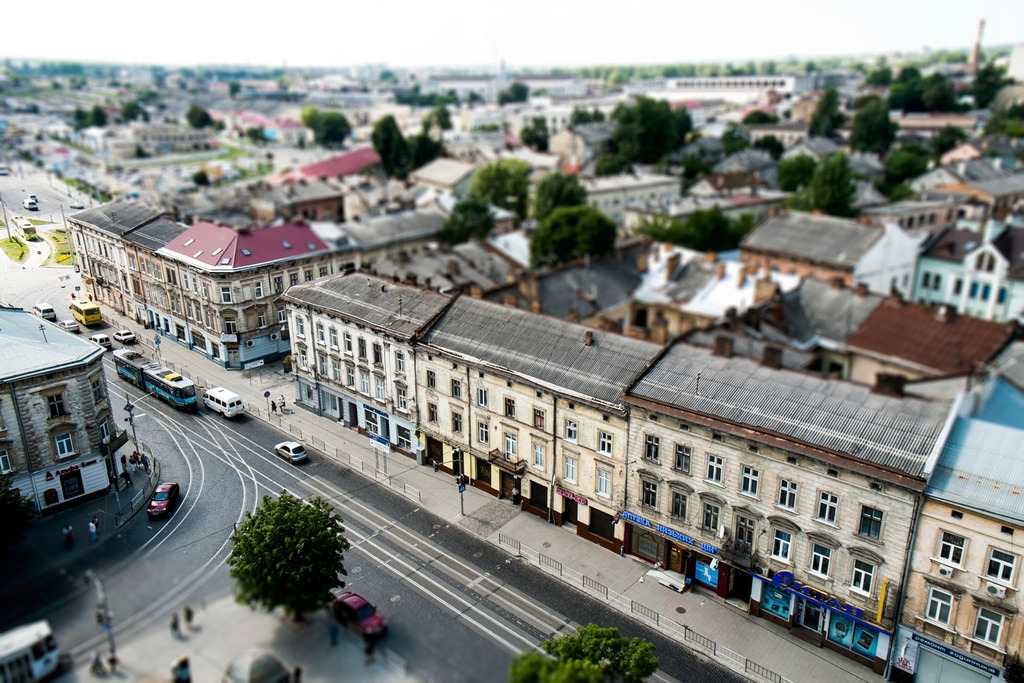
Drone shot of a small village main plaza, market day, tilt-shift photo, selective focus, miniature effect, ultra real, perspective control
Run it at 1 step and again at 4 - the difference between those two is the clearest demonstration of what the extra steps buy you.
Keep a negative prompt like this one on hand for when you move the prompt back onto a guided checkpoint. On Turbo itself, at CFG 1.0, it does nothing at all:
blurry, noisy, deformed, flat, low contrast, unrealistic, oversaturated, underexposed
Practical takeaways
Distillation trades sampling steps for a training-time approximation, and the bill comes due in fine detail and prompt adherence rather than in composition. Set CFG to 1.0 and steps to 1 to 4 or nothing else will look right. Generate at the model's native 512 x 512 and upscale afterwards. Treat few-step checkpoints as a prompt search tool feeding a slower, higher-fidelity final render, and the speed becomes genuinely useful instead of just impressive.




Top comments (0)