


A good photographic prompt reads like a shot list, not a pile of keywords. This takes one long analog-style prompt apart, names the six things it is actually specifying, and shows how to rewrite each of them independently. It also covers how to compress the same prompt for models with a weaker text encoder, and which words quietly cost you image quality.
Keyword soup versus description
Early Stable Diffusion prompting was a tagging exercise. Comma-separated fragments, quality boosters, parentheses for weighting, a long negative prompt copied from someone on Reddit. That style was not a discovery about art direction; it was an artefact of CLIP text encoders, which handle a bag of loosely related concepts much better than a sentence with structure in it.
Models built on larger text encoders changed that. The generation that includes FLUX, SD3-class models and Google's Imagen 4, introduced in 2025, parses full sentences, relative clauses and spatial relationships. Prompt adherence turned into the axis vendors compete on. On those models a paragraph of plain description beats tag soup, because description carries the relationships tags cannot express: which light falls on which surface, what the coat is doing in the wind, what is in focus and what is not.
One prompt, taken apart
Here is a prompt in that idiom. It was written for Imagen 4 and transfers well to any model that reads sentences:
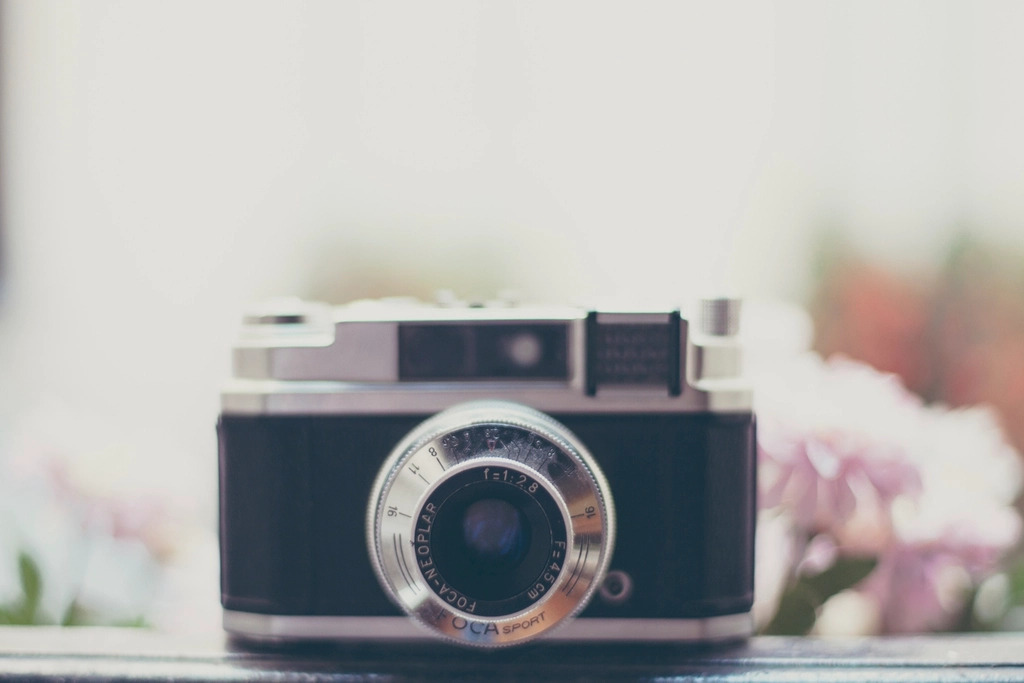
A grainy 35mm film photograph of a mysterious, captivating woman standing alone under a flickering lantern in an abandoned market street at twilight. She has piercing eyes, slightly parted lips, and wears a long, tattered wool coat that moves gently in the wind. Her hair is wild and tousled, catching the warm, imperfect light. The scene features soft focus falloff, long exposure with subtle background blur, and a color palette of faded purples and amber tones, evoking a moody, vintage analog atmosphere.
It looks like flowing prose. It is actually seven independent controls stacked in a sentence.
| Slot | Text carrying it | What it decides |
|---|---|---|
| Medium and stock | grainy 35mm film photograph | Grain, contrast curve, the whole analog register |
| Subject and expression | mysterious woman, piercing eyes, slightly parted lips | Who is in frame and how they read |
| Wardrobe and motion | long, tattered wool coat that moves gently in the wind | Silhouette, and an implied shutter speed |
| Setting and time | abandoned market street at twilight | Ambient level and colour temperature |
| Light source | under a flickering lantern | One practical light, so direction and falloff are settled |
| Optics | soft focus falloff, long exposure, subtle background blur | Depth of field and motion blur |
| Palette and mood | faded purples and amber tones, vintage analog atmosphere | Grade |
Notice what is absent: no masterpiece, no best quality, no 8k, no trending-on-anything. On a model that reads sentences those tokens buy nothing, and some of them actively fight the film look you asked for in the first slot.
Rewrite one slot at a time
The reason to see a prompt as slots is that it makes iteration a controlled experiment rather than a guess:
- Fix the seed and the sampler. Without this you cannot attribute a change to anything.
- Change exactly one slot. Keep the rest of the sentence byte-identical.
- Generate two or three seeds per variant, because one sample per variant is noise.
- Write down which slot produced the change you liked, then move to the next.
The swaps that pay off fastest are medium, light and palette:
medium:   a crisp medium-format digital photograph of...
light:    lit from above by a single bare fluorescent tube
palette:  a cold palette of cyan and slate grey
optics:   wide-angle lens close to the subject, deep focus
Swap the medium slot alone and the same scene moves from analog melancholy to clinical editorial. Nothing else in the sentence has to change.
Porting it to a smaller text encoder
If you are running an SDXL fine-tune or anything else with a CLIP-only front end, the long version will not be read the way you wrote it. Later clauses get compressed or dropped, and the model has no reliable way to bind an adjective to the right noun.
Compress it by hand rather than pasting the paragraph and hoping. Keep medium, subject, light and palette. Drop the relative clauses. Convert what remains to fragments, and push everything you were implicitly excluding into a negative prompt:
35mm film photo, woman under a lantern, abandoned market street at twilight,
tattered wool coat, shallow depth of field, faded purple and amber, film grain
negative: sharp digital clarity, studio lighting, oversaturated, text, watermark
The compressed version loses the relationships and keeps the look. That is usually the right trade, because the look is what a CLIP-based model can actually deliver.

Words that cost you something
- grainy trades fine detail for texture. Asking for grain and ultra-detailed skin in the same prompt is asking for two opposite things, and the model will split the difference badly.
- 8k, ultra detailed, hyperrealistic contradict any analog medium slot. Pick one register and commit.
- Two light sources without direction flattens the image. If you name a second light, say where it is.
- Mood adjectives on their own do very little. Words like mysterious and moody work when the concrete slots already support them, and produce nothing when they do not. Keep them as seasoning, never as the mechanism.
What to check in the output
Analog prompts hide their own failures, because grain and soft focus mask the artefacts you would otherwise spot. Zoom to full resolution and check the hands, the eye line, and any signage in the background before you accept a result. Long-exposure phrasing in particular tends to smear limbs in ways that look intentional at thumbnail size and clearly wrong at full size.
If you are running these in ComfyUI or any node graph, save the prompt with the seed in the workflow metadata. A slot-based prompt is only reusable if you can go back and find which version produced the frame you liked.
Takeaway
Treat the prompt as a form with named fields rather than an incantation. Medium, subject, wardrobe, setting, light, optics, palette: fill each one deliberately, change one at a time against a fixed seed, and never let two fields contradict each other. When you move to a model with a smaller text encoder, keep the fields and drop the grammar. The habit is what transfers between models, not any particular string of words.





Top comments (0)