
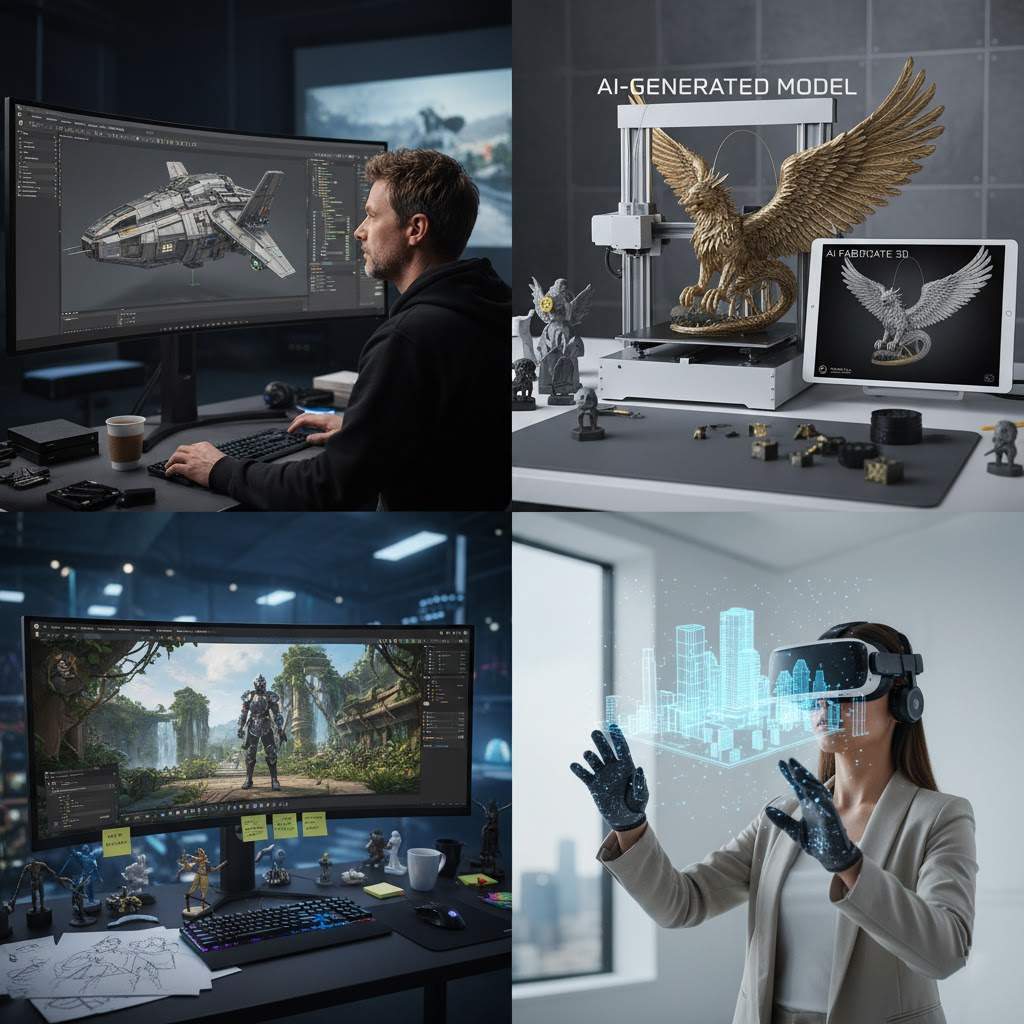
Game development has always had a bottleneck hiding in plain sight: 3D asset creation. A concept artist can sketch a creature in an afternoon, but turning that sketch into a usable 3D model traditionally takes days of manual work in Blender, Maya, or ZBrush. For small teams and indie developers, that gap between concept and asset is where projects stall.
AI image-to-3D generation has matured enough to close part of that gap. The technology converts a single 2D image — a sketch, a digital painting, a rendered concept — into a textured 3D mesh, ready for export in standard formats like OBJ, STL, and GLB. It doesn't replace 3D artists, but it meaningfully changes who can prototype in 3D and how fast.
This article breaks down the current workflow: how the pipeline works, what determines output quality, where the technology genuinely delivers, and where it still falls short.
The basic pipeline
A typical AI-assisted asset workflow looks like this:
- Create a 2D concept of the asset — hand-drawn, painted, or generated with an image model
- Prepare the image into an "AI-friendly" input
- Run it through an image-to-3D generator
- Download the mesh, clean it up in a DCC tool like Blender, and import it into the game engine
Steps 1 and 4 are familiar territory for most developers. Step 2 is where most of the quality is won or lost, and step 3 is where the heavy lifting happens. A full cycle — from sketch to an asset sitting in a test scene — can now take under an hour, compared to days with traditional modeling.
The input image matters more than the tool
The single most consistent finding across tools and models: output quality is largely determined by input quality. Failed generations — melted silhouettes, extra limbs, distorted proportions — usually trace back to a bad input rather than a bad model. The practical checklist that has emerged from community experimentation:
- One object per image. Scene illustrations confuse the reconstruction. A single, isolated subject produces dramatically cleaner results.
- Plain background. Busy backgrounds get interpreted as geometry. Removing the background before uploading is essentially mandatory.
- Front or three-quarter view. Extreme angles and dramatic perspective confuse depth estimation. Straight-on or slight three-quarter views reconstruct most reliably.
- Full subject in frame. Cropped elements simply won't exist in the output. A character with cropped feet will have no feet.
- Even lighting. Baked-in shadows tend to become dark surface artifacts on the mesh.
For teams generating concept art with image models, most of these constraints can be written directly into the prompt: "single object, plain white background, front view, full body, even lighting." It's effectively prompt engineering one step upstream — the 3D output is only as good as the 2D brief written for it.
A concrete example
Consider a common task: building props for a tavern scene. A tankard, a wall lantern, and a barrel — each sketched in isolation on white, front view — will typically convert cleanly on the first attempt. The lantern might need minor cleanup where its handle meets the frame, since thin intersecting structures are a known weak point, but a few minutes in Blender resolves it.
Contrast that with a complex subject like "a wizard holding a staff topped with a crystal orb." The staff fuses into the robe, the orb merges with the hand, and the result is unusable. The standard fix is decomposition: generate the wizard and the staff as separate images, convert each independently, and combine the meshes manually. Splitting overlapping subjects is one of the most valuable habits in this workflow.
The generation step
Several tools now offer this capability. AI3DGen is one example of the current generation of platforms: upload an image, select a target face count, and download the mesh in OBJ, STL, or GLB — formats that cover the full game-dev pipeline, with GLB importing directly into Unity and Unreal, and OBJ feeding into Blender for retopology or proportion adjustments.
Face count deserves attention. Low-poly output is sufficient for background props and greyboxing, but anything players inspect up close benefits from a higher setting — at the cost of longer processing and heavier files.
For evaluation, there's a free entry point: the image to 3D model generator runs on a lightweight model with a queue system, which is adequate for testing the workflow. Paid tiers typically add higher-detail models, priority processing, and commercial licensing — relevant once experimentation turns into production use.
Where the results actually fit
An honest assessment of where AI-generated 3D currently delivers value:
- Prototyping and greyboxing. The strongest use case. Entire scenes can be blocked out with realistic-looking props in an afternoon, making environments playable and testable long before final assets exist.
- Background and ambient props. Crates, barrels, furniture, statues — objects players pass at speed. With a texture pass, these are often shippable as-is for stylized games.
- 3D printing. STL export opens a secondary pipeline: concept art converted to printable models for figurines, prototypes, and merchandising tests.
- Hero assets. Not yet. For characters players see up close, AI output works best as a starting blockout that a human artist refines — not as a finished model.
Known limitations
Current tools share a consistent set of failure modes. Symmetry on organic characters is unreliable — faces occasionally come out slightly lopsided and need sculpting corrections. Thin structures — sword hilts, fingers, wire frames — frequently fail or come out fragile. Complex occlusion, such as crossed arms or held objects, tends to fuse overlapping shapes into one mass. The practical rule: if two shapes touch in the concept, generate them separately.
Texture quality has improved faster than geometry, which creates an interesting inversion — models often look better in a render than they behave in a real-time engine, where topology matters.
Wrapping up
The useful mental model is not "AI makes finished assets" but "AI makes blockouts, fast." That reframing turns a week's modeling backlog into an afternoon of iteration, and it lowers the barrier to 3D prototyping for everyone from solo developers to concept artists exploring their own designs in three dimensions.
The workflow is still young, and best practices are being written collectively by the communities experimenting with it. Input preparation, subject decomposition, and realistic expectations on hero assets account for most of the gap between impressive demos and shippable results.
For teams already combining image-to-3D with photogrammetry, Gaussian splatting, or traditional sculpting pipelines, comparing notes is where the next round of improvements will come from. What's working in your pipeline?





Top comments (0)