

For decades, audio editing has followed a familiar pattern.
Open an editor, import an audio file, examine the waveform, select a region, adjust the timeline, and repeat until the result sounds right.
Whether you're editing a podcast, cleaning up a voice recording, splitting a music track, or preparing audio for a video, the workflow usually requires a combination of technical knowledge and repetitive manual operations.
But what if editing audio didn't require navigating a complicated timeline?
What if you could simply describe what you wanted?
For example:
- Remove all unnecessary silence from this recording.
- Split this podcast into individual sections.
- Find the most interesting moments in this conversation.
- Extract the highlights from this audio.
- Identify different audio tracks and suggest suitable music clips.
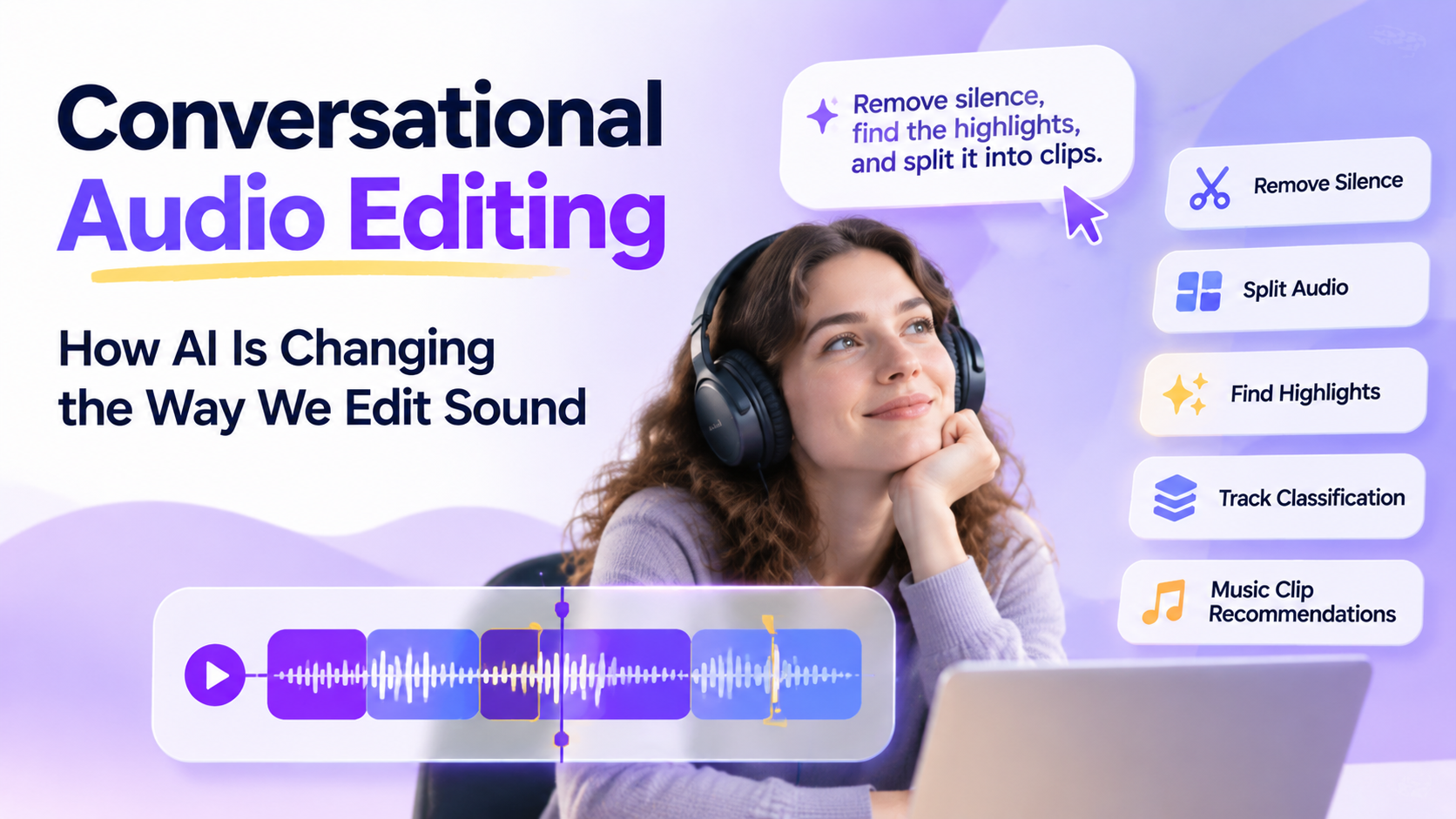
This is the idea behind conversational audio editing, an emerging approach that uses natural language as the primary interface for controlling audio operations.
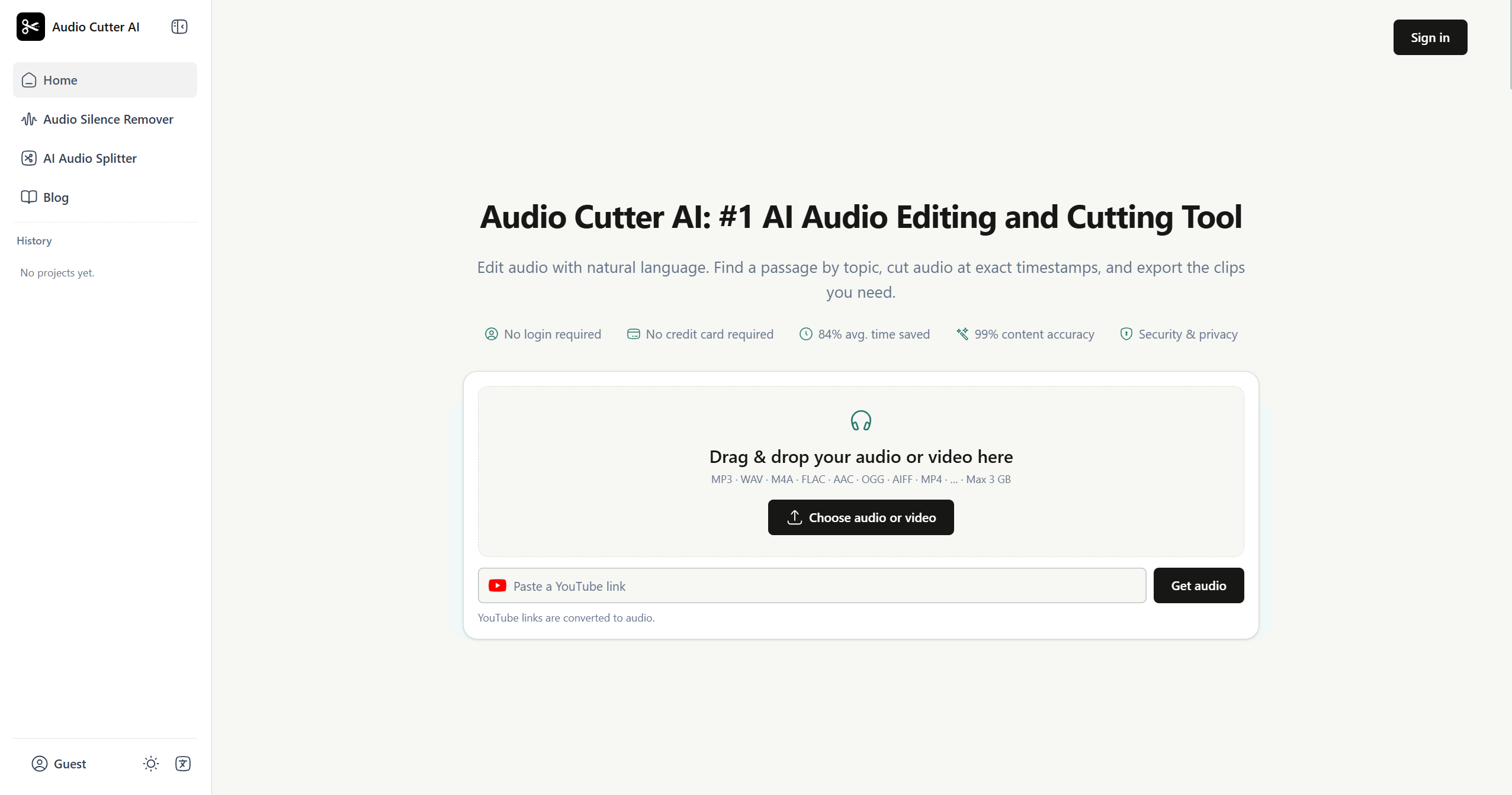
One interesting example is Audio Cutter AI, a tool that takes this concept beyond traditional audio trimming and explores how AI can understand editing intentions rather than simply execute manual commands.
In this article, we'll look at why conversational audio editing matters, what it can do, and how this approach could change the future of audio production.
1. Why Traditional Audio Editing Can Be Complicated
Traditional audio editors are powerful because they give users precise control over every detail.
However, that flexibility also introduces complexity.
The Learning Curve of Timeline-Based Editing
Most conventional audio editing software relies on a visual timeline.
Users need to understand waveforms, tracks, selection ranges, trimming, splitting, and other editing operations.
For experienced audio editors, this interface is intuitive.
For beginners or people who only need occasional audio processing, it can feel unnecessarily complicated.
Consider a simple task: removing long pauses from a 40-minute podcast.
In a traditional editor, users may need to:
- Import the recording.
- Inspect the waveform.
- Locate silent sections.
- Select unwanted ranges.
- Delete or shorten those sections.
- Review transitions between clips.
- Export the edited file.
The operation itself is not particularly complicated, but repeating it across multiple recordings takes time.
The Difference Between Knowing What You Want and Knowing How to Do It
This is a more fundamental usability problem.
Most users understand their editing goals.
They know they want to remove silence, extract an interesting conversation, or shorten a music segment.
What they may not know is which editing tools, settings, or combinations of operations will achieve that result.
The interface forces users to translate their intentions into technical actions.
Conversational AI offers another possibility: allowing users to express the intended result directly.
2. Natural Language Audio Editing: A Different Interaction Model
Instead of interacting with audio through a timeline, conversational audio editing starts with instructions.
Users describe the desired changes, and AI interprets those instructions to perform the corresponding editing operations.
For example:
| Editing intention | Natural language instruction |
|---|---|
| Remove silence | Remove long silent sections while preserving natural pauses |
| Split recordings | Split this recording into separate sections by topic |
| Extract highlights | Find the most interesting moments in this conversation |
| Shorten audio | Shorten this recording without losing important information |
| Edit music | Find suitable musical segments for a short promotional video |
This approach changes the relationship between users and editing software.
The user focuses on the outcome rather than the mechanics.
Importantly, natural language editing doesn't necessarily mean that traditional editing techniques become obsolete. Precise trimming, splitting, and export controls still matter. AI simply provides a more accessible way to initiate and combine those operations.
3. Exploring Audio Cutter AI: What Can Conversational Editing Actually Do?
Audio Cutter AI is an interesting example of this new interaction model.
Rather than presenting audio editing as a collection of complicated timeline operations, it allows users to describe what they want to accomplish through natural language.
Here are several capabilities that make this approach particularly useful.
Remove Silence Without Manually Inspecting the Waveform
Long pauses are common in interviews, podcasts, meetings, and voice recordings.
Some pauses are intentional, but others are simply dead time that makes recordings longer than necessary.
With AI-assisted silence removal, users can ask the tool to identify and remove unnecessary silent sections.
For example:
"Remove long periods of silence from this podcast, but keep natural pauses between sentences."
This is useful for:
- Podcast post-production
- Interview cleanup
- Lecture recordings
- Voice-over preparation
- Meeting recordings
The advantage is not just faster editing. Users can communicate the intended editing behavior without manually locating every silent section.
Split Audio Files into Meaningful Sections
Sometimes the goal isn't to shorten an entire recording but to divide it into smaller, more manageable pieces.
A long interview might contain several topics. A lecture could cover multiple chapters. A music recording might need to be separated into individual sections.
Traditional audio splitters typically require users to specify exact timestamps or manually select boundaries.
AI-assisted splitting introduces another possibility.
Users can describe how they want the recording divided.
For example:
"Split this interview into separate clips whenever the discussion moves to a new topic."
Or:
"Divide this recording into several shorter sections of approximately five minutes each."
This makes it easier to prepare audio for transcription, review, distribution, and archiving.
Find and Extract Audio Highlights
This is one of the more interesting applications of AI in audio editing.
Not every moment in a long recording deserves equal attention.
A podcast might contain a particularly insightful statement. An interview could include a memorable answer. A discussion might have a moment of disagreement or an unexpected reaction.
Finding these moments manually requires listening through the entire recording.
An AI clip finder can help identify potentially valuable segments based on content and context.
For example:
"Find the most interesting statements in this interview and extract them as separate clips."
This is especially useful for:
- Podcast highlight creation
- Interview research
- Social media audio clips
- Educational content
- Marketing materials
The important distinction is that AI is not simply cutting audio at arbitrary intervals. It is helping users identify which parts are worth keeping.
Classify Different Audio Tracks
Audio files can contain different types of sound, including speech, music, and other audio elements.
Understanding what each track contains can make subsequent editing decisions easier.
AI-assisted audio classification can help users identify and organize different audio components.
For example, a recording workflow might involve identifying speech segments, separating music-related material, and organizing audio according to its content.
This becomes particularly useful when working with complex recordings or preparing material for further editing.
Instead of manually reviewing every section, users can begin with a more organized understanding of the audio.
Find Suitable Music Segments for Editing
Music editing is another area where AI can reduce repetitive work.
Imagine having a long music recording but needing only a short segment for an advertisement, video introduction, or background soundtrack.
Finding the right section isn't always as simple as selecting the first 15 seconds.
A suitable music clip may depend on rhythm, transitions, intensity, and the overall structure of the composition.
Audio Cutter AI explores this use case by helping users identify and recommend suitable music segments for editing.
For example:
"Find a 20-second section with a strong rhythm and a natural ending."
This is a more intuitive way to approach music clipping, especially for creators who know the sound they want but don't necessarily have professional audio editing experience.
4. Who Benefits Most from Conversational Audio Editing?
The value of natural language editing becomes clearer when we look at real-world workflows.
Podcast Creators
Podcasters often spend considerable time cleaning recordings, removing unnecessary silence, and extracting highlights.
Conversational editing can simplify these repetitive tasks.
Instead of manually reviewing an entire episode, creators can ask AI to identify interesting segments, remove long pauses, and prepare shorter clips.
Content Creators and Social Media Managers
Short-form content depends heavily on identifying interesting moments.
A long interview or recording may contain several usable clips, but finding them manually can be time-consuming.
AI-assisted highlight extraction helps creators turn longer recordings into smaller pieces of content.
Musicians and Audio Enthusiasts
Music editing often involves finding the right section, trimming it, and adjusting the final duration.
Natural language instructions provide a more approachable starting point for users who don't need a full professional digital audio workstation.
Researchers and Interviewers
Researchers working with recorded interviews often need to isolate specific responses, remove irrelevant sections, and organize recordings for further analysis.
AI-assisted splitting and content-based extraction can make these workflows more efficient.
Everyday Users
Not everyone needs professional audio production software.
Sometimes users simply want to trim an MP3, remove silence from a voice recording, or split a long audio file into smaller sections.
For these tasks, conversational editing can significantly reduce the learning curve.
5. Conversational Audio Editing vs. Traditional Audio Editors
Does this mean timeline-based audio editors will disappear?
Probably not.
Traditional editors remain valuable when users need precise control over volume automation, effects, mixing, transitions, and detailed sound design.
Conversational tools solve a different problem.
| Dimension | Traditional Audio Editors | Conversational Audio Editing |
|---|---|---|
| Main interaction | Timeline and visual controls | Natural language instructions |
| Learning curve | Often requires learning editing concepts | More accessible to beginners |
| Silence removal | Manual selection or automated settings | Describe the desired cleanup |
| Audio splitting | Select ranges or timestamps | Describe how to divide content |
| Highlight extraction | Listen and select manually | AI-assisted content discovery |
| Best suited for | Detailed production and mixing | Intent-driven editing and repetitive tasks |
The most interesting future may not be a choice between the two.
Instead, we may see hybrid products that combine AI-powered editing with traditional precision controls.
Users could describe the overall result they want and then make detailed adjustments when necessary.
6. Where Could AI Audio Editing Go Next?
Conversational audio editing is still an evolving product category.
But its potential extends beyond simplifying existing editing operations.
More Context-Aware Editing
Today, many editing operations focus on identifying specific audio characteristics or executing clearly defined instructions.
Future systems could understand more context.
For example, AI might distinguish between an intentional dramatic pause and an unnecessary silence, or recognize that a speaker's brief hesitation is important to preserve.
This would make editing decisions more aligned with the purpose of the recording.
From Audio Editing to Complete Content Workflows
Audio editing rarely exists in isolation.
A podcast creator might need to clean an episode, extract highlights, generate a transcript, and prepare clips for distribution.
An integrated AI workflow could connect these tasks:
- Upload a recording.
- Remove unnecessary silence.
- Identify interesting moments.
- Extract selected clips.
- Generate a transcript.
- Prepare the content for publishing.
Instead of switching between several applications, users could manage more of the process through one conversational interface.
More Intelligent Music Understanding
Music editing could also become more context-aware.
Future AI systems may analyze rhythm, tempo, structure, mood, and transitions to recommend better clipping points.
For example, a user might request:
"Find a short, energetic section suitable for a product introduction, with a clean ending."
The system could consider musical structure rather than simply selecting a segment of the requested duration.
Editing as an AI Agent Workflow
Perhaps the biggest opportunity is connecting audio editing to AI agents.
Imagine an agent that receives a podcast recording, understands the publishing requirements, removes unnecessary pauses, extracts highlights, and prepares several versions for different platforms.
The user would define the objective, while the agent coordinates the individual editing operations.
In that scenario, audio editing becomes one component of a much larger automated content workflow.
Conclusion: The Next Audio Editor Might Be the One You Can Talk To
Traditional audio editors gave users precise control over sound, but they also required users to understand the mechanics of editing.
AI introduces a different possibility.
Instead of manually selecting every range, users can describe their intentions and let intelligent tools handle the underlying operations.
Audio Cutter AI is an interesting example of this direction. Its natural language interaction, silence removal, audio splitting, highlight extraction, track classification, and music clip recommendations demonstrate how AI can make audio editing more accessible and intent-driven.
The biggest opportunity isn't simply making existing editing operations faster.
It's removing the gap between knowing what you want to achieve and knowing how to achieve it.
As conversational AI continues to improve, perhaps the next generation of audio editing software won't begin with a timeline.
It will begin with a conversation.






Top comments (0)