

The Problem
Creating AI videos with realistic human presenters has always been one of the biggest challenges in my content workflow.
Landscape shots and product animations are relatively easy to generate, but talking-head videos are much less forgiving. Small issues immediately become noticeable:
Lip-sync doesn't match the speech.
Facial expressions feel stiff.
Head movements look unnatural.
The character changes slightly between scenes.
After running into these problems with several AI video tools, I wanted to find a platform that focused more on human performance than cinematic effects.
That's what led me to try HuMo AI.
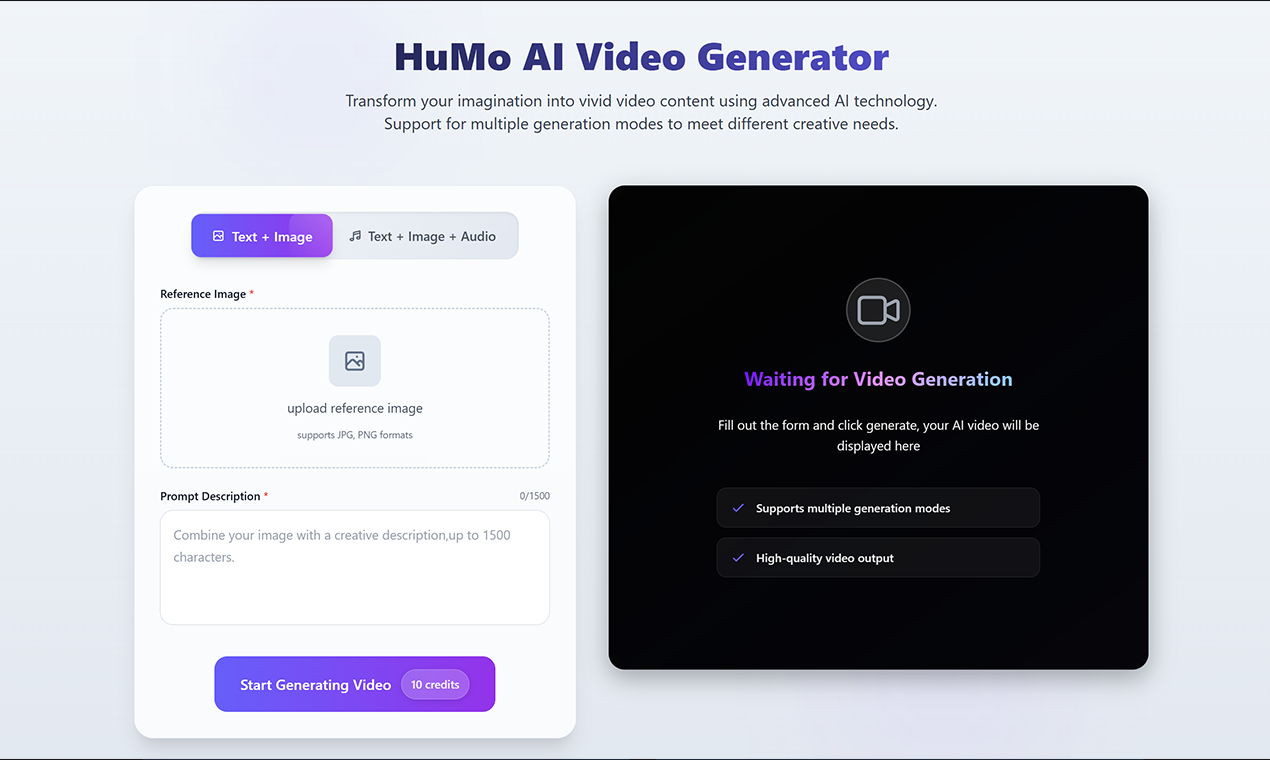
What Makes HuMo AI Worth Trying?
HuMo AI is designed to simplify the creation of AI-generated videos featuring realistic human characters. Instead of concentrating solely on visual effects, it places more emphasis on natural facial expressions, body movement, and synchronized speech.
One feature I appreciated was the flexibility of its workflow. Depending on the project, I could combine different types of inputs, including:
Text prompts
Reference images
Voice or audio
Multiple visual references
This makes it useful for projects such as:
AI presenters
Product demonstrations
Educational explainers
Marketing videos
Digital avatars
Social media content
Rather than generating random scenes, HuMo AI feels better suited for projects where a believable human presence is the main focus.
How I Created My First Talking Video with HuMo AI
Step 1 — Choose a High-Quality Reference Image
I started with a clear portrait image.
Instead of selecting an artistic image with dramatic lighting, I used a clean, front-facing portrait with good lighting and a neutral background.
This made it easier for the model to maintain facial consistency throughout the video.
Step 2 — Prepare the Voice First
Before writing any prompts, I finalized the narration.
Having the audio ready first helped define the pacing, pauses, and emotional tone of the presentation.
In my experience, it's much easier to adjust visuals to match good audio than the other way around.
Step 3 — Keep the Prompt Simple
Initially I tried writing very detailed prompts.
Ironically, the results became less predictable.
Eventually I switched to a much simpler structure:
Professional presenter introducing a new AI productivity tool, natural hand gestures, friendly facial expression, clean office background, soft daylight, steady camera movement.
Keeping the prompt concise produced more consistent results.
Step 4 — Refine One Element at a Time
Instead of rewriting the entire prompt after every generation, I focused on improving only one element at a time.
For example:
adjust facial expressions
modify camera distance
change lighting
improve gestures
replace the background
Making smaller adjustments preserved the parts that already worked well while gradually improving the overall quality.
What Worked Better Than I Expected
After several rounds of testing, a few patterns became obvious.
First, shorter prompts produced more reliable outputs than extremely detailed descriptions.
Second, using the same reference image throughout the project significantly improved character consistency.
Third, preparing the narration before generating the video resulted in more natural lip-sync and pacing.
Perhaps the biggest surprise was that the workflow felt less like generating AI content and more like directing a real presenter.
Each iteration became easier because I already had a consistent character and clear speaking style.
Who Should Use HuMo AI?
Based on my experience, HuMo AI is particularly useful for creators who regularly produce videos featuring people rather than purely cinematic scenes.
It could be a good fit for:
Content creators
YouTubers
Online educators
Product marketers
Corporate training teams
Customer support tutorials
Digital avatar creators
Small businesses creating promotional videos
If your audience expects a presenter who looks and sounds natural, this workflow is worth trying.
Final Thoughts
After spending some time with HuMo AI, I realized that creating convincing AI presenter videos isn't about writing longer prompts.
It's about building a clear production process.
Starting with a strong reference image, preparing the narration first, and making small, focused adjustments produced much better results than trying to perfect everything in a single prompt.
HuMo AI won't replace creativity, but it can reduce much of the repetitive work involved in producing presenter-style videos.
For anyone creating educational content, product demonstrations, or digital spokesperson videos, it's a practical tool that's well worth exploring.






Top comments (0)