

Hook
Creating fitness content is more time-consuming than most people think.
For every workout video, I usually need to:
- record multiple takes
- adjust camera angles
- fix lighting
- edit short clips for different platforms
Sometimes I spend more time editing than actually coaching.
I wanted a faster way to visualize exercises and create short demo videos.
That's why I started exploring AI video workflows.
What
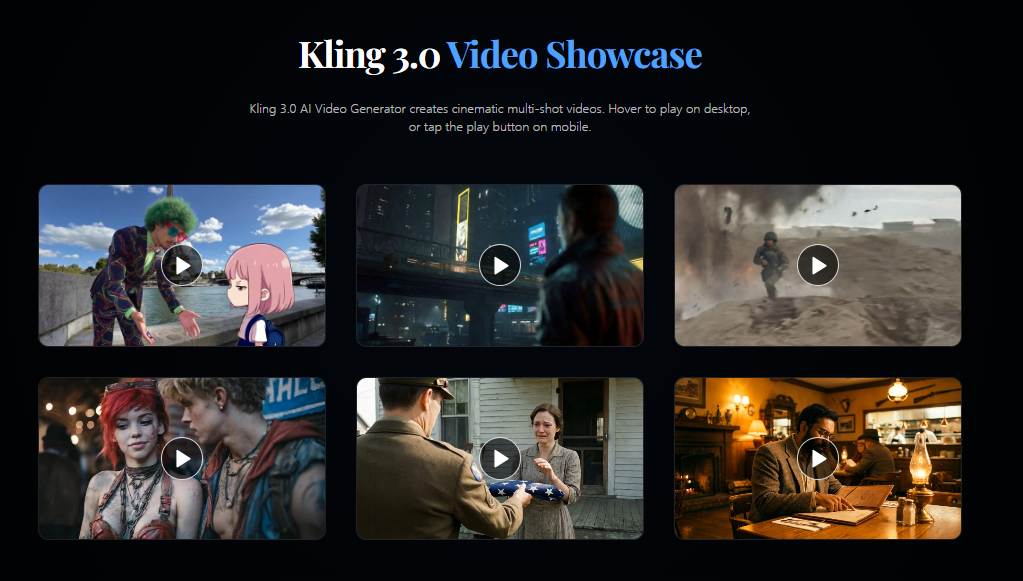
Recently I began experimenting with Kling 3.0.
Instead of treating it as an AI movie generator, I use it to prototype short exercise demonstrations.
Some features that fit this workflow include:
- Image-to-video generation
- Multi-scene video creation
- Character consistency
- Camera movement control
- Motion Control with reference actions
Recent Kling 3.0 workflows focus on structured scene generation and motion consistency, making it easier to build repeatable instructional videos rather than isolated clips.
How
Step 1: Prepare a Reference Image
I start with a clear image of the trainer or athlete.
Keeping one consistent reference helps maintain the same appearance throughout the sequence.
Step 2: Define One Exercise
Instead of asking for an entire workout, I focus on one movement.
For example:
Bodyweight squat with controlled movement.
Step 3: Add Motion Instructions
Rather than describing appearance, I describe how the body should move.
Example:
front-facing fitness trainer performing slow bodyweight squats, steady camera, bright gym lighting, instructional fitness style
If I need a very specific movement, I can use a reference motion video with Motion Control instead of relying only on text. Kling's Motion Control workflow transfers movement from a reference video while keeping the character's identity consistent.
Step 4: Create Different Angles
I usually generate:
- front view
- side view
- close-up movement
- full-body demonstration
This makes it easier to explain correct form.
Example Prompt
fitness coach demonstrating a bodyweight squat, side camera angle, slow controlled movement, bright modern gym, instructional video style
Use Case
This workflow works well for:
Personal Trainers
Creating exercise demonstrations.
Fitness Influencers
Producing Shorts and Reels.
Online Coaches
Building course materials.
Gym Owners
Promoting training programs.
Health Educators
Explaining proper exercise techniques.
Why
After testing this workflow, I noticed several benefits:
- Faster content production
- More consistent visual style
- Easier testing of different camera angles
- Better reuse of reference assets
- Less time spent recording repetitive demonstrations
The biggest improvement wasn't replacing real coaching.
It was speeding up the content creation process around it.
Final Thoughts
I still film real workouts for complete lessons.
But when I need quick visual demonstrations, exercise previews, or social media clips, Kling 3.0 has become a practical part of my workflow.
If you create fitness content, try building one exercise at a time instead of generating an entire workout video in one prompt.
You may find that breaking the process into smaller scenes gives you much more control over the final result.





Top comments (0)