

When buying a new laptop, the display is one of the specifications you should carefully consider. It affects how you watch videos, browse websites, edit photos, work with documents, and create digital content.
ASUS offers laptops with different display technologies, including OLED and IPS panels. Both have their own advantages, but the right choice depends on how you plan to use your laptop.
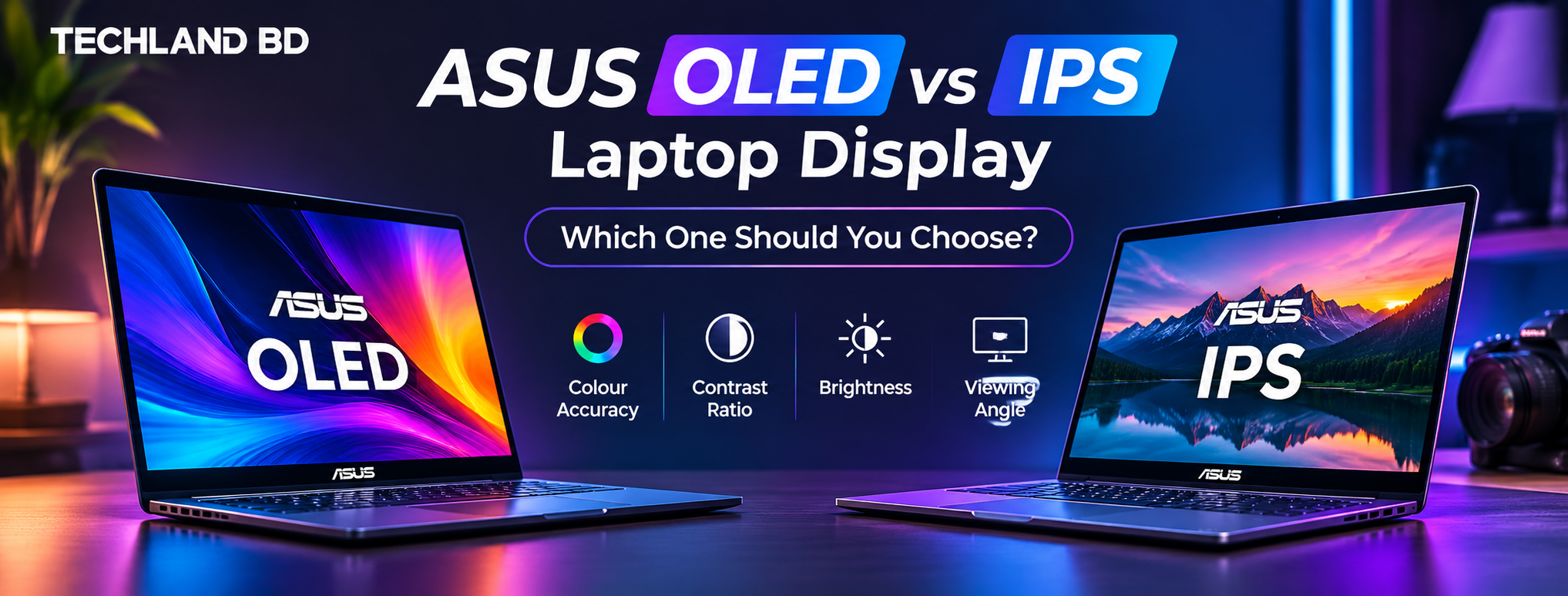
If you are comparing ASUS OLED vs IPS laptops, understanding their differences in colour reproduction, contrast, brightness, and viewing experience can help you make a better decision.
Whether you need a laptop for office work, studying, entertainment, or content creation, this guide explains what you should know before choosing an ASUS laptop.
What Is an OLED Laptop Display?
OLED stands for Organic Light-Emitting Diode. Unlike traditional LCD displays, OLED panels use individual pixels that produce their own light.
This means each pixel can turn off completely when displaying black. As a result, OLED displays can produce deep blacks and high contrast.
ASUS uses OLED technology in several laptop series, including selected Vivobook and Zenbook models.
Some important advantages of OLED displays include:
-
Deep Blacks: Individual pixels can switch off to produce true black.
-
High Contrast: Dark and bright areas can appear more distinct.
-
Rich Colours: OLED panels can reproduce a wide range of colours.
-
Fast Response Times: OLED technology can provide quick pixel response.
-
Wide Viewing Angles: Images generally maintain their appearance when viewed from different positions.
OLED displays can be a good choice for watching movies, editing visual content, and enjoying colourful multimedia.
However, actual display performance depends on the specifications of the individual laptop panel.
What Is an IPS Laptop Display?
IPS stands for In-Plane Switching. It is a type of LCD technology commonly used in laptops, monitors, and other display devices.
IPS panels use a backlight to produce images. They are popular because they generally offer consistent colours and wide viewing angles.
Many ASUS laptops feature IPS-level displays designed for everyday productivity and entertainment.
Some advantages of IPS displays include:
-
Consistent Colours: Suitable for everyday work and general content creation.
-
Wide Viewing Angles: Images remain relatively consistent when viewed from different positions.
-
Different Resolution Options: Available in Full HD, 2.5K, and other resolutions.
-
Practical Everyday Use: Suitable for browsing, studying, office work, and entertainment.
-
No OLED Burn-In Concern: IPS panels do not have the same organic pixel burn-in characteristics as OLED displays.
IPS displays can be a practical choice for users who need a reliable screen for everyday laptop activities.
ASUS OLED vs IPS: Key Differences
Before choosing between an ASUS OLED and IPS laptop, it helps to understand how these display technologies differ.
| Feature | OLED Display | IPS Display |
|---|---|---|
| Black Levels | True black | Dark grey due to backlight |
| Contrast | Very high | Generally lower |
| Colour Reproduction | Often wider colour gamut | Varies by panel |
| Response Time | Generally faster | Depends on panel |
| Viewing Angles | Wide | Wide |
| Backlight | No separate backlight | Uses backlight |
| Burn-In Risk | Possible over time | No comparable organic pixel burn-in |
| Everyday Use | Excellent | Excellent |
| Video Editing | Good with accurate panels | Good with accurate panels |
Neither technology is automatically better for every user. The actual panel specifications matter when comparing individual ASUS laptop models.
Which Display Is Better for Colour Accuracy?
Colour accuracy matters when working with photographs, videos, graphic design, and other visual content.
An inaccurate display can make colours appear different from their actual values. This can create problems when editing images or preparing content for publication.
ASUS OLED laptops often feature displays with wide colour gamut coverage. Selected models advertise 100% DCI-P3 colour coverage, making them attractive options for creative work.
However, IPS displays can also offer excellent colour accuracy. A well-calibrated IPS panel with good sRGB coverage can be suitable for many professional and everyday creative tasks.
Before purchasing, check these specifications:
-
sRGB colour gamut coverage.
-
DCI-P3 colour gamut coverage.
-
Display factory calibration.
-
Delta E colour accuracy, where available.
-
Brightness and HDR support.
For everyday content creation, a good IPS display may be enough. For users who prioritise high contrast and wide colour reproduction, an ASUS OLED laptop can be worth considering.
Which Is Better for Watching Movies and Entertainment?
If you regularly watch movies, TV shows, or online videos, display quality can make a noticeable difference.
OLED displays can produce deep blacks and strong contrast. This can improve the viewing experience, particularly in darker environments.
IPS displays can also deliver good viewing quality, especially when they offer high resolution, suitable brightness, and good colour reproduction.
Consider the following:
Choose OLED if:
-
You watch movies frequently.
-
You prefer deeper blacks and high contrast.
-
You enjoy colourful visual content.
-
You want a premium display experience.
Choose IPS if:
-
You mainly watch videos occasionally.
-
You need a practical display for everyday use.
-
You prefer a laptop without OLED burn-in concerns.
-
You find a particular IPS model offers better overall value.
ASUS OLED vs IPS for Video Editing and Content Creation
Choosing a display for video editing requires more attention than simply looking at the panel technology.
Video editors need a screen that can reproduce colours accurately and provide enough workspace for editing timelines and previews.
An ASUS OLED laptop can be a good option for creators who work with colour-rich visual content. Its contrast and colour reproduction can help when reviewing footage.
However, IPS displays can also work well for video editing, especially when the panel has good colour accuracy and sufficient resolution.
For video editing, consider these features:
-
At least 100% sRGB coverage for colour-sensitive SDR work.
-
High DCI-P3 coverage for wider-gamut workflows.
-
Suitable brightness for your working environment.
-
Full HD or higher resolution.
-
Accurate factory calibration.
-
A screen size that provides enough workspace.
Your processor, GPU, RAM, and storage are equally important when choosing a laptop for editing.
If video editing is your main purpose, compare the complete laptop configuration rather than selecting a device based only on its display.
Does an OLED Display Consume More Battery?
Battery consumption depends on several factors, including screen brightness, displayed content, refresh rate, resolution, and the laptop's overall hardware.
OLED displays can be energy-efficient when showing darker content because individual pixels can turn off.
However, displaying bright or predominantly white content can increase power consumption because more pixels need to produce light.
IPS displays use a backlight, which consumes power independently of the colours displayed.
There is no universal rule that OLED laptops always have better battery life than IPS laptops. Compare the manufacturer's battery information and independent reviews of the specific models you are considering.
Is OLED Burn-In Something to Worry About?
OLED burn-in is a potential concern for users who regularly display static elements for extended periods.
For example, leaving the same taskbar, software interface, or other fixed visual elements on the screen for long periods may contribute to uneven pixel wear over time.
Modern OLED laptops include different display protection features, depending on the model.
You can reduce the risk by following some simple practices:
-
Use automatic screen timeout.
-
Enable a screen saver when appropriate.
-
Avoid keeping static images at maximum brightness for extended periods.
-
Use dark mode if it suits your workflow.
-
Keep the laptop's display protection features enabled.
For most users with varied everyday workloads, OLED can be a practical display choice. However, users who work with static interfaces throughout the day may prefer to consider IPS.
Which ASUS Laptop Series Should You Consider?
ASUS offers different laptop series with different display technologies and hardware configurations.
Here are some series worth exploring when comparing ASUS laptops.
ASUS Vivobook Series
The ASUS Vivobook series includes models for students, office users, and content creators.
Selected Vivobook models feature OLED displays, while other configurations use IPS-level panels.
It can be a suitable series to consider if you want a laptop for studying, productivity, entertainment, and everyday creative work.
ASUS Zenbook Series
ASUS Zenbook laptops focus on portability, premium design, and productivity.
Selected Zenbook models feature OLED displays with high resolutions and wide colour gamut coverage.
They can be worth considering for professionals and creators who need a portable laptop with a quality display.
ASUS ProArt Series
The ASUS ProArt series is designed for creative professionals.
Selected models offer colour-focused displays and hardware configurations for demanding creative applications.
Photographers, video editors, designers, and other creative users may find this series worth exploring.
ASUS TUF and ROG Series
ASUS TUF and ROG laptops are primarily designed for gaming. Their displays often prioritise features such as refresh rates and response times. Selected models may also offer good colour reproduction.
These series can be suitable for users who want a combination of gaming performance and creative capabilities.
How to Choose the Right ASUS Laptop Display
Your ideal display depends on your daily activities and personal requirements.
Here is a simple comparison to help you decide.
| Your Usage | Recommended Display |
|---|---|
| Office Work | Good-quality IPS or OLED |
| Online Classes | IPS or OLED |
| Watching Movies | OLED |
| Photo Editing | Colour-accurate OLED or IPS |
| Video Editing | Colour-accurate OLED or IPS |
| Graphic Design | Colour-accurate OLED or IPS |
| Everyday Browsing | IPS or OLED |
| Long Hours with Static Interfaces | IPS may be preferable |
Before buying, compare the actual display specifications of each model. Resolution, brightness, colour accuracy, and refresh rate can be just as important as the panel technology.
Where to Find ASUS Laptops in Bangladesh?
Once you understand the differences between OLED and IPS displays, the next step is to compare available laptop models.
At Techland BD, you can explore different ASUS laptop series, including Vivobook, Zenbook, ProArt, TUF, and ROG.
When comparing models, check their exact display specifications alongside the processor, RAM, storage, graphics, and warranty information.
You can explore the available ASUS laptops in Bangladesh to compare different models and choose one that matches your requirements.
Before making a purchase, verify the display panel type and specifications of the exact model number. Different configurations within the same laptop series may use different displays.






Top comments (0)