
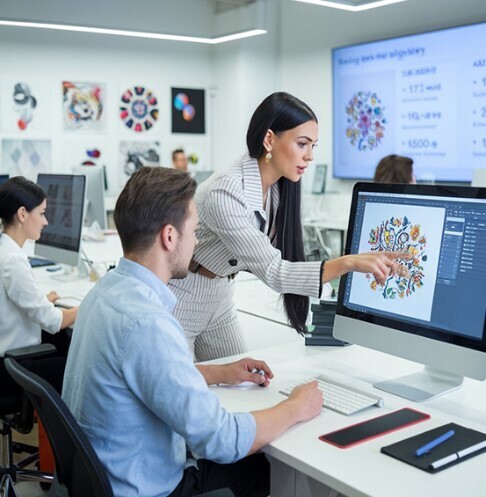

Embroidery brings art and fabric together. Many designers start with digital artwork made in design programs. One of the most common tools is Adobe Illustrator. Designers use it to create logos, icons, and clean vector graphics. These designs look perfect on a screen. But embroidery machines cannot read Illustrator files directly.Because of this, designers need a process to Convert AI File to Embroidery Format so the artwork can run on embroidery machines.
This process is called embroidery digitizing. It changes the vector artwork into stitch paths that the machine can follow. Each stitch is planned so the design looks clean when stitched on fabric.In this guide, we will explain how designers convert Illustrator artwork into machine stitch formats. The steps are simple and clear. Even beginners can learn how the process works and why each step is important.
What Is Illustrator Artwork?
Illustrator artwork is made using vector graphics. Vector graphics are different from normal images.
How Vector Graphics Work
Vector graphics are built with paths and shapes. These shapes are made with lines and curves.
Each shape can be resized without losing quality. This makes vector files perfect for logo design and print work.
Why Designers Use Illustrator
Designers often create artwork in Adobe Illustrator because it gives them control over:
- Shapes
- Colors
- Line thickness
- Design size
These features help create clean artwork that works well for embroidery preparation.
Why Embroidery Machines Cannot Read AI Files
Even though vector files are very clean, embroidery machines still cannot read them.
Machines Need Stitch Instructions
Embroidery machines do not understand shapes or paths.
They only understand stitch commands.
These commands tell the machine:
- Where to move the needle
- Where to place stitches
- When to change thread color
Because of this, the artwork must be converted into a stitch format.
What Is an Embroidery Stitch Format?
A stitch format is a file that contains embroidery instructions.
Common Stitch File Formats
Some of the most used embroidery formats include:
- DST
- PES
- EXP
- JEF
Each format works with different embroidery machines.
What Stitch Files Store
Stitch files contain data such as:
- Stitch points
- Stitch order
- Thread color changes
- Machine commands
This data helps the machine create the final stitched design.
The Role of Embroidery Digitizing
The process of converting artwork into stitches is called digitizing.
Digitizing is both technical and creative work.
Why Digitizing Is Important
Good digitizing makes embroidery look smooth and professional.
Bad digitizing can cause problems like:
- Thread breaks
- Puckered fabric
- Uneven stitching
That is why skilled digitizers take time to plan the stitch path carefully.
Preparing Illustrator Artwork for Digitizing
Before digitizing starts, the artwork must be prepared.
Clean artwork makes the process much easier.
Simplify the Design
Embroidery works best with simple shapes.
Designers often remove:
- Tiny details
- Thin lines
- Small text
These elements can be hard for machines to stitch.
Reduce Too Many Colors
Too many colors can slow down the embroidery process.
Designers try to keep the color count simple.
This helps the machine run faster and reduces thread changes.
Importing the AI File into Digitizing Software
After the artwork is prepared, it is imported into embroidery digitizing software.
The software allows designers to turn shapes into stitch paths.
What Happens After Import
The artwork appears in the design workspace.
It acts as a guide for tracing and building stitch areas.
The software does not convert the design automatically. The designer must still create the stitch layout.
Tracing the Design for Stitch Creation
Digitizers begin tracing the artwork using digitizing tools.
Each shape is turned into a stitch area.
Why Manual Tracing Works Best
Manual tracing gives better control over stitch quality.
Automatic conversion tools exist, but they often produce messy stitches.
Manual digitizing helps control:
- Stitch direction
- Stitch density
- Stitch type
This leads to cleaner embroidery results.
Choosing the Right Stitch Types
Different shapes in the design need different stitch types.
Satin Stitch
Satin stitch is used for letters and narrow shapes.
It creates smooth and shiny thread lines.
Fill Stitch
Fill stitch covers large areas of the design.
It uses rows of stitches to fill space.
Running Stitch
Running stitch works well for outlines and small details.
Each stitch type plays a role in creating the final embroidery look.
Setting Stitch Direction
Stitch direction controls how the thread flows across the design.
Changing the direction can improve the design’s texture and shine.
Why Stitch Direction Matters
Correct stitch direction can:
- Separate design sections
- Reduce fabric pulling
- Improve thread shine
Experienced digitizers always plan stitch direction carefully.
Adjusting Stitch Density
Density controls how close stitches are placed.
High Density
High density means more stitches.
This creates a thick and bold look.
Low Density
Low density means fewer stitches.
This creates a lighter design.
The goal is to find a balance so the design looks good and stitches smoothly.
Adding Underlay Stitches
Underlay stitches are placed under the top stitches.
They help support the embroidery design.
Benefits of Underlay
Underlay stitches help:
- Hold the fabric steady
- Improve stitch quality
- Prevent fabric shifting
Without underlay, embroidery may look uneven.
Organizing the Stitch Order
Stitch order is the sequence the machine follows while stitching.
Why Stitch Order Matters
Good stitch order reduces:
- Thread trims
- Jump stitches
- Machine stops
Digitizers usually stitch from the center of the design outward.
This helps keep the fabric stable.
Running a Stitch Simulation
Most digitizing software includes a stitch simulation tool.
This tool shows how the machine will stitch the design.
What Designers Check During Simulation
They look for issues such as:
- Long jumps
- Stitch gaps
- Thread overlaps
Fixing these problems early saves time later.
Exporting the Final Stitch File
After the design is complete, it is saved in the required embroidery format.
The designer chooses the format based on the machine being used.
For example:
- DST for many commercial machines
- PES for Brother machines
- JEF for Janome machines
Once exported, the stitch file is ready for embroidery.
Testing the Design on Fabric
Before production, the design must be tested.
Test Stitching
The file is loaded into the embroidery machine.
The machine stitches the design on scrap fabric.
This helps check:
- Stitch quality
- Thread breaks
- Design alignment
Testing helps avoid problems in final production.
Common Problems Designers Watch For
Even experienced designers check for common embroidery issues.
Thread Breaks
Thread breaks can slow down production.
They often happen when stitches are too dense.
Fabric Puckering
Puckering occurs when stitches pull the fabric too tightly.
Good digitizing and stabilizer use help prevent this problem.
Misaligned Shapes
Poor stitch order or bad digitizing can cause shapes to shift.
Careful planning helps avoid this issue.
Why Many Businesses Use Professional Digitizing Services
Digitizing takes skill and practice. Not every designer has time to learn the process.
Because of this, many embroidery businesses work with professional digitizing companies.
Experts know how to prepare designs for different fabrics and machines.
Trusted providers such as Embroidery Digitizing Services in USA - Digitizing Buddy help businesses turn digital artwork into clean embroidery stitch files.
Their experience helps ensure designs stitch smoothly and look professional.
The Value of Experience in Embroidery Digitizing
Embroidery digitizing improves with practice.
Experienced digitizers understand:
- Stitch behavior
- Fabric movement
- Thread tension
These skills help them create designs that stitch well on real fabric.
Many embroidery shops rely on specialists like Embroidery Digitizing Services in USA - Digitizing Buddy for consistent and high-quality digitizing work.
Tips Designers Follow for Better Embroidery Results
Professional designers follow simple rules to improve embroidery quality.
Keep Designs Clean
Clean artwork leads to cleaner stitches.
Limit Small Details
Small elements often disappear in embroidery.
Use Proper Stabilizer
Stabilizer helps hold the fabric steady during stitching.
Always Test the Design
Testing helps detect errors before production begins.
These habits help maintain high embroidery quality.
How Digitizing Builds Creative Opportunities
Digitizing is not only technical work. It is also creative.
Designers can control stitch texture, direction, and pattern.
This allows them to turn simple artwork into rich embroidered designs.
With time and practice, digitizing becomes a valuable design skill.
Final Thoughts
Converting Illustrator artwork into machine stitch formats is an important step in embroidery production.
The process involves preparing the artwork, tracing shapes, assigning stitch types, and testing the design.
Each step helps ensure the final embroidery looks clean and professional.
While the process may seem complex at first, it becomes easier with experience. Many businesses also rely on trusted partners such as Embroidery Digitizing Services in USA - Digitizing Buddy to handle digitizing work and produce reliable stitch files.
In the end, good digitizing turns digital artwork into beautiful thread designs that bring creativity to fabric.



Top comments (0)