
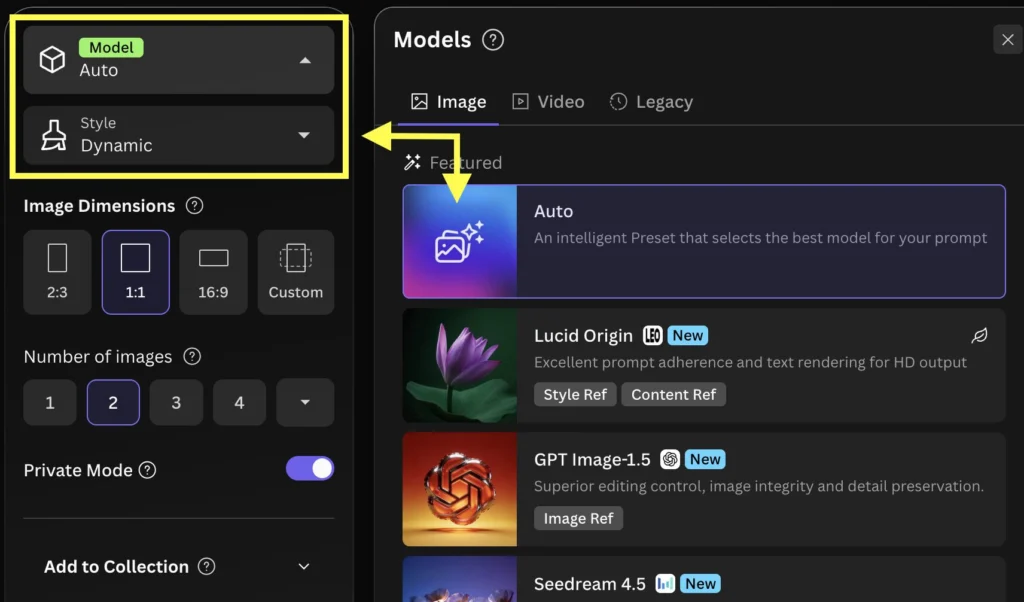

Qwen-Image is Alibaba Qwen's image generation model, built around a 20-billion-parameter multimodal diffusion transformer. The original release produces images from text prompts and has downloadable Apache 2.0 weights with a documented Diffusers interface. Its defining design emphasis is rendering written language within images, including English and Chinese lettering. Project repository Model card
What are the key facts about Qwen-Image?
| Field | Verified information |
|---|---|
| Developer | Alibaba's Qwen team. Project repository |
| Released | August 4, 2025. Launch announcement |
| Type | MMDiT image foundation model; the original checkpoint's pipeline is text-to-image. Repository Model card |
| Size or parameters | 20 billion parameters for the image transformer. Repository |
| License and access | Apache 2.0; weights published as Qwen/Qwen-Image. Model card
|
| Where it runs | Self-hosted Diffusers; Qwen also links its online image-generation experience. Model card Repository |
This overview concerns the original checkpoint. The same project maintains separately named editing and newer generation releases, so record the exact model identifier when discussing results. The sibling Qwen-Image download guide explains how to make that choice explicit in a local installation. Project repository
How does Qwen-Image generate text inside images?
Qwen's launch examples include signs, posters, and layouts with multiple text elements. The significance for a designer is that written content can be part of the generated scene: a sign belongs to a storefront, and a heading belongs to a composition. Those demonstrations support evaluating the model for image concepts in which lettering matters. Launch announcement
The model card also presents photographic, painted, anime, and minimalist imagery. A useful evaluation therefore includes both a text-heavy brief and an image-only brief, so typography does not become your only criterion for judging the model. Keep the requested style concrete enough that a reviewer can identify a mismatch. Model card
For example, prepare an original brief for a community exhibition poster: a cream background, one blue ceramic vase, a centered title reading “OPEN STUDIO,” and a small footer reading “SATURDAY.” Judge whether each phrase is present, whether the hierarchy is understandable, and whether the vase remains the visual subject. This is a proposed test, not a reported model result.
Separate lettering accuracy from aesthetic preference. An attractive composition with a misspelled title should fail a spelling requirement; a correctly spelled title can still fail a layout requirement. Written acceptance criteria make it easier to decide whether to regenerate an image or finish the layout manually.
What are the limits of Qwen-Image typography?
The launch demonstrations do not establish a success rate for your own posters. Treat a generated design as something to proofread, especially when it contains names, dates, or small lettering. Qwen's published examples show the intended capability but do not remove the need to inspect each delivered image. Launch announcement
The original generation checkpoint and Qwen-Image-Edit have different documented pipelines. If your task starts with an existing image and an instruction to change it, use the editing model's instructions rather than assuming a text-to-image call preserves that source image. Generation card Editing card
Technical settings also need context. The model card's example uses particular dimensions, sampling steps, and guidance; those choices are a reproducible starting point, not a universal resolution ceiling or speed guarantee. Diffusers documents the relationship between denoising steps and the time-quality tradeoff. Model card Pipeline documentation
Measure the complete poster workflow before planning a deadline. Include generation, proofreading, and any layout corrections in the timing record. Keep the same acceptance criteria when comparing models.
How do you use Qwen-Image to generate a poster?
Begin by choosing the task: generation from a written brief or editing an existing image. For generation, use Qwen/Qwen-Image; for editing, consult the separate model card. This initial choice prevents a workflow comparison from mixing different input conditions. Generation card Editing card
For Python generation, install a current Diffusers environment with compatible PyTorch, Transformers, and Accelerate. Qwen's project documents the dependencies, and the following CUDA example follows the model card's generation pattern. Downloading and loading the model require sufficient storage and memory. Project repository Model card
import torch
from diffusers import DiffusionPipeline

pipe = DiffusionPipeline.from_pretrained(
    "Qwen/Qwen-Image", torch_dtype=torch.bfloat16
).to("cuda")
poster = pipe(
    prompt=('Cream exhibition poster, one blue ceramic vase. '
            'Centered title "OPEN STUDIO", footer "SATURDAY".'),
    negative_prompt=" ", width=1328, height=1328,
    num_inference_steps=50, true_cfg_scale=4.0,
    generator=torch.Generator("cuda").manual_seed(42),
).images[0]
poster.save("studio-poster.png")
Inspect the title at full size before judging the overall design. Next, check the relative size of the title, illustration, and footer. Finally, view the image at its intended display size; a detail that looks acceptable when enlarged may not serve the final layout.
Revise only the requirement that failed. If the vase is too prominent, ask for a smaller central illustration and more space around the heading. If the footer is missing, simplify the rest of the brief before adding additional decorative instructions. These are suggested editing decisions for the prompt, not guaranteed fixes.
Keep the accepted prompt and output together. For a team review, include the rejected candidates as well, with a brief reason for each rejection. That record reveals whether the workflow consistently meets the brief or occasionally produces a usable image among many attempts.
How does Qwen-Image compare with SDXL for text rendering?
| Model | Relevant documented distinction |
|---|---|
| Qwen-Image | Emphasizes complex written text within generated imagery. Model card |
| SDXL Base 1.0 | Supports standalone base generation and an optional refinement stage; its model card lists legible text as a limitation. SDXL model card |
Use the SDXL models pillar for background on that alternative. A fair comparison should distinguish the official base model from any customized checkpoint you test. Choose the same brief and inspect the actual lettering instead of assuming all models in a family behave identically.
What should designers know about Qwen-Image?
What makes Qwen-Image relevant to graphic design?
Qwen-Image's documentation emphasizes generating written text inside images, including English and Chinese layouts. Evaluate it with posters and signs, and proofread each result before using it in a deliverable. Model card
Is Qwen-Image the same as Qwen-Image-Edit?
Qwen-Image and Qwen-Image-Edit are separately published checkpoints with different input pipelines. The original Qwen-Image generation example starts with a text prompt; Qwen-Image-Edit accepts an image and an editing instruction. Generation card Editing card
Does the original Qwen-Image have open weights?
Yes, the original Qwen/Qwen-Image weights are published under Apache 2.0. Use that repository identifier when downloading the original generator or reporting an experiment. Model card
Can I use a Qwen-Image poster without proofreading it?
Proofread a Qwen-Image poster whenever the deliverable requires exact wording. Qwen's launch examples demonstrate text rendering, but they do not certify the names, dates, or phrases in a new output. Launch announcement
Sources
- Qwen-Image project repository
- Qwen-Image model card
- Qwen-Image launch announcement
- Qwen-Image-Edit model card
- Diffusers QwenImage pipeline documentation
- SDXL Base 1.0 model card


Top comments (0)