

The Watchlist That Never Shrank
For about two years I kept a folder of things I intended to watch. Conference talks, long interviews, workshop recordings, the occasional two-hour panel someone described as "required." It grew steadily and I never once finished it, because finishing it would have required something like sixty uninterrupted hours.
What made it worse was that watching was only half the job. After watching, I had nothing. A video leaves no artifact behind unless you sit there taking notes while it plays, and notes taken at 1.5x speed are mostly fragments I cannot place later. If someone asked me three weeks on whether a particular speaker had said the thing I half-remembered, my honest answer was that I would have to watch it again to find out.
I did try the obvious workarounds. Faster playback helped with the duration and did nothing for the retrieval problem. Downloading transcripts helped with retrieval and only worked on videos that had captions, which ruled out the recordings and the panel discussions, meaning exactly the material where I most needed help.
Why Captions Were the Wrong Foundation
The thing I misunderstood for a long time is that most video summarizers are not summarizers at all. They are caption readers. They pull whatever subtitle track YouTube happens to have and condense that text.
That works fine on a well-produced video with a clean caption pass. It fails everywhere else. A lecture recorded in a hall with no captions. Four people on a panel interrupting each other so the auto-captions merge into one speaker. A talk in a language I do not speak. A recording where the auto-captions confidently transcribe jargon into something plausible and completely wrong.
In every one of those cases a caption-based tool still produces output. It does not produce an error. It produces a fluent, well-formatted summary of something that was never said, which is the worst possible failure mode because it looks correct.
So the requirement I actually had was not "summarize faster." It was "work from the audio, so that a missing caption track does not decide whether I can use this."
What I Switched To
That is what made me try Video Transcriber AI's YouTube Video Summarizer. It transcribes the audio itself rather than reading a subtitle file, so a video with no captions is not a special case. You paste a public link and get back structured key points.
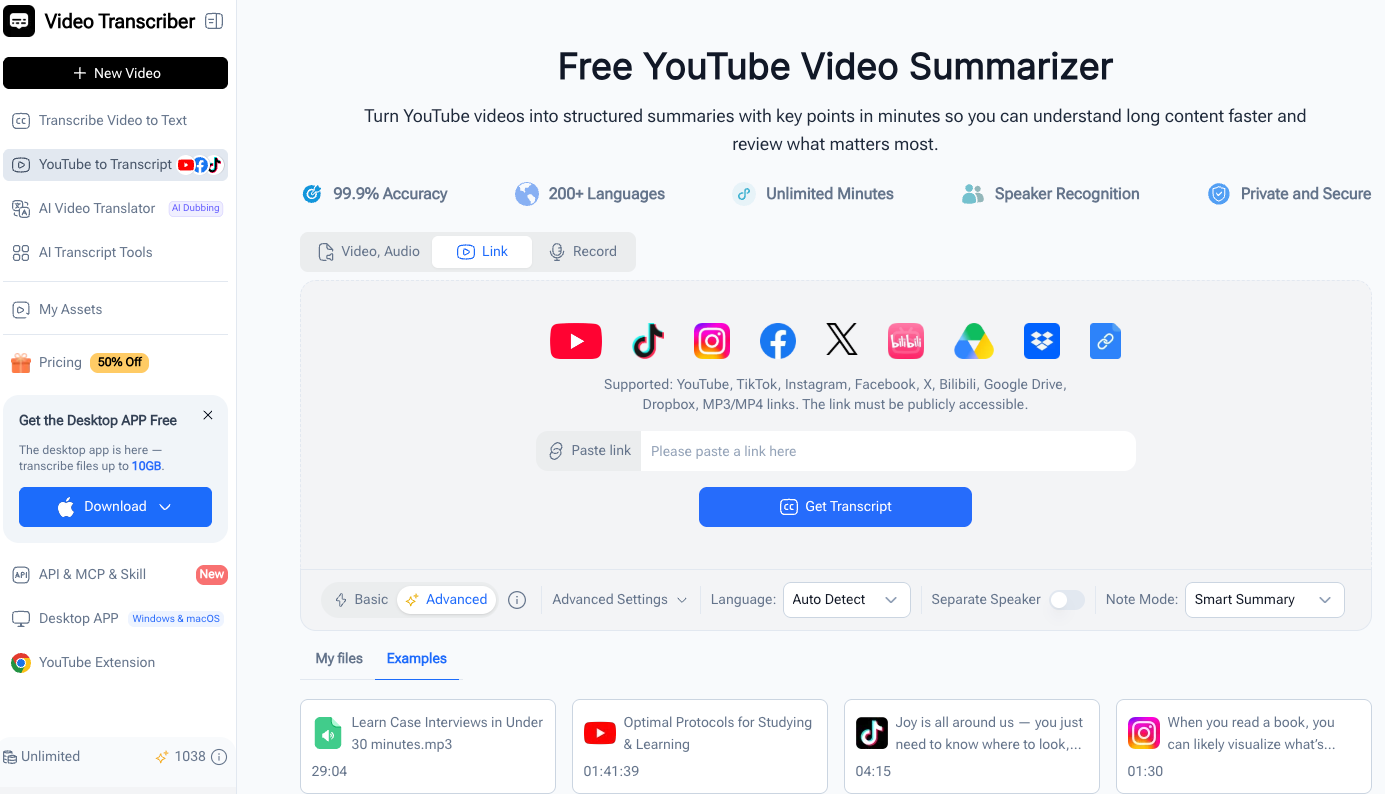
The flow is three steps and takes about as long to do as to describe. Paste the URL of a public video. Let it process. Read the result and copy out what you need. No signup for the basic use, no extension, nothing to install.
The input is not limited to YouTube either. It accepts TikTok, Instagram, Facebook, X, Bilibili, Google Drive, Dropbox, and direct MP3 or MP4 links, which matters more than it sounds, because a large share of the material I actually want to summarize was never uploaded to YouTube. Internal training sessions, Zoom recordings, and raw audio files are all in scope as long as the link is publicly reachable.
Testing It on the Worst Material I Had
I did not test it on a polished TED talk. I tested it on the material that had defeated everything else.
The first one was a 90-minute workshop recording with no captions, recorded on a microphone at the back of a room. The summary came back organized by point rather than in chronological order, and the points corresponded to things I could go and verify at specific timestamps. That was the test I cared about, and it passed.
The second was a three-person panel. There is a speaker recognition option, and with it on, the output attributes points to speakers instead of flattening everyone into one voice. For a panel that is the difference between a summary you can use and a list of unattributed claims.
The third was a talk in a language I do not speak. The tool covers 200+ languages and can translate, so the result arrived as something I could read. It is not the same as understanding the original delivery, the tone and the emphasis are gone, but for deciding whether the talk is worth my time it is more than enough.
What the Output Actually Looks Like
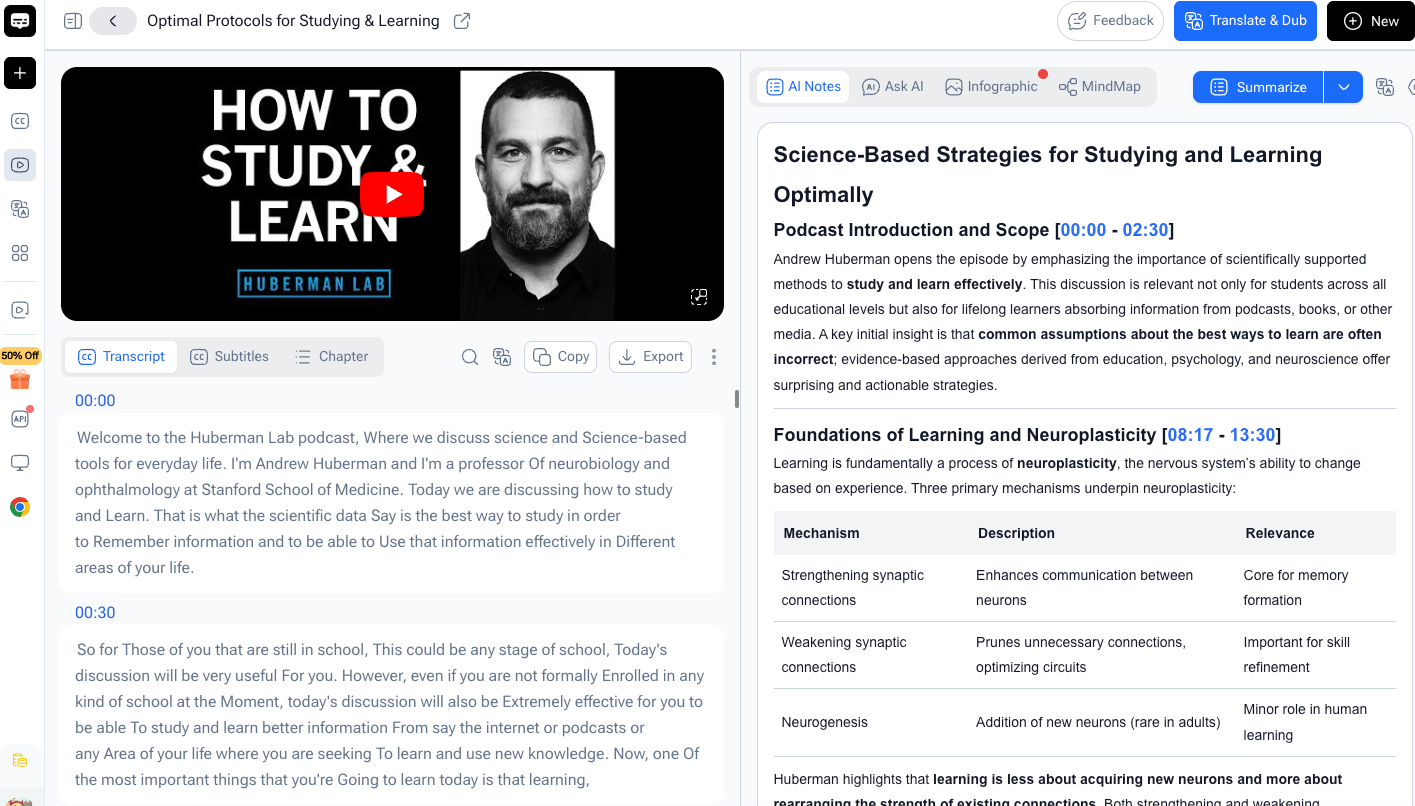
The most useful property is structural. The result is not one paragraph of prose. It is broken into key points, which means I can scan it in about a minute and decide what deserves a full read.
Practically, that changed the order of operations. I now read the summary before watching anything, not after. If the key points tell me the talk covers ground I already know, I keep the summary and close the tab. If they flag a section that sounds dense or contested, I open the video at that section and watch just that part.
The second useful property is that the summary is a shareable artifact. I can generate a link and send it to a colleague instead of sending a timestamp and saying "watch from here." For a study group or a team reviewing the same material, that removes a step everyone was doing badly by hand.
And the summary is editable. I treat the output as a first draft that I trim and annotate, not as a finished document.
Where It Falls Short
A summary is a filter, and filters lose things. It is good for deciding what to watch and for keeping a searchable record. It is not good enough to quote from. If I need exact wording, a specific number, or anything that will appear in something I publish, I go back to the source and check the timestamp myself. No summarizer exempts you from that, and any accuracy percentage on a landing page is marketing, not a guarantee.
Dense jargon and strong accents are where the quality drops, which is fair, those are the hard cases for transcription itself. Private and restricted videos do not work at all, since the processing step cannot reach them.
It is also purely a reading aid. There is no revision history, no collaborative editing, no organization layer. If you need a knowledge base rather than a per-video summary, this is one input to it, not the whole thing.
Who This Is For, and Who It Is Not
It fits people whose source material is video and whose bottleneck is review rather than access. Students working through lecture recordings. Researchers doing literature review from conference footage. Content people pulling structure out of talks. Anyone keeping up with training material they would otherwise never sit through.
It is a poor fit if you need verbatim transcripts for legal or compliance purposes, if your material is mostly under ten minutes, or if you are expecting it to replace watching entirely. It does not replace watching. It tells you what is worth watching.
What Changed in My Routine
The measurable change is that my watchlist is shrinking for the first time, because I am finally processing it instead of deferring it. The less measurable change is that I now have a searchable record of everything I have watched. When I half-remember a claim, I search my notes instead of re-watching a video.
That was the actual problem all along. Video is a fine way to deliver a talk and a poor way to keep one, and the fix is conversion, not speed.
If your bookmarks look anything like mine did, try it on the worst video in the list rather than the best one. A YouTube Video Summarizer from Video Transcriber AI runs free in the browser with no signup, and the interesting case is always the recording with no subtitles.






Top comments (0)