

I used to believe I had a note-taking problem. Important ideas from meetings, interviews, and lectures seemed to vanish before I could put them to work. I bought better notebooks, tried new folder structures, and experimented with increasingly elaborate templates. None of those systems solved the real issue.
Most of the information I wanted had never entered my notes. It was still trapped in audio recordings. I had preserved the conversations, but I had not made them retrievable.
My breakthrough came when I used Audio Converter AI to convert audio to text and treated the transcript as the beginning of a workflow, not as a finished document. Once the words became searchable, a neglected folder started behaving like a small knowledge base.
1. The collection problem I mistook for an organization problem
My recordings looked organized from the outside. Each project had its own folder, filenames included dates, and backups ran automatically. Yet every file was effectively opaque. A title such as “customer-interview-07” told me who and when, but not which objections, examples, or decisions appeared inside.
I rarely had time to replay an entire file. When I remembered a useful remark, I guessed where it might be, dragged the playhead around, and often gave up. This meant the archive kept growing while its practical value stayed flat.
The flaw was simple: storage made the audio safe, but it did not make the information accessible. I needed a text layer that could expose what each recording contained.
2. Why a transcript alone was not enough
My first instinct was to think of transcription as typing performed by software. That definition is technically true but operationally incomplete. A large block of text without speakers, timestamps, or a summary can become another difficult file to navigate.
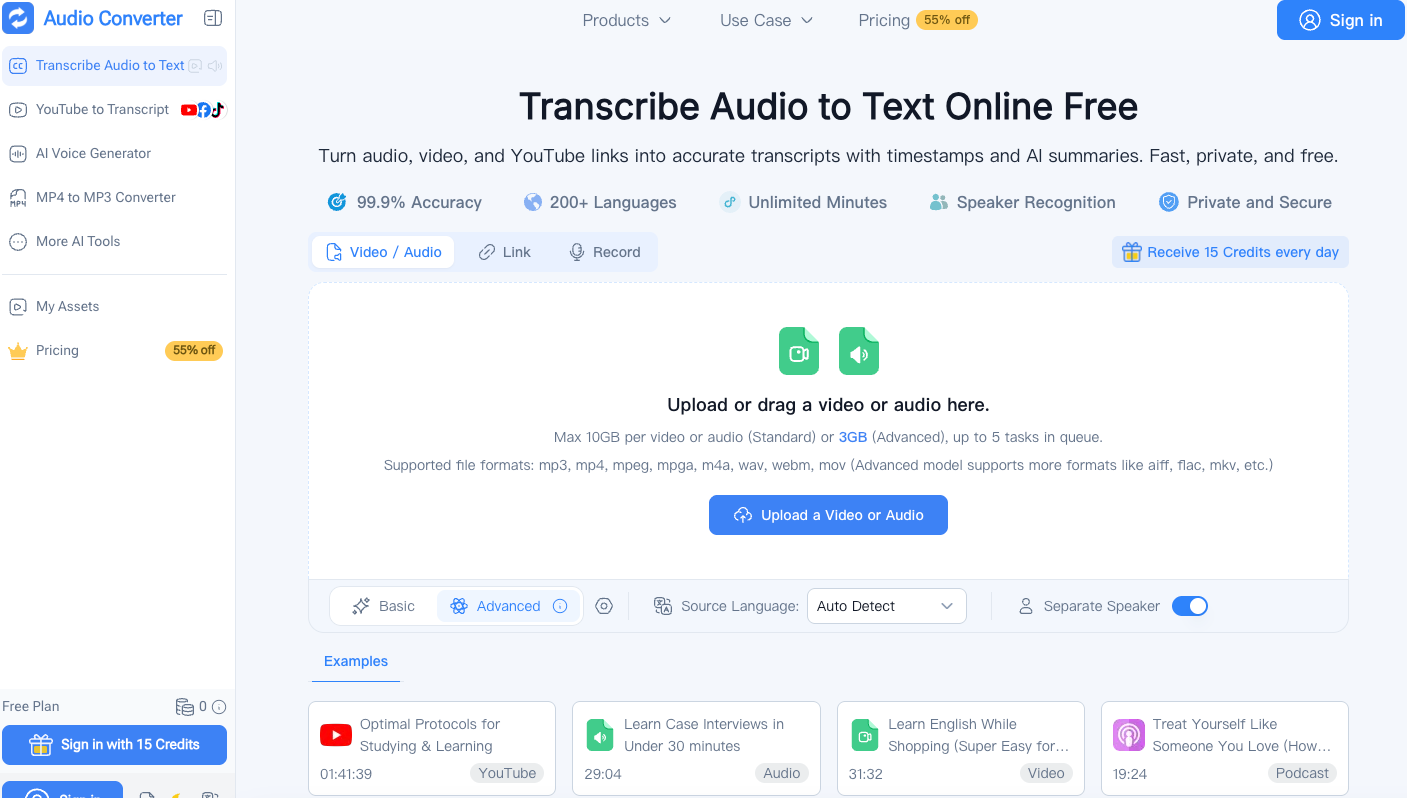
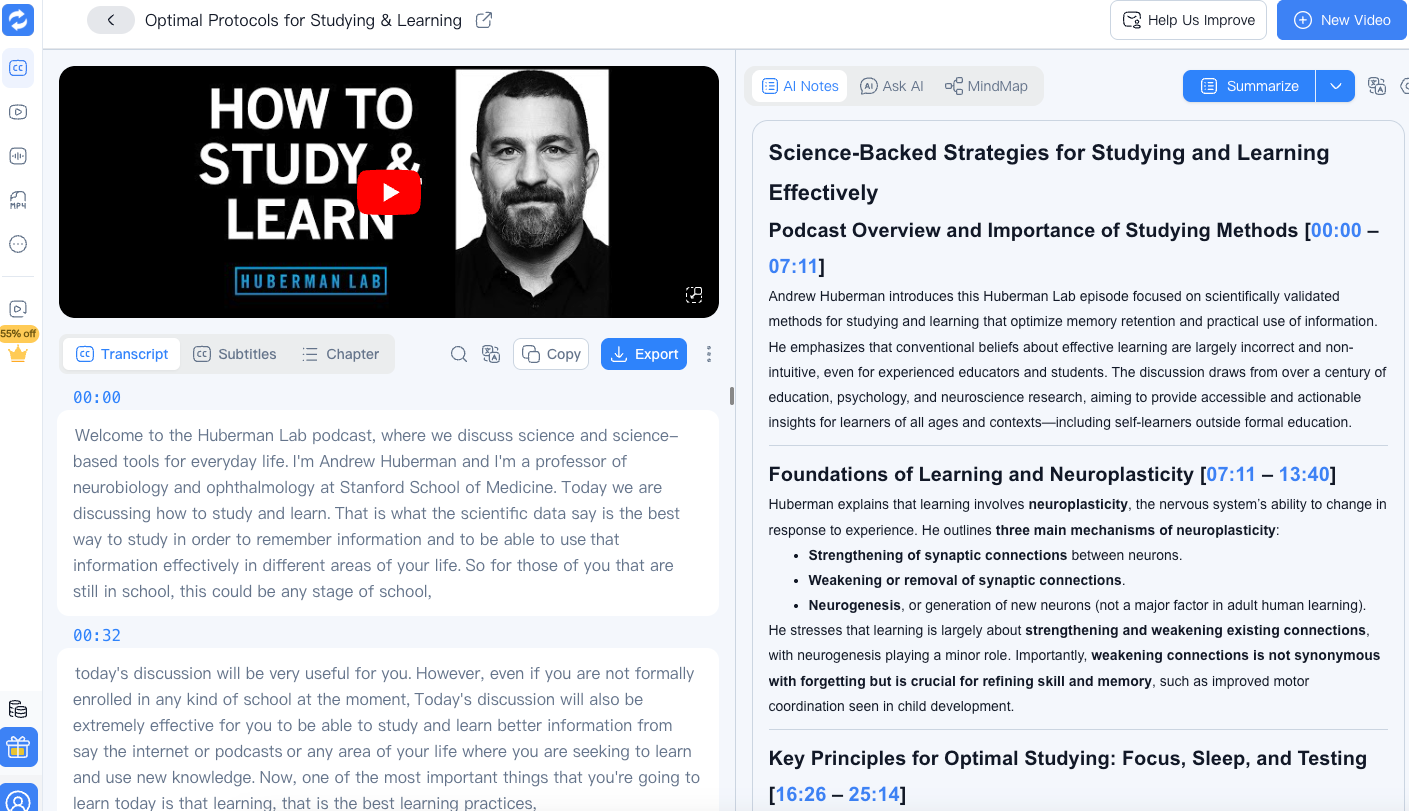
The structure around the transcript matters. Audio Converter AI supports speaker recognition, timestamps, editable transcripts, and AI summaries. It can process uploaded audio and video, YouTube links, or a recording made through the browser. Its site also states support for more than 200 languages.
Together, these features create several entry points. I can search the text for a term, scan the summary for major themes, follow a specific speaker, or jump back to a timestamp to hear the original delivery. That is much closer to a knowledge tool than a plain text dump.
3. The workflow I now use after every valuable recording
I begin by deciding whether a recording is likely to matter later. Casual voice messages do not need a permanent transcript, but interviews, research calls, lectures, and decision-heavy meetings usually do.
For those files, I upload the clearest available source while the context is still fresh. I select the language when I know it and enable speaker separation for conversations. If several related files belong to the same project, I queue them together so their transcripts arrive in one working session.
Then I give each transcript a descriptive title that includes the subject, not just the date. “October planning call” becomes “Pricing objections and onboarding gaps.” The audio file remains attached to the event, but the transcript title describes the knowledge I expect to retrieve.
4. My two-pass method for checking accuracy
I once tried to polish every transcript line by line. That approach consumed so much time that I began postponing the work. Now I review in two focused passes.
The first pass checks structure. I confirm that the file is complete, timestamps follow the recording, and speaker labels make sense. I also look for obvious trouble around music, overlapping voices, poor connections, or language changes.
The second pass checks high-risk details. I verify names, dates, numbers, technical terms, direct quotations, commitments, and anything I plan to publish. Minor filler words can remain when they do not affect meaning. This gives me a reliable working transcript without pretending every internal note needs publication-level editing.
When a sentence seems wrong, a timestamp lets me listen to the relevant moment instead of searching the entire recording. That single habit saves more time than trying to perfect the text from context alone.
5. How I transform one transcript into reusable knowledge
After review, I do not simply file the transcript. I extract a small set of artifacts based on the recording type.
For a meeting, I create decisions, action items, owners, deadlines, and open questions. For an interview, I collect quotations by theme, unresolved follow-ups, and surprising language the participant used. For a lecture, I produce an outline, definitions, examples, and questions for later research. For a podcast or webinar, I identify sections that could become an article, caption, newsletter paragraph, or social post.
The AI summary is useful as a starting map, but I compare it with the transcript before relying on it. Summaries compress, and compression can remove a qualification that changes the point. I use the summary to orient myself, the transcript to understand, and the original audio to verify anything consequential.
6. The lightweight system that makes retrieval possible
I store the useful outputs with the project rather than in a separate transcription archive. Each project gets a short index containing the transcript title, recording date, participants, main themes, and links to the extracted artifacts.
I also add a few consistent tags. Mine include “decision,” “customer-language,” “research-source,” “content-idea,” and “follow-up.” I avoid creating dozens of narrow categories because a tag system that needs constant interpretation becomes another burden.
Search does most of the heavy lifting. If I need material about onboarding, I can search across transcripts and extracted notes, compare how the topic appeared in different conversations, and return to timestamps when I need nuance. The system succeeds because it helps answer questions, not because every item is perfectly classified.
7. The privacy check I added before uploading
Recordings can contain information that deserves more care than ordinary notes. I now pause before processing a file and ask whether it includes confidential strategy, customer data, private employee information, health details, or material governed by a consent agreement.
Audio Converter AI states that files are encrypted in transit and at rest, processed in isolated encrypted environments, and automatically removed after processing. Users can manage saved content and delete it manually. These controls support a responsible workflow, but they cannot replace company policy or participant consent.
My rule is to upload only permitted material, limit where exports are copied, and remove files when the project no longer needs them. For high-risk work, I confirm the approved tools and retention rules before processing anything.
8. What changed once the archive became searchable
The most important result was not faster transcription. It was a change in how I used past conversations. I began finding patterns across interviews, recovering exact wording for articles, checking old decisions before meetings, and turning lectures into study material without replaying them from the beginning.
Audio remains valuable because tone, pace, and emotion live in the recording. Text does not replace those qualities. It acts as an index that tells me where to listen and as a flexible format for analysis, writing, and collaboration.
If you have a folder full of recordings that you rarely revisit, start with one file connected to a real question. Use Audio Converter AI to convert audio to text, review the meaningful details, and extract one artifact you can use today. A searchable archive grows through repeated small conversions, not through a heroic attempt to process everything at once.
That was the shift I needed. I stopped measuring the value of my archive by how much it contained and started measuring it by how easily it could answer me.



Top comments (0)