

I used to think cutting audio was the easy part of editing. Drag the beginning, drag the end, export, and move on. That assumption held up for short voice notes. It collapsed when I started working with interviews, online talks, and meetings that ran for forty minutes or more.
The cut itself still took seconds. Finding the right passage took most of the session. I would replay sections, zoom into the waveform, lose my place, and repeat the process because I had trimmed away the first syllable of a sentence. What I needed was not another complicated workstation. I needed an AI audio cutter that could understand what I was looking for before asking me to mark exact coordinates.
The Real Problem Was Search, Not Cutting
When I remembered the timestamp, a standard timeline worked perfectly. Most of the time, though, I remembered an idea. I knew the guest had explained why a project changed direction. I knew a lecturer had given a concise definition. I knew one speaker in a meeting had summarized the next action. I simply did not know where those moments occurred.
That distinction changed how I evaluated audio tools. A classic cutter assumes that I already know the start and end points. A content-aware cutter can help locate the section first. Once I saw the task as search plus selection plus verification, natural-language editing made much more sense.
I Began With One Specific Request
My first useful experiment was intentionally simple. Instead of stacking several edits into one instruction, I described a single outcome: find the guest's explanation of a particular decision. The result gave me a candidate clip that I could listen to immediately.
That was the first lesson. A prompt should identify one action and one target. “Make this interview better” is difficult to verify. “Find the guest's first explanation of the pricing decision” gives both the tool and the editor a clear goal. If the selection is close but not complete, the next prompt can refine it.
The rhythm felt like working through an edit. I made a request, listened, then adjusted. The preview remained essential because the final judgment still belonged to me.
Topic-Based Cutting Became My First Pass
For interviews and podcasts, I now begin with topics rather than timestamps. I make a short list of the ideas I expect to reuse, then search for them one at a time. That gives me a group of candidate clips without forcing me to review the recording linearly.
The first match may be accurate but not editorially strong. A later explanation may be shorter or clearer. I treat topic search as a way to reach the right neighborhood, then compare the available moments.
The approach also works for research interviews. I isolate a passage, preserve the original, and keep notes about context so a concise clip does not misrepresent the speaker.
Exact Times Still Matter
Natural language did not make timestamps obsolete. It made them more useful at the right stage. When I know that the usable take runs from 1:00 to 1:30, I ask to keep that range. When a false start occupies a known interval, I specify the section to remove.
Exact times are also ideal after a topic-based selection. If the opening feels abrupt, I extend it. If the clip includes another speaker's question, I shorten the end. I use semantic editing to find material and precise editing to polish boundaries.
I always listen to the transition after removing a middle section. Two clean words can still form an awkward join. A few seconds of review catches problems that a waveform alone does not reveal.
Speaker Selection and Splitting Changed My Workflow
Meeting recordings create a different problem. I may need one person's remarks rather than one topic. Audio Cutter AI supports prompts that keep a selected speaker's audio, which gives me a focused starting point for interviews and discussions.
People interrupt one another, so I listen around each boundary and compare questionable moments with the original. For a handoff, I label the clip with the speaker, meeting date, and subject.
Some recordings need structure rather than a highlight. A lecture or workshop may be easier to use when divided into clips of a chosen length. The tool can split audio into equal-length parts, let me preview the split points, and export separate files.
I use this carefully with spoken content. A mechanical five-minute boundary can land in the middle of a sentence, so I treat equal-length splitting as a draft. I review the boundaries and adjust when continuity matters. For music practice or archival material, regular parts may be exactly what I want.
Separate files are convenient for sorting. A combined file is useful when several chosen moments need to travel together.
My Three-Step Editing Routine
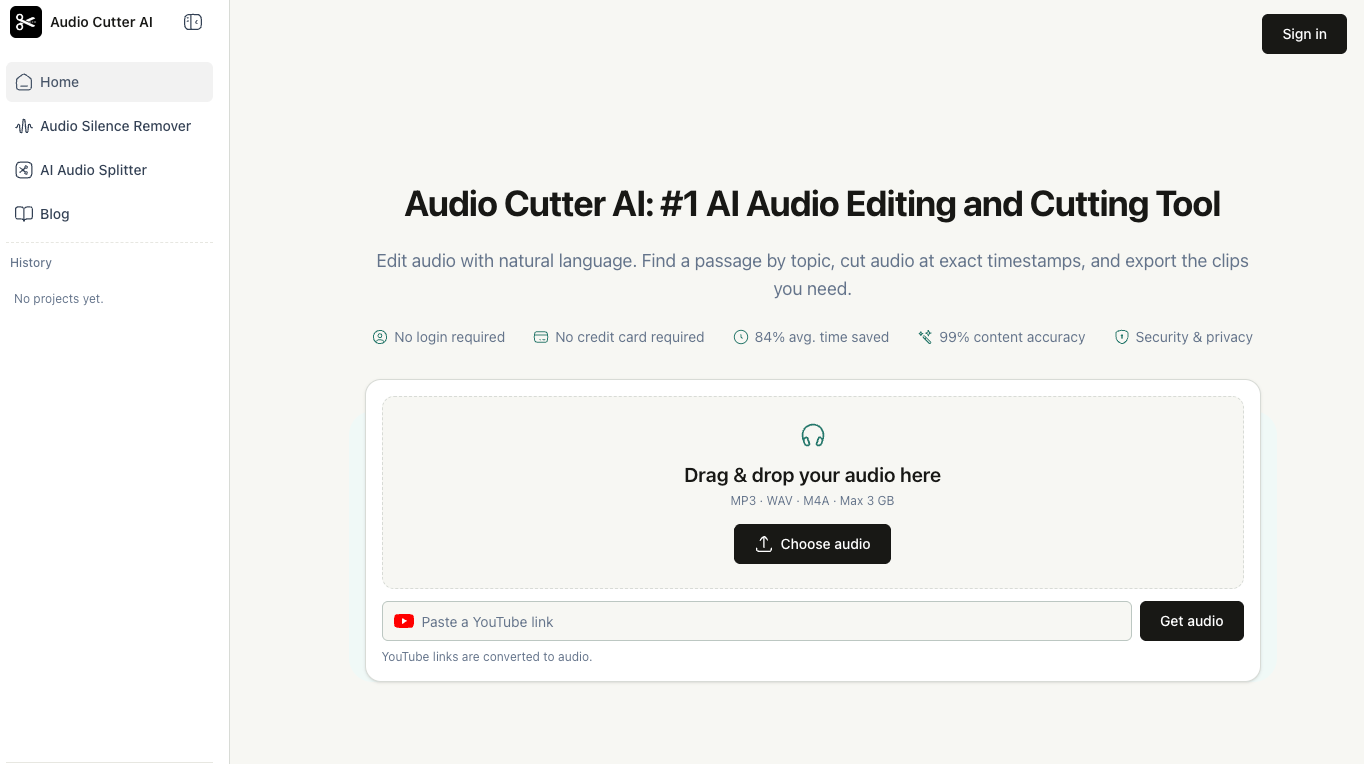
My current workflow is compact. First, I upload an MP3, WAV, or M4A file, or use a YouTube link when that is the source. The site states a maximum upload size of 3 GB, which covers the long spoken-word files I typically handle.
Second, I write one clear prompt. I may ask for a topic, a time range, a speaker, a deletion, a shorter duration, or equal-length parts. I preview the result and refine it in the same conversation. I avoid combining unrelated requests until each selection is correct.
Third, I choose the output. I decide whether the clips should be separate or combined, whether MP3 or WAV suits the next step, and whether silence removal should be on. Before exporting, I listen for missing context, clipped words, abrupt breaths, and speaker overlap.
For public clips, I ask a further question: would the speaker recognize this as a fair representation of what they said? A shorter excerpt can become misleading even when every word is accurate. That judgment cannot be delegated to a cutting tool.
I preserve the original file so I can revise a choice or restore context later.
Why This Workflow Stuck
The workflow stuck because it matches how I remember audio. I rarely recall a waveform shape. I remember a subject, a speaker, or a phrase. Starting with a natural-language request bridges that gap, while timestamps remain available when precision is needed.
It also reduces setup. The browser workflow requires no installation, and the page says no login or credit card is required to begin.
The tool does not hide the result behind automation. I preview the selection, compare it with the source, and refine the instruction.
The Prompt I Recommend Starting With
If you want to test the method, do not begin with your most complicated project. Choose a recording you know well and ask for one verifiable edit. Try “Keep 1:00 to 1:30,” “Remove 8:20 to 9:05,” or “Find the first explanation of the launch delay.” Listen to the result and make one adjustment.
That small test reveals whether intent-first editing fits your material. For me, it replaced the most tedious part of the job: dragging through long recordings just to locate one moment. If that is your bottleneck too, try the online audio cutter with a specific request, keep the original recording nearby, and let your ears make the final decision.





Top comments (0)