
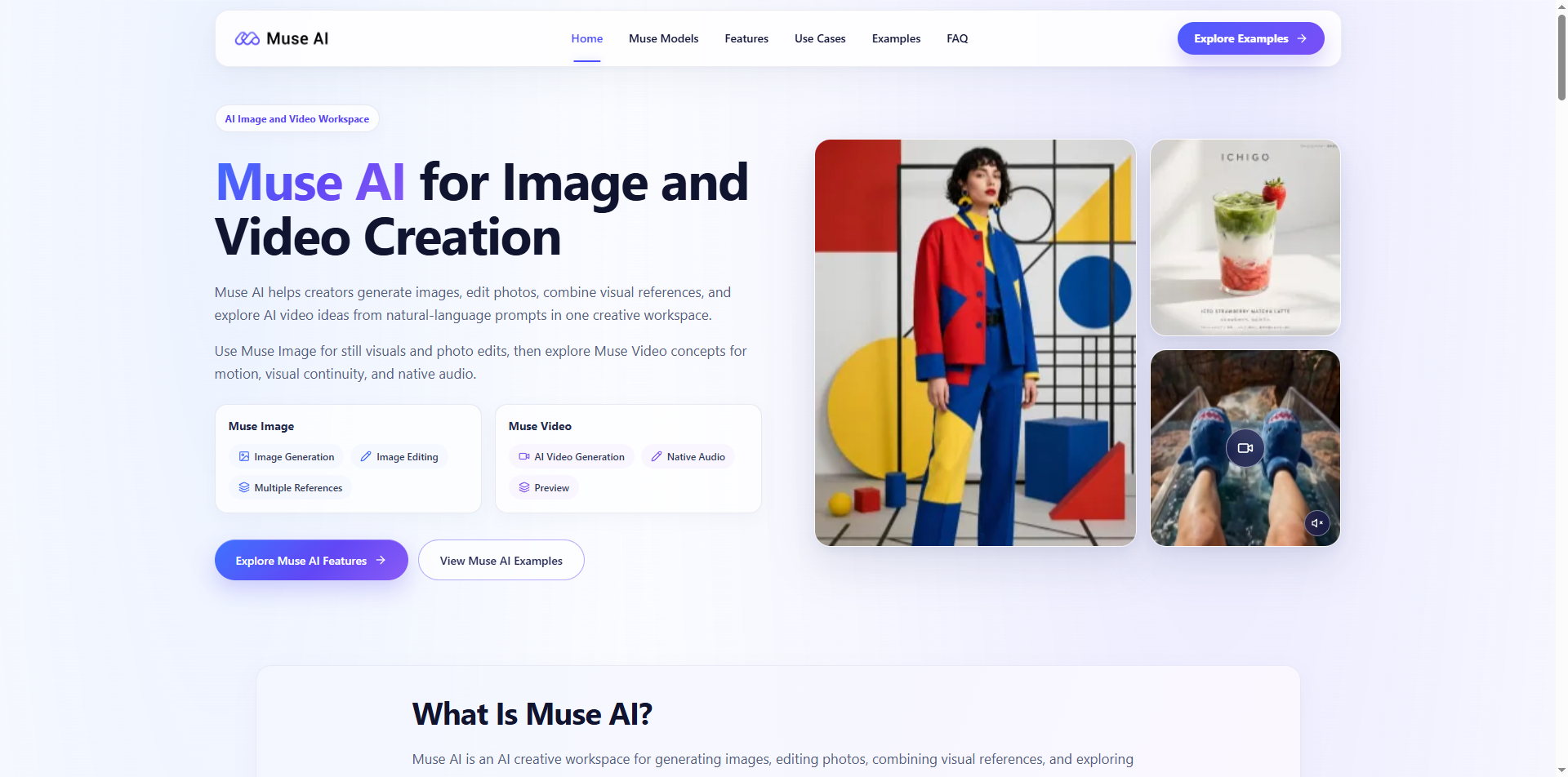

For prompt engineers and visual creators on PromptZone, the biggest daily friction lies in splitting workflows across disconnected AI image and video tools. Crafting consistent prompts for static graphics, then rebuilding entire creative briefs for separate motion generators wastes hours of iteration and prompt refinement. After months of testing visual AI tools built around natural-language prompting, I found a unified workspace that eliminates fragmented prompt pipelines entirely: Muse AI. Built from the ground up for prompt-driven creators, it merges professional image generation, text-based photo editing, multi-reference blending, and preview-stage text-to-video within a single dashboard—removing the need to copy-paste prompts, reupload reference assets, or compromise visual cohesion across static and moving content. This breakdown will walk through actionable prompt strategies tailored to every core module, plus real-world use cases that resonate with prompt engineers building assets for e-commerce, social media, film pre-production and interior design teams.
Why Prompt Engineers Struggle With Split Visual AI Tools
Anyone who builds repeatable prompt templates knows the frustration of siloed visual platforms. When you finish refining a perfect product shot prompt in an image generator, you cannot carry over reference image logic, lighting parameters, or stylistic descriptors into a standalone video tool. You must rewrite full prompts, reimport every reference asset, and fight to maintain uniform character, product and environment details across outputs. Most separate text-to-video tools lack robust multi-reference support, breaking the consistent visual identity prompt engineers spend hours calibrating.
Unlike isolated image or video generators, Muse AI shares a unified prompt parsing system across its image and video modules. Every style keyword, reference image upload, composition rule and lighting descriptor you define for static visuals transfers seamlessly to motion sequences. This creates reusable prompt libraries that work for both still graphics and short video clips, a game-changing advantage for creators who build standardized prompt templates for brand and client work.
Deep Dive: Prompt Engineering for Muse Image (Fully Released Module)
The image suite forms the core creative hub, with three prompt-focused features designed for granular, precise control through natural language input.
- Text-to-Image Prompt Building
Basic descriptive prompts deliver polished standalone visuals, but advanced prompt engineers leverage layered structure to lock in exact results. Effective prompts break down subject, environment, composition, lighting, color grading and artistic style in sequential order. For marketplace product assets, a structured prompt might detail product shape, lifestyle background, soft studio lighting, vertical e-commerce framing and minimalist commercial aesthetic—all parsed directly by the platform’s prompt interpreter to generate listing-ready visuals without post-production tweaks.
- Natural Language Photo Editing Prompts
This feature eliminates masking tools and layer adjustments entirely through targeted text prompts. Instead of manual editing software workflows, users submit concise edit instructions to swap backgrounds, remove clutter, restyle furniture, alter color palettes or adjust subject positioning. For prompt engineers, this opens opportunities to build edit-specific prompt templates for real estate staging, seasonal banner refreshes and beauty campaign retouching. Short, direct edit prompts deliver faster iterations than traditional editing pipelines, ideal for teams churning out high-volume marketing assets.
- Multi-Reference Composition Prompt Logic
The standout feature for brand consistency is multi-reference blending, controlled fully through prompt guidance alongside uploaded visual references. Creators upload separate reference images for character appearance, product design, environmental backdrops and art style, then add prompt text to define how each reference’s visual language merges into a cohesive final frame. Fashion creators mix garment references, model pose shots and location mood boards via targeted prompts to test campaign concepts before physical shoots, while e-commerce teams combine product prototypes and lifestyle scene references to generate hundreds of listing variants rapidly.
All finished images created with these prompt workflows stay stored within the same workspace, ready to feed directly into the platform’s video generation module without file exports or reuploading.
Muse Video Preview: Extend Static Prompts Into Consistent Motion
The preview-stage video module solves a longstanding pain point for prompt engineers: visual drift across animated sequences. Most text-to-video tools lose subject proportions, product details and environmental texture as scenes progress, requiring constant prompt rework to fix inconsistencies. Muse AI builds native visual continuity into its prompt processing, retaining core visual elements defined in your static prompt library across full motion clips.
Video prompts expand on static image language by adding camera movement, character action, scene pacing and mood descriptors. A single cohesive prompt brief can outline a product’s static hero shot, then extend that exact visual language into a 10-second demo clip with slow pan camera movement and subtle product rotation. Uniquely, the platform generates scene-native audio synchronized to the visual sequence as part of the same prompt output, removing an extra post-production step for sound design.
This cross-medium prompt synergy streamlines end-to-end creative pipelines for social media short-form content, educational explainer clips and film/game storyboard previews. Prompt engineers can build one master brand prompt template that powers both static campaign graphics and matching promotional video concepts.
Real-World Prompt Use Cases for PromptZone Creators
The platform’s prompt-focused design aligns with the most common workflows our community builds templates for:
E-commerce asset pipelines: Reusable product prompt templates generate white-background product shots, lifestyle scene variants and seasonal banners, with multi-reference blending matching brand packaging and color guidelines.
Fashion & beauty campaign ideation: Layered reference prompts combine clothing, model and lighting references to test lookbook concepts without costly on-location shoots.
Interior & real estate visualization: Edit-focused prompts transform existing room photography with new furniture, decor and renovation layouts for client presentations.
Social media ad production: Unified image and video prompt templates produce matching feed graphics, thumbnail art and short promotional clips for TikTok, Reels and paid advertising campaigns.
Educational and pre-production design: Diagram, character and environment prompts generate lesson visuals, game character concepts and cinematic storyboard previews for early-stage creative pitching.
Critical Guidance for Prompt Engineers Using the Platform
While the prompt parsing system streamlines most creative work, official platform guidance notes all generated assets require human review before client or public release. Fine details including facial proportions, small text and intricate product geometry may require minor prompt refinements to perfect outputs. Feature access varies by region and account rollout stage, and the video preview module remains under active development, with additional prompt control tools scheduled ahead of full release.
Commercial deployment of generated assets must align with the platform’s official terms of service, covering copyright, trademark and likeness rights for all prompt-created visuals.
Closing Thoughts for PromptZone’s Prompt Engineering Community
For creators who dedicate time to building precise, repeatable prompt libraries, disjointed visual AI tools erase hours of iterative refinement. A unified workspace that shares prompt logic between static and motion creation redefines efficient visual asset production. If you regularly build cross-format creative templates for marketing, design or pre-production work, exploring the integrated prompt workflows available at Muse AI will streamline your entire creative pipeline and cut down redundant prompt rewriting for every new project.





Top comments (0)