
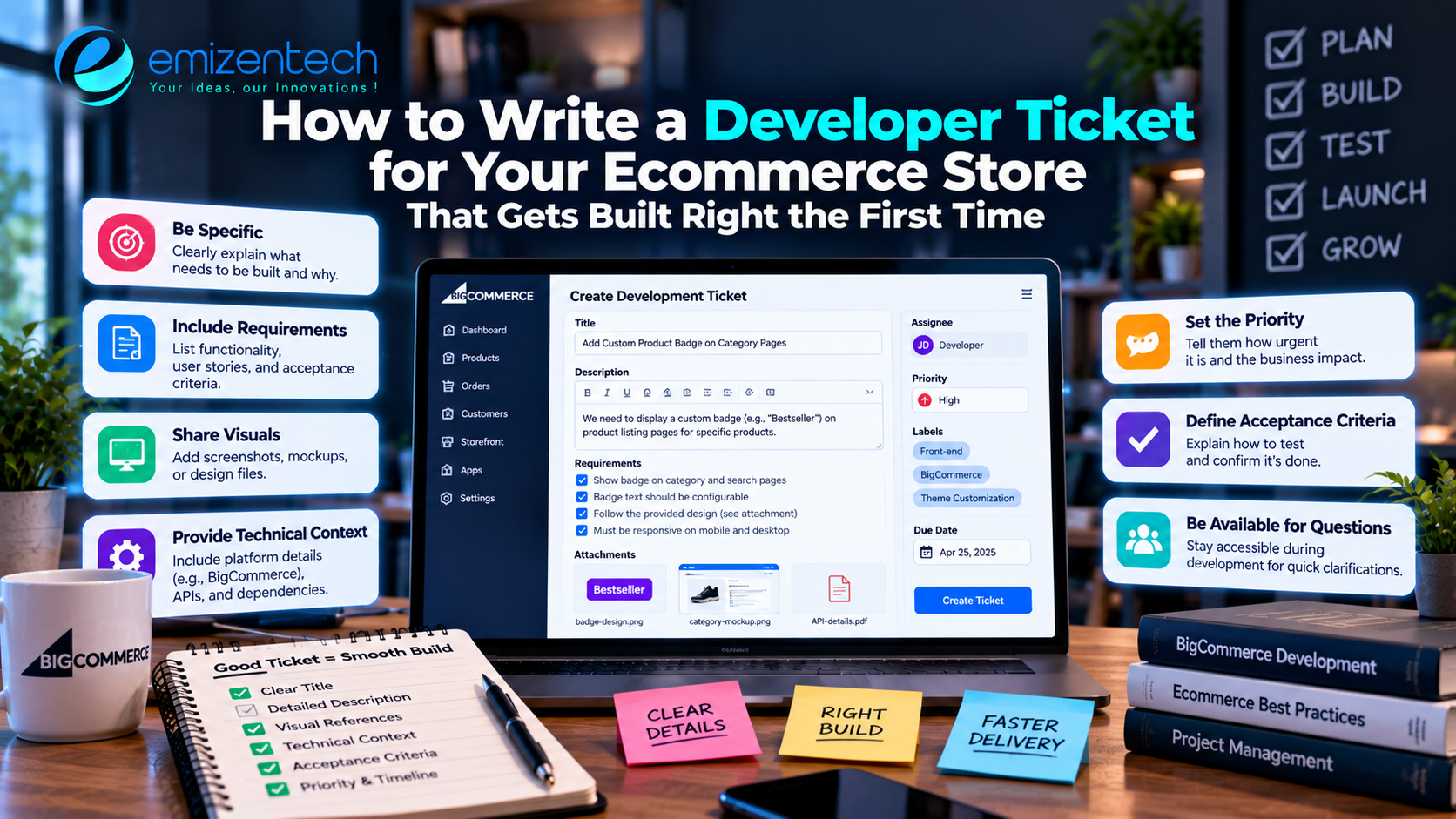

"Add a wishlist to the store." Seven words, and three completely different features could come back. One developer builds a heart icon that saves items for logged-in users. Another builds a shareable list. A third assumes you want a back-in-stock reminder as well. All of them did what the sentence said, and none of them delivered what you pictured. Most rework in ecommerce projects starts exactly here, in the request itself. This guide shows how to write a task ticket that a developer can pick up, build and finish without a long chain of clarifying questions.
Why Vague Requests Cost More Than They Seem
Store owners who hire ecommerce developers from another country feel this problem sharply, because a misunderstanding cannot be cleared up with a quick walk to someone's desk. The question goes out in the evening, the answer arrives the next morning, and a full working day may pass while the developer builds on a wrong guess.
Online stores add another layer. Almost every feature touches several parts at once: product data, pricing, tax, stock, emails and reporting. A short sentence hides all of that. A good ticket does the opposite and puts the hidden parts on the page before anyone starts typing code.
Start With the Business Reason
Open every ticket with one or two sentences explaining why the work matters. "Customers keep abandoning the cart when shipping costs appear at the last step" tells a developer far more than "show shipping earlier." With the reason in hand, a thoughtful developer can suggest a better solution than the one you imagined, or spot that a different fix would help more.
Name the Customer Behind the Change
Say who the feature is for. Repeat buyers, wholesale accounts and first-time visitors behave very differently, and the best design for each is rarely the same. If a rule applies only to one group, such as discounts for registered wholesale customers, state it plainly.
Keep the Goal Measurable
Where possible, attach a number or an observable outcome. "Reduce checkout steps from five to three" or "show delivery dates on product pages" can be verified. "Make checkout better" cannot. Measurable goals also make the later review much quicker.
Describe the Current Behavior and the Wanted Behavior
Two short paragraphs do most of the work. The first describes what happens today, the second what should happen instead. For a bug, add the exact steps to reproduce it: which page, which product, which device and which browser.
Screenshots and short screen recordings are worth the thirty seconds they take. A marked-up image of the cart page removes an entire paragraph of explanation, and a recording of a failing coupon shows the sequence better than any description can.
Spell Out the Rules and Edge Cases
Here is where most tickets fall short. Ecommerce logic is full of exceptions, and developers cannot guess yours. Think through the awkward situations before the task is handed over, and write down the ones that matter.
Questions Worth Answering Upfront
A few prompts help surface missing rules:
- What should happen for out-of-stock or backordered products?
- Does this apply to variants, bundles and digital products equally?
- How should it behave for guest buyers versus logged-in customers?
- Are there countries, currencies or tax regions with different treatment?
- What should the customer see if something fails?
You do not need a long answer to each, just a clear decision. Even "not needed for now" is useful, because it stops the developer from spending time on a case you have no interest in.
State What Is Out of Scope
Listing what the task does not include protects both sides. If the wishlist ticket says "no sharing, no email reminders in this version," nobody builds them by accident, and nobody is surprised when they are missing. Out-of-scope notes also give you a ready-made list for the next round of improvements.
Add Acceptance Criteria Everyone Can Test
Acceptance criteria are short statements that define when the work counts as finished. Write them as things a person could check with a browser and a few minutes of patience.
For the wishlist example, they might read: a logged-in customer can save a product from the product page; the saved item appears on the wishlist page; removing it works from both pages; the feature works on mobile and desktop. Four lines, and now both of you share the same definition of done.
This habit also makes testing easier on your side, because the acceptance criteria double as your checklist when the work comes back. Many of the reasons to hire ecommerce developers revolve around skills and cost, but those benefits only show up when requests are clear enough to build from.
Give Context About the Store Itself
A developer new to your project does not know your habits. Mention the platform and version, the theme or custom build in use, key plugins that might interact with the change, and anything fragile that was patched in the past. If a previous update broke something similar, say so.
Your business model matters here as well. A subscription store, a multi-vendor marketplace and a single-brand retailer handle orders, payouts and inventory in very different ways, so a short note about which type of ecommerce business you run saves several rounds of questions.
Set Priority and Timing Honestly
Every task cannot be urgent. Label tickets as critical, important or nice-to-have, and add a real date only when a real deadline exists, such as a campaign launch or a promotional window. When everything is marked urgent, developers lose the ability to tell what truly matters, and the genuinely urgent item gets lost among the rest.
Be realistic about size too. If a request is really three features hiding inside one ticket, split it. Smaller tickets move faster, are easier to test, and make progress visible.
Read the Ticket Once Before Sending
Before you hit send, read the ticket as if you were the developer opening it for the first time. Is the goal obvious in the first two lines? Could someone misread any sentence? Are there words like "nice," "modern" or "clean" that mean different things to different people? Replace them with something concrete, such as a reference page or a specific layout.
A second pair of eyes helps too. Ask a teammate who knows the store to skim it and point out anything unclear. Two minutes of checking at this stage costs far less than a day of building the wrong thing, and it quickly becomes a habit that improves every request you write afterward.
A Simple Ticket Template
Here is a compact structure you can reuse:
| Section | What to write |
|---|---|
| Title | One clear action, such as "Show estimated delivery date on product pages" |
| Why | The business problem or customer need |
| Current vs wanted | What happens now and what should happen |
| Rules and edge cases | Stock, variants, regions, user types |
| Out of scope | What this version will not include |
| Acceptance criteria | Short, testable statements |
| Attachments | Screenshots, recordings, links |
| Priority and date | Critical, important or nice-to-have, plus a real deadline if one exists |
Fill it in once, and keep the file somewhere the whole team can find it. After a few weeks, writing tickets becomes quick and the questions you receive shrink noticeably.
Conclusion
A good ticket takes ten minutes to write and can save days of back-and-forth. Explain the reason, describe today's behavior and the wanted one, spell out the rules, set limits, and add checks anyone can run. The result is fewer misunderstandings, faster delivery and a store that changes the way you actually intended.
Frequently Asked Questions
How detailed should an ecommerce ticket be?
Detailed enough that a developer who has never spoken to you could start work. If they still need to ask basic questions, add the missing information to the ticket.
Should I tell the developer how to build something or only what I need?
Focus on the outcome and the rules. Technical decisions usually belong to the developer, and you can ask them to explain the approach before work starts.
What if I do not know all the edge cases yet?
List the ones you know and ask the developer to flag others they notice. Treat it as a short discovery step instead of guessing.
Can screenshots replace written descriptions?
They help a great deal, but they work best alongside a few written lines. Images show the problem, and words explain the intent behind it.
How do I handle changes after work has started?
Add them as a new ticket or a clearly marked update. Quietly editing the original request makes it hard to track what was agreed and when.




Top comments (0)