
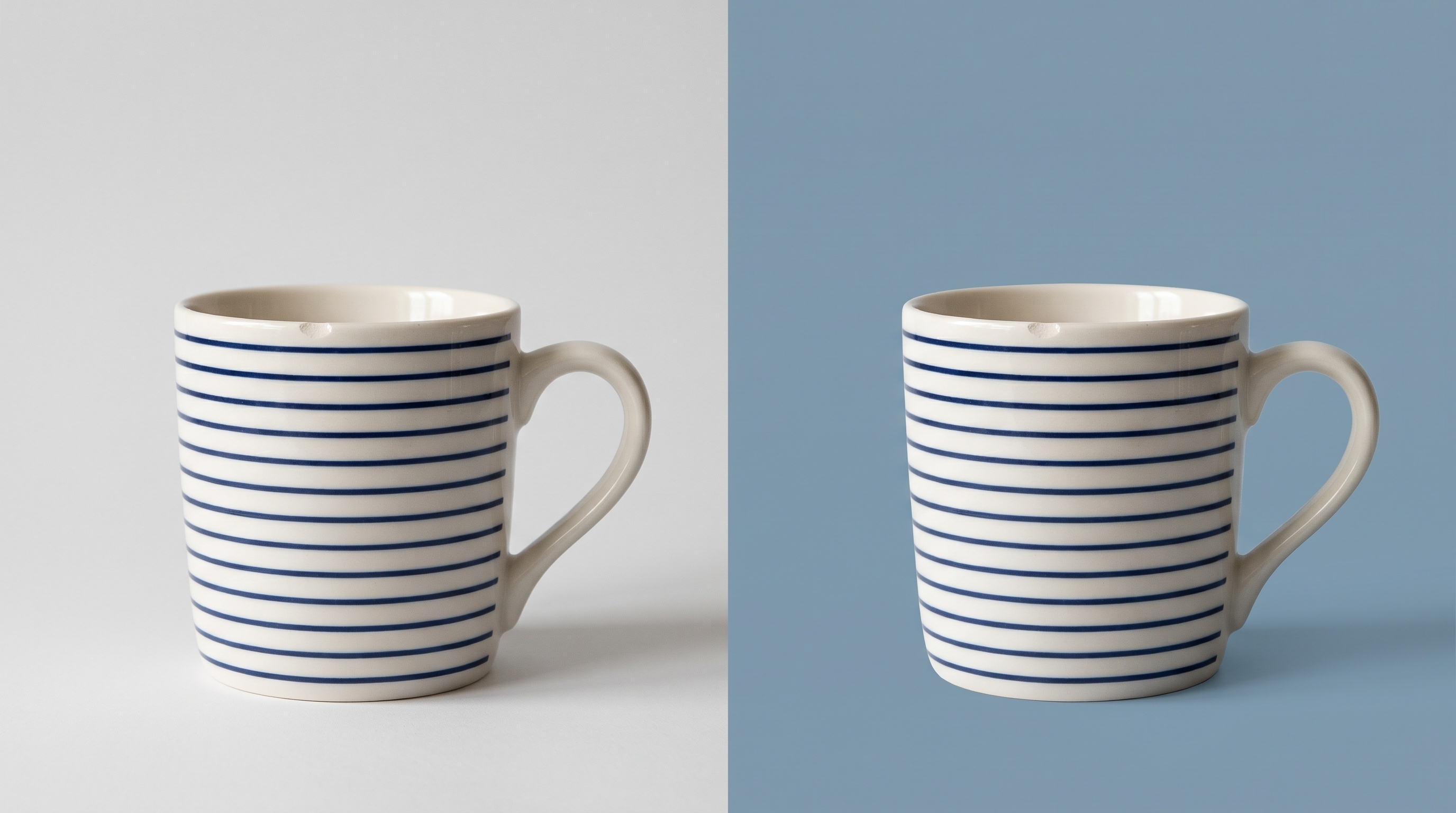
A prompt to “make this product photo better” leaves a lot open. The result may alter the label, invent a reflection, or reshape a handle. For a background experiment, define what must stay fixed before describing the new scene.
A bounded prompt to start from
Try: “Change only the backdrop to a flat muted blue. Preserve the object outline, label text, proportions, and visible wear. Do not add props or lettering.” Treat this as an instruction to test, not a guarantee that the model will preserve every detail.
Use a plain color as a control
For a simpler comparison, whitebackground.com's color workspace offers a background-color workflow. Keep one flat-color version beside the generated scene. This makes it easier to notice changes to the object that attractive scenery might hide.
If you're specifying colors for a web mockup, the MDN reference for CSS colors explains the available notation. Use a recorded color value when consistency matters; an AI image still needs checking against it.
Review the object before the atmosphere
Compare the label letter by letter, then inspect edges and gaps. Reject a version that changes identifying details, even if the lighting looks convincing. Save the prompt with the original and output. That small record makes the next experiment easier to judge.



Top comments (0)