
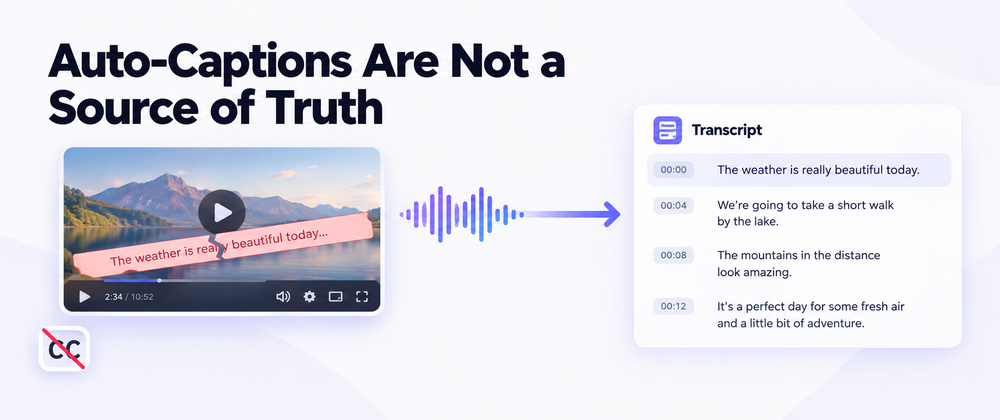

For most of the past year, my YouTube research habit ran into the same wall over and over. I would find the perfect interview, the perfect lecture, the perfect panel — and then I would try to read along using the captions, only to discover that the captions were either missing, machine-translated nonsense, or off by a full beat from what the speaker was actually saying. When I started using Video Transcriber AI's YouTube Transcript Generator instead, what changed wasn't really the workflow. It was that I stopped trusting auto-captions as a source of truth.
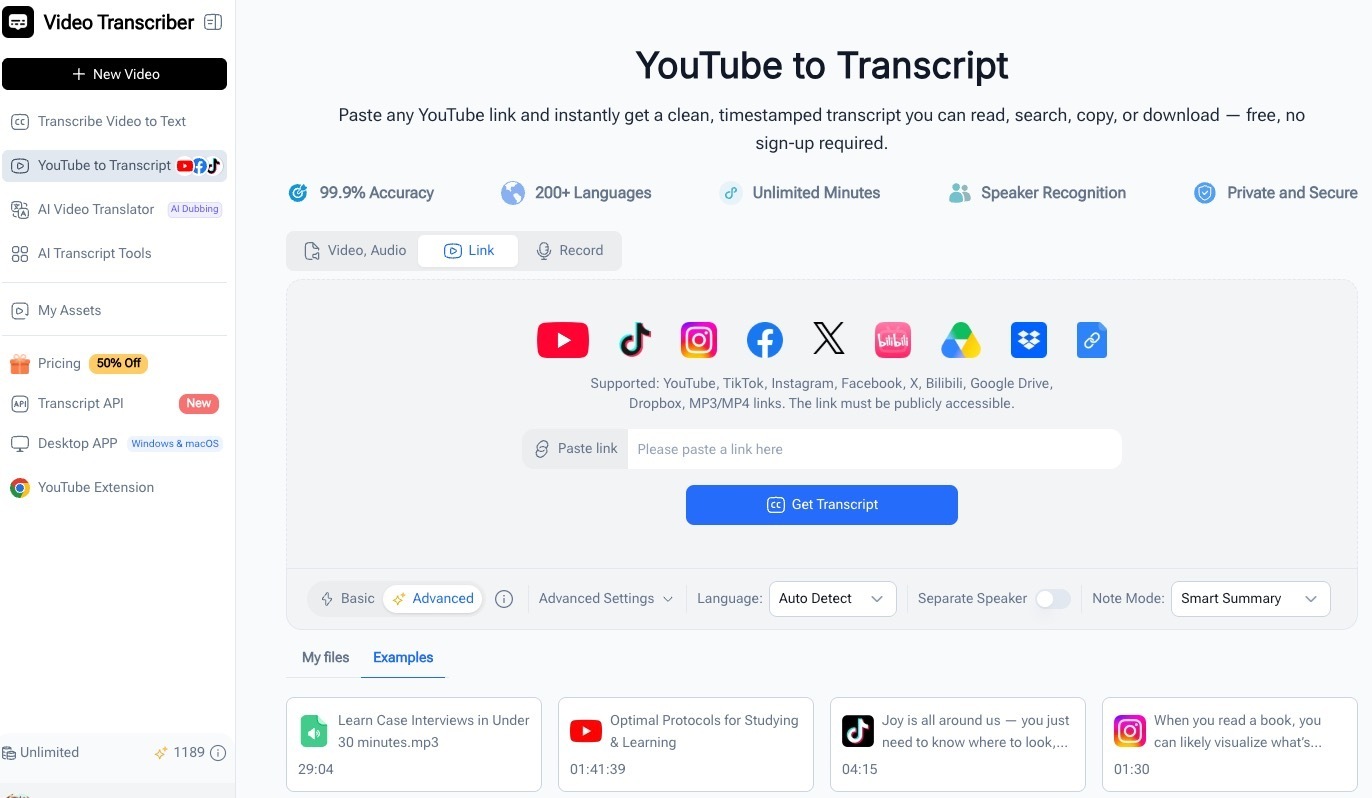
Here's what that shift actually looked like in practice.
Auto-Captions Are Off More Often Than I Realized
I kept assuming that YouTube's auto-captions were a fallback I could lean on. They aren't, and three patterns come up constantly.
The first is the obvious one: the creator simply didn't upload any. Smaller channels, niche interviews, recorded conference talks — none of them have a human-written track, so all you get is whatever YouTube's speech model thinks it heard.
The second is the one that wastes the most time. The video has captions, but they're in a different language than the speaker actually used. YouTube will silently auto-translate to your interface language, and the result is usually fluent-sounding English that has almost nothing to do with what the speaker said. I have lost entire afternoons chasing a quote that turned out to be a hallucination from the caption pipeline.
The third is the one nobody warns you about. The captions are technically in the right language, but they're written by the same model that's transcribing the audio, with the same word error rate. Names get butchered, technical terms get softened, and any sentence with a slight accent or background noise turns into "and the thing that we were doing with the other things". For research, that's not transcription. That's a vague impression of a transcript.
Once I started noticing these three patterns everywhere, I stopped reading captions and started treating the audio itself as the source.
The Tool That Listens Instead of Scraping Captions
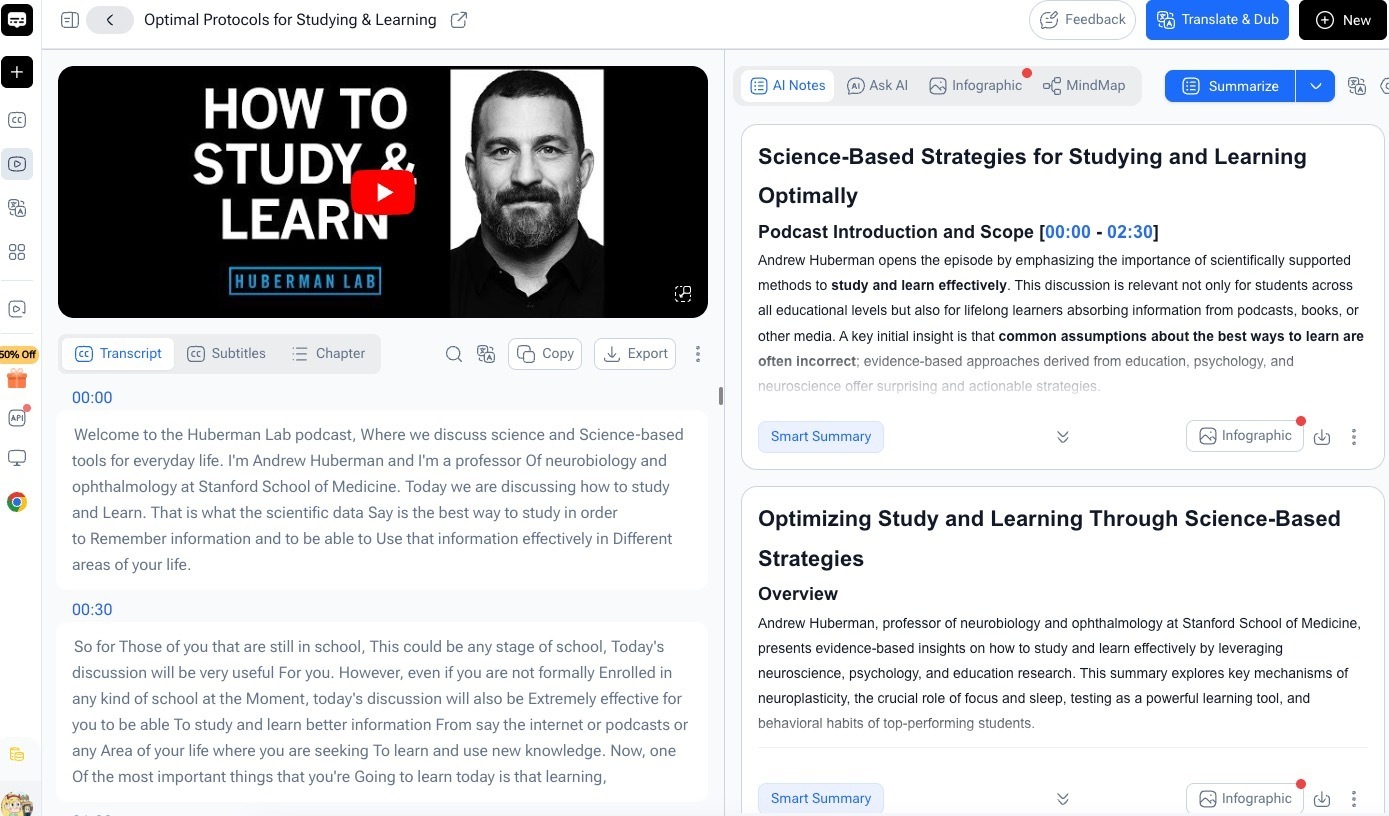
What I am using now is the YouTube Transcript Generator from Video Transcriber AI. The reason I bring it up here is the specific thing it does differently from the built-in captions.
It listens to the audio in the video.
That's it. That's the difference that matters. It doesn't pull whatever YouTube happened to attach to the video — it runs speech recognition on the actual audio track and gives me back what was actually said. For the three problems above, that changes the starting point completely:
Missing captions → not a problem, because the audio is there
Auto-translated captions → not a problem, because the source is the speaker's voice, not YouTube's translation layer
Noisy auto-captions → still imperfect, but consistently closer to the actual words
For research, that is the difference between a source I can quote and a source I can only paraphrase.
What I Get From One Paste
The flow is shorter than I expected the first time I tried it.
I open the video, copy the URL, paste it in, and wait. For a typical 30- to 60-minute video, the result comes back in well under a minute. The output is a clean transcript with timestamps, speaker labels, and a built-in summary at the top that tells me whether the video is even worth a deeper read.
From there I can:
skim the summary to decide if the video matters
jump straight to a timestamp when I need to quote a specific moment
download the text and drop it into my notes without retyping a single sentence
hand it off to a translation step when the original was in a language I don't read fluently
It is one paste. There is no sign-up, no install, no credit on file, and the result lands in my downloads the same way it would if I had spent forty minutes doing it myself.
A Cleaner Starting Point for Every Downstream Use
The bigger change wasn't any single feature. It was that every downstream use of the video started cleaner.
The rough blog post I was drafting from an interview used to start with me retyping the relevant sentences while listening back. Now it starts with a transcript I can edit instead of a recording I have to listen to.
The reference notes I keep on technical talks used to drift toward the speaker's improvised phrasing, because I was trying to type fast enough to keep up. Now they stay readable, because the transcript is already in front of me and I am shaping it, not racing it.
The pull quotes I drop into research summaries used to be approximations of what I remembered the speaker saying. Now they are exact, with a timestamp I can link back to in case anyone asks for the source.
The audio didn't change. My note-taking process didn't change. What changed is that I started working from a real text instead of from my memory of what the audio probably said.
The Videos I Used to Skip Now Count
The most unexpected shift is in the kinds of videos I am willing to spend time on.
Before, I avoided anything where the captions looked unreliable. Long interviews with overlapping speakers, recorded talks in a language I don't fully understand, niche panels with awkward room audio — I would save them, feel mildly guilty about it, and never actually use them.
Now those videos are exactly the ones I prioritize, because they are the ones where the YouTube Transcript Generator's audio-based approach matters most. If the built-in captions were good, I wouldn't need the tool. The videos where the captions were bad are the ones where the tool saves me the most time.
It quietly flipped a category of "I will get to that later" into "I will start with that one".
Free, No Login, No Install
The part that keeps me using it is that nothing about the workflow changed. I never had to create an account, never had to install anything, and never hit a paywall in the middle of a normal week.
The flow is still:
paste a URL
wait for the transcript
copy or download what I need
That's it. The free tier covers a normal week of research. When I need more, the paid plans exist, but for everyday use I have not needed them yet. Tools that stay this simple are the ones that actually stick around.
What the Shift Actually Was
The honest summary is that I stopped treating YouTube auto-captions as a source and started treating the audio as one. The captions were never a reliable source — they were a convenience that happened to be good enough most of the time.
Once I had a tool that listened to the audio directly, the captions stopped mattering. The research habit became:
find the video
get a real transcript
work from the text
That order of operations is the entire shift. It didn't make me faster at typing. It made every video I had been saving usable instead of decorative.
If your watch-later list has the kind of videos that look important but never quite get used, try it yourself:
👉 Video Transcriber AI – YouTube Transcript Generator
It is one of those quiet changes that makes a whole backlog behave like a library again.





Top comments (0)