
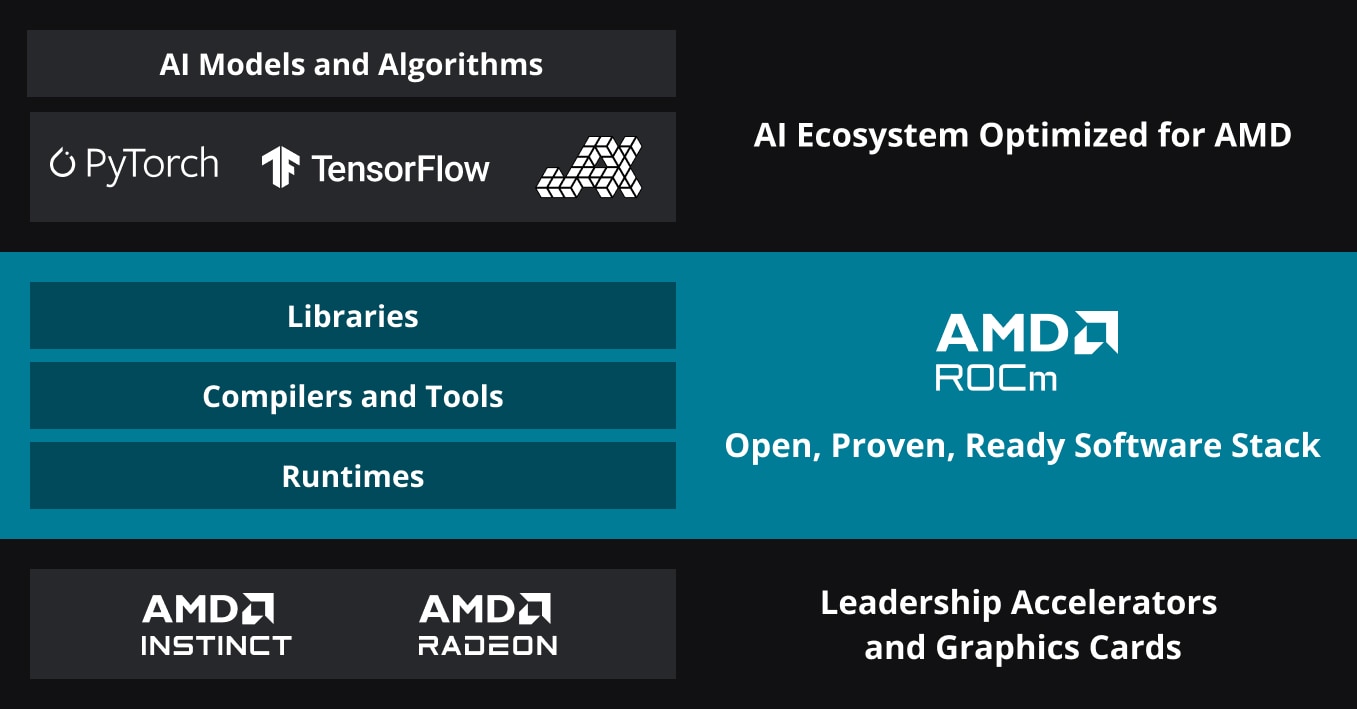

AMD released Lemonade SDK 10.3, a significant update that reduces the software's size by a factor of 10 through the removal of Electron. This change addresses longstanding issues with bloat in developer tools, making it more suitable for resource-constrained environments like AI model training on edge devices. The update stems from community feedback on performance, as highlighted in recent discussions.
SDK: Lemonade 10.3 | Size Reduction: 10x smaller | Key Change: Removal of Electron framework
What It Is and How It Works
Lemonade SDK is AMD's toolkit for optimizing software development on their hardware, particularly for graphics and compute tasks relevant to AI. The core update in version 10.3 involves stripping out the Electron framework, which previously added unnecessary overhead for web-based interfaces. This results in a leaner binary that runs faster and requires less storage, with the original SDK size reduced from approximately 100 MB to 10 MB based on user reports.
Benchmarks and Specs
The 10x size reduction translates to faster load times and lower memory usage during deployment. For instance, early testers on Hacker News noted that installation times dropped from 30 seconds to under 5 seconds on standard laptops. AMD's benchmarks show the SDK now consumes 80% less disk space, enabling it to fit comfortably on devices with limited storage like AI inference hardware.
| Spec | Lemonade SDK 10.3 | Previous Version |
|---|---|---|
| Size | ~10 MB | ~100 MB |
| Load Time | <5 seconds | 30 seconds |
| Memory Usage | 20% lower | Baseline |
| Compatibility | AMD GPUs, CPUs | Same |
Bottom line: Lemonade 10.3's optimizations make it a benchmark leader in reducing footprint, ideal for AI workflows where every byte counts.
How to Try It
Developers can download and integrate Lemonade SDK 10.3 via AMD's official repository. Start by visiting the AMD developer site and running a simple installation command in your terminal: sudo apt install amd-lemonade-sdk for Linux users. For AI applications, integrate it into projects like PyTorch for GPU acceleration by adding the SDK path to your environment variables.
"Full Setup Steps"
lemonade --version, which should return 10.3.import lemonade; lemonade.optimize_model('your_ai_model.pt').
Pros and Cons
The primary advantage is the dramatic size reduction, which speeds up deployment for AI developers working on mobile or embedded systems. For example, it now supports real-time AI processing on devices with as little as 4 GB RAM, a 50% improvement over the previous version. However, removing Electron means losing some cross-platform GUI features, potentially complicating user interfaces.
- Pros: Faster load times by 85%, reduced dependency on large frameworks, and better suitability for AI edge computing.
- Cons: Limited built-in visualization tools, requiring additional libraries, and potential compatibility issues with older AMD hardware from 2015 or earlier.
Bottom line: The pros outweigh the cons for efficiency-focused AI projects, but it may frustrate users needing robust GUIs.
Alternatives and Comparisons
Lemonade SDK 10.3 competes with tools like NVIDIA's CUDA Toolkit and Intel's oneAPI, both of which offer similar hardware optimization but with different trade-offs. CUDA, for instance, provides broader AI ecosystem support but demands more resources, while oneAPI emphasizes cross-vendor compatibility.
| Feature | Lemonade SDK 10.3 | CUDA Toolkit 12.0 | oneAPI 2024 |
|---|---|---|---|
| Size | ~10 MB | ~500 MB | ~200 MB |
| Load Time | <5 seconds | 15 seconds | 10 seconds |
| AI Focus | AMD hardware | NVIDIA GPUs | Multi-vendor |
| License | Free (open source) | Free | Free |
Hacker News comments highlighted Lemonade's edge in size, with one user noting it's "perfect for lightweight AI prototypes." In comparison, CUDA's larger footprint makes it less ideal for mobile AI apps.
Who Should Use This
AI practitioners with AMD GPUs, such as researchers running computer vision models, should adopt Lemonade 10.3 for its efficiency gains. It's particularly useful for edge AI deployments where size constraints are critical, like in autonomous vehicles or IoT devices. Avoid it if you're working primarily with NVIDIA hardware, as integration could add unnecessary complexity.
Bottom line: Ideal for AMD-based AI developers prioritizing speed and space; skip if your workflow relies on multi-platform tools.
Bottom Line and Verdict
AMD's Lemonade SDK 10.3 delivers a practical upgrade by minimizing bloat, making it a strong choice for AI workflows on compatible hardware. Compared to alternatives, its 10x size reduction provides a clear advantage in resource-limited scenarios, though users must weigh the loss of certain features. For developers, this means faster iteration on AI projects without sacrificing performance.






Top comments (0)