


Training a LoRA used to mean owning a serious GPU and reading a lot of forum threads. For FLUX it now means assembling twenty or thirty images correctly and clicking start on a hosted trainer. The assembling part is where nearly all the quality comes from, and it is the part most guides skip past. Here is what to put in the dataset, how to caption it, which settings are worth touching, and how to tell a broken LoRA from a good one.
What a LoRA is doing
A LoRA is a small set of low-rank matrices that adjust the attention weights of the base model at inference time. It does not retrain FLUX; it nudges it. That framing explains the advice below: you are teaching a large model to associate one token with something it already half-knows.
Because it is an adapter, its strength is adjustable at generation time: one that comes out slightly too strong can be turned down rather than retrained.
Do you actually need to train one?
Two cheaper options are worth ruling out first.
If you want a style that already exists, browse published LoRAs before training your own. A Hugging Face Space such as LoRA Studio lets you try one first.
If you want to carry the look of a single reference image into new generations, an IP-Adapter for FLUX does that without any training. IP-Adapters transfer style and rough appearance from one image; LoRAs teach a consistent identity across many.
Train a LoRA when you need the same person, product, character, or house style to reappear reliably across many generations.

The dataset is the whole job
For a person or character, 15 to 30 images is the working range. More is not better if the extras are near-duplicates.
The rule that governs everything: the model learns whatever is constant across your images. If every photo was taken in the same kitchen, the kitchen becomes part of the concept and will bleed into generations of a beach scene. So:
- Vary background, lighting, distance, and angle deliberately. Mix close-ups, mid shots, and full-body.
- Keep the thing you are teaching constant and everything else different.
- Use sharp, reasonably high-resolution source images. Around 1024 pixels on the long side is plenty; upscaled blurry photos teach blur.
- Cut anything with watermarks, heavy filters, or another prominent person in frame.
- For a style LoRA rather than a subject LoRA, invert the emphasis: vary the subjects wildly and keep only the rendering style consistent.
Before training, ask what your images have in common besides the intended subject. Whatever you name will contaminate the LoRA.
Captions for FLUX are sentences
FLUX reads natural language through its T5 encoder, so the tag-soup captioning conventions inherited from earlier models are the wrong shape here. Write short descriptive sentences.
Pick a trigger token first — a short, rare string that carries no existing meaning, such as TOK or an invented name. Common words make poor triggers because the model already has strong associations for them.
Then caption by describing what varies and leaving the invariant alone. If you are teaching a face, caption the setting, clothing, framing, and lighting, and refer to the person only through the trigger:
TOK sitting at an outdoor cafe table in afternoon light, wearing a grey coat, medium shot
Anything you describe in words attaches to those words; anything you leave undescribed accumulates on the trigger token. Auto-captioners are fine as a starting point provided you prepend the trigger and delete descriptions of the features you actually want learned.

Where to run it
Hosted trainers on GPU rental platforms are the low-friction route: upload a zip of images and captions, set a trigger word, wait. A subject LoRA typically finishes in tens of minutes.
Locally, ai-toolkit and kohya-ss/sd-scripts both support FLUX training. A 12-billion-parameter base model is heavy, so expect to use quantised or memory-optimised configurations unless you have a large card. Training on the dev weights inherits the dev license, which matters if the result is going into commercial work — check the terms before you build a business on the output.
Settings worth touching
| Setting | Reasonable start | Notes |
|---|---|---|
| Rank (dim) | 16 | 32 for styles with a lot of texture. Higher rank is not automatically better and overfits sooner |
| Learning rate | 1e-4 | The common default for LoRA on FLUX. Halve it if results look burnt |
| Steps | ~1000 to 2000 | Scale with dataset size, roughly 50 to 100 steps per image |
| Checkpoint saves | Every few hundred steps | Non-negotiable, see below |
Saving intermediate checkpoints is the single most useful habit, because training quality is not monotonic: the best version is often not the last one. Generate the same prompt and seed against each and pick by eye.
Reading the results
Overfitted looks like: the same pose or background reappearing regardless of prompt, prompt instructions being ignored, hard edges and colour burn, the subject unable to change clothes. Fix by using an earlier checkpoint, or by lowering the LoRA weight at inference.
Underfitted looks like: weak or intermittent resemblance, the trigger token doing almost nothing. Fix by training longer, or by cleaning a dataset that is too visually inconsistent.
At generation time, apply the LoRA somewhere between 0.7 and 1.0 and adjust. Two LoRAs that both affect overall style will fight each other; down-weight both rather than picking a winner.
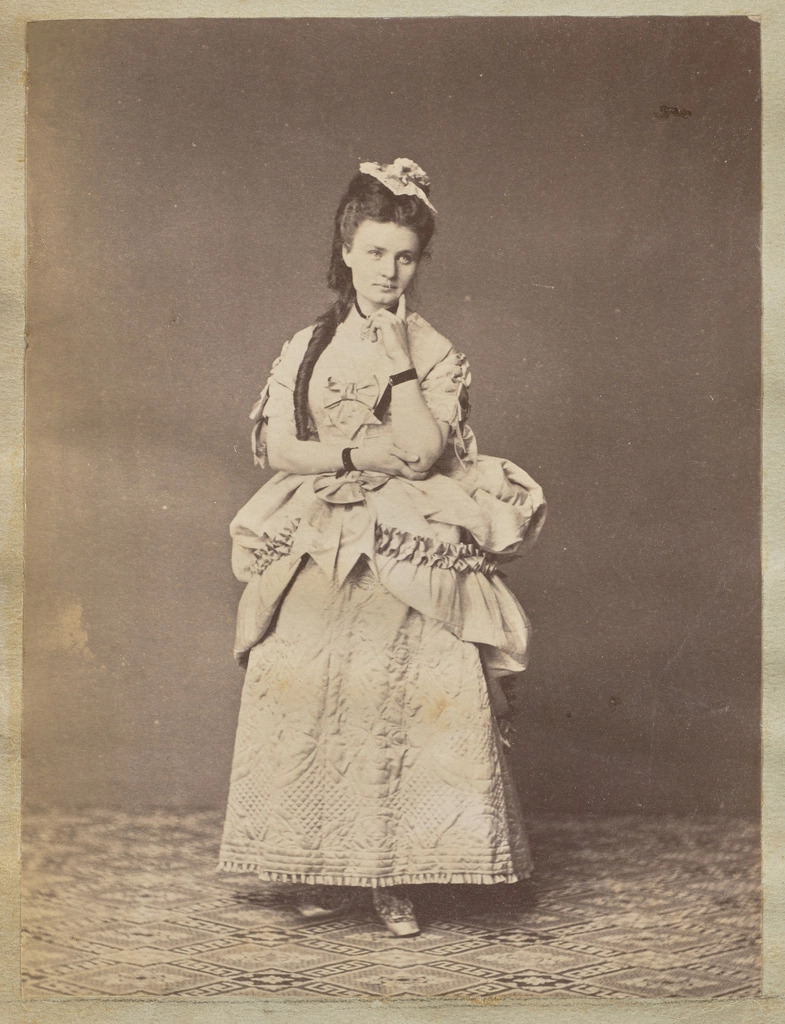
Testing with a prompt that fights the base style
Base FLUX has a glossy default look, and a subject LoRA trained on ordinary photographs often gets flattened by it. A good test prompt pushes against that:
Amateur quality phone photo, casual, unfiltered, harsh lighting: a close-up portrait of a young woman dressed as a dark mage, holding a staff topped with a skull, feathers woven into her braided hair, smoke rising in the background
The opening clause does the real work: declaring the image an unfiltered phone snapshot suppresses the studio polish FLUX reaches for by default. Swap your trigger token in for the subject description and you get a direct read on whether the LoRA holds identity while the prompt controls everything else.
Practical takeaways
- Spend your effort on dataset variety; it decides more than any hyperparameter.
- Caption what varies, never what you are teaching, and put a rare trigger token in every caption.
- Save checkpoints throughout and choose the best by generating identical test prompts.
- Treat overfitting as the default failure and reach for an earlier checkpoint before retraining.
- Check whether a published LoRA or an IP-Adapter solves your problem before training anything.




Top comments (0)