

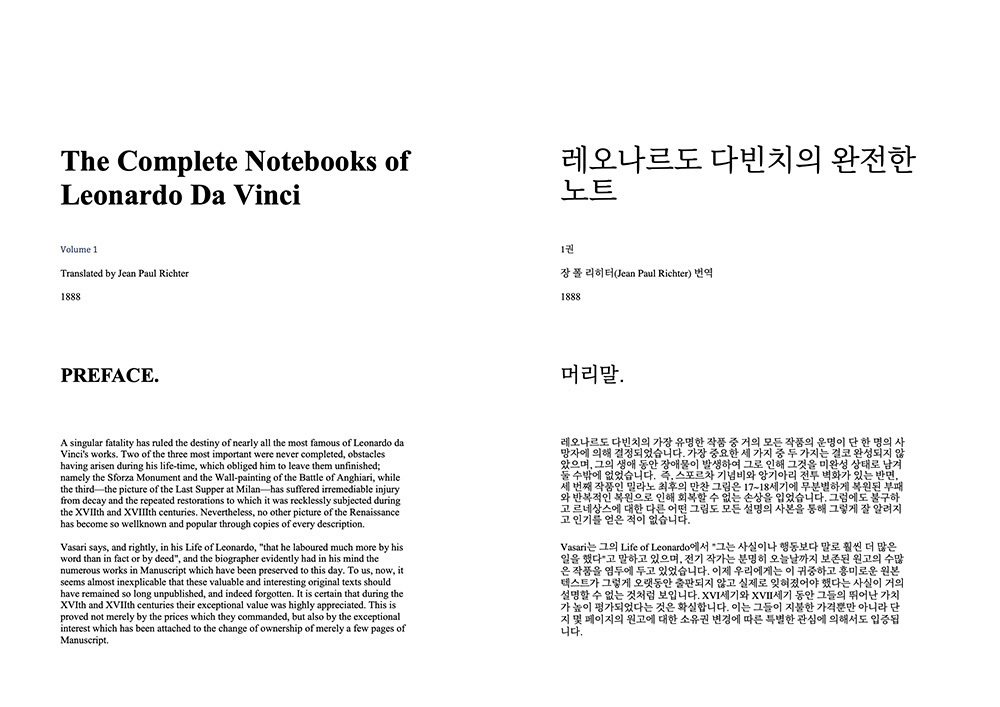
Translating a PDF with AI looks like a simple language task:
- Upload the document.
- Select the source language.
- Select the target language.
- Start the translation.
That workflow is often enough for a short, general document.
It becomes less reliable when the PDF contains specialized terminology, formulas, product codes, tables, legal conditions, academic citations, or a specific writing style.
In these cases, the translation model needs more than two language names. It needs instructions that explain what the document is, who will read it, which content must remain unchanged, and how uncertainty should be handled.
A carefully designed prompt can improve consistency and reduce avoidable translation errors.
This article presents a reusable prompt framework for translating complex PDFs with AI.
Why Generic Translation Prompts Produce Generic Results
A basic instruction such as:
Translate this document from English to Spanish.
does not tell the model anything about the document’s purpose.
The PDF could be:
- A scientific research paper
- A product manual
- A legal agreement
- A marketing brochure
- A financial report
- A training handbook
- A novel
- A supplier specification sheet
Each document requires different translation decisions.
A research paper needs consistent academic terminology and protected formulas. A marketing document needs natural, audience-friendly language. A technical manual must preserve commands, model numbers, warnings, and repeated component names.
Without context, the model has to guess.
The result may be grammatically correct but inconsistent with the document’s actual purpose.
The Five-Part PDF Translation Prompt Framework
A useful translation prompt can be divided into five sections:
- Document context
- Target reader
- Translation style
- Protected content
- Quality-control rules
Each section answers a different question the translation model would otherwise need to infer.
1. Describe the Document Context
Start by telling the model what kind of document it is translating.
Instead of writing:
Translate this PDF into English.
write:
This is a technical installation manual for industrial water pumps. It contains operating instructions, safety warnings, product specifications, component names, and troubleshooting tables.
This information helps the model interpret ambiguous words.
For example, the English word “seal” could mean:
- To close something
- An official stamp
- A mechanical sealing component
- A marine animal
The document context determines the correct interpretation.
Useful context details include:
- Document type
- Industry
- Subject
- Purpose
- Geographic market
- Formality level
- Whether the document is internal or public
A stronger context instruction might look like this:
This is an internal financial report for a manufacturing company. Translate the narrative sections into professional business English while preserving accounting terminology, figures, table structures, company names, and reporting periods.
The context does not need to be long. Two or three precise sentences are usually more useful than a large paragraph of vague instructions.
2. Define the Target Reader
The same source text may need different translations for different readers.
Consider a medical document.
A translation intended for doctors may retain specialized terminology. A translation intended for patients should explain the same concepts in clearer language without changing the medical meaning.
A target-reader instruction can specify:
- Professional background
- Reading level
- Familiarity with the subject
- Geographic region
- Preferred tone
- Whether technical terms should be explained
For example:
The target readers are maintenance engineers who already understand industrial equipment. Use precise technical terminology and do not simplify component names or safety procedures.
Or:
The target readers are general customers with no technical background. Use clear and natural language, but do not remove warnings, limitations, or important product details.
Defining the reader prevents the model from making the translation unnecessarily technical or overly simplified.
3. Specify the Translation Style
A model may translate the same paragraph literally, formally, conversationally, or persuasively.
The correct style depends on the document.
Common style instructions include:
- Formal and professional
- Concise and technical
- Natural rather than literal
- Academic and neutral
- Customer-friendly
- Legally conservative
- Consistent with an instruction manual
- Suitable for publication
For a research paper:
Use formal academic language. Preserve the author’s level of certainty. Do not change cautious expressions such as “may,” “could,” “suggests,” or “appears” into definite conclusions.
For a product manual:
Use concise instructional language. Keep steps direct and consistent. Preserve all warnings, conditions, and sequence words such as “before,” “after,” “only,” and “unless.”
For a marketing brochure:
Produce fluent and persuasive English rather than a word-for-word translation. Preserve factual claims and limitations. Do not add new benefits or unsupported promises.
Style instructions should explain what the model should prioritize, not simply request a “high-quality translation.”
4. Identify Protected Content
Some content should not be translated.
Complex PDFs may contain:
- Product codes
- Model numbers
- Software commands
- File paths
- Mathematical variables
- Chemical symbols
- Company names
- Patent numbers
- URLs
- Email addresses
- Citation numbers
- Standard identifiers
- Programming code
A translation model may interpret these elements as normal language unless instructed otherwise.
A protected-content section might say:
Keep all model numbers, serial numbers, product codes, file names, commands, URLs, email addresses, mathematical variables, and standard identifiers unchanged.
You can also identify document-specific terms:
Do not translate the product names AquaDrive X2, FlowCore, or SmartSeal.
For documents containing formulas, a browser-based PDF translator can combine prompt instructions with formula-font and character-preservation rules. This is useful when the content that must remain unchanged follows a recognizable pattern.
Prompt instructions and pattern protection solve related but different problems.
The prompt explains meaning and intent. Pattern rules provide stricter protection for matching characters or fonts.
5. Add Quality-Control Rules
The final part of the prompt tells the model how to handle difficult or uncertain content.
Useful quality-control instructions include:
- Do not invent missing information.
- Preserve numbers and units.
- Keep repeated terminology consistent.
- Do not strengthen uncertain claims.
- Preserve negative statements.
- Keep headings concise.
- Do not translate citation numbers.
- Retain original abbreviations when no established translation exists.
- Flag unclear OCR text instead of guessing.
- Keep table labels connected to their meaning.
For example:
Do not guess when text is unclear because of scan quality. Preserve uncertain names, numbers, and codes as closely as possible. Do not silently replace unreadable content with invented wording.
This is especially important for scanned PDFs.
Optical character recognition may confuse characters such as:
- O and 0
- I and 1
- S and 5
- Decimal points and image noise
- Hyphens and minus signs
A fluent invented answer is more dangerous than an explicitly uncertain result.
A Reusable General PDF Translation Prompt
The following prompt can be adapted to many document types:
You are translating a complete PDF from [source language] into [target language].
Document context: This is a [document type] about [subject or industry]. Its purpose is [purpose].
Target reader: The translated document will be read by [reader description].
Translation style: Use [formal, technical, academic, natural, concise, customer-friendly] language. Translate for meaning rather than word-for-word, while preserving all factual information.
Terminology: Use consistent translations for repeated technical and business terms. Use the following preferred terminology:
- [Source term] → [Preferred translation]
- [Source term] → [Preferred translation]
- [Source term] → [Preferred translation]
Protected content: Do not translate product codes, model numbers, company names, URLs, email addresses, mathematical variables, formulas, software commands, file paths, citation numbers, or standard identifiers.
Quality rules:
- Preserve all numbers, dates, units, currencies, percentages, and negative statements.
- Preserve the original level of certainty.
- Do not add information that is not present in the source.
- Do not remove warnings, exceptions, qualifications, or limitations.
- Keep headings concise and terminology consistent.
- If scanned text is unclear, do not invent a confident replacement.
- Preserve the logical relationship between headings, paragraphs, tables, captions, and footnotes.
This template is intentionally modular.
Remove sections that are not relevant and add document-specific rules where necessary.
Prompt Example for a Research Paper
Translate this academic research paper from Japanese into English.
The paper discusses machine-learning methods for medical image classification. The target readers are researchers and graduate students familiar with computer vision and statistical evaluation.
Use formal academic English. Preserve the author’s level of certainty and do not convert hypotheses or possible explanations into confirmed conclusions.
Keep model names, dataset names, mathematical variables, equations, citations, DOI numbers, table numbers, figure numbers, and statistical abbreviations unchanged.
Use consistent translations for all repeated technical terms. Preserve values, percentages, confidence intervals, p-values, units, and sample sizes exactly.
Do not translate the bibliography as ordinary prose. Keep author names, journal names, years, volume numbers, page ranges, and identifiers recognizable.
If text from a scanned figure is unclear, do not invent labels.
This prompt focuses the model on academic reliability rather than conversational fluency.
Prompt Example for a Technical Manual
Translate this industrial equipment manual from German into English.
The target readers are installation and maintenance engineers. Use concise, precise technical language.
Keep product names, component codes, model numbers, electrical labels, software commands, error codes, file names, measurements, and standard identifiers unchanged.
Use the following terminology consistently:
- Steuergerät → control unit
- Sicherheitsventil → safety valve
- Wartungsintervall → maintenance interval
Preserve the exact meaning of warnings and conditional instructions. Pay special attention to “must,” “must not,” “before,” “after,” “only,” “minimum,” and “maximum.”
Do not convert units automatically. Preserve the original measurements.
Keep numbered steps in the original order and maintain references to diagrams, tables, sections, and appendices.
This version prioritizes procedures, safety, and component consistency.
Prompt Example for a Business Report
Translate this market research report from Spanish into English.
The target readers are business executives evaluating market expansion. Use professional and concise business English.
Preserve survey questions, response scales, sample sizes, percentages, currencies, reporting periods, regional definitions, chart labels, and source notes.
Clearly distinguish historical data from estimates and forecasts. Do not change “may,” “could,” “expected,” or “projected” into definite claims.
Keep company names, brand names, product names, abbreviations, and market-segment labels consistent.
Do not add recommendations or conclusions that are not present in the source.
This prevents the translation from becoming more confident or promotional than the original research.
Avoid Overloading the Prompt
More instructions do not always produce a better result.
A prompt can become counterproductive when it contains:
- Repeated rules
- Conflicting style requests
- Large amounts of irrelevant context
- Dozens of low-priority terms
- Instructions that the document system cannot perform
- Vague phrases such as “make it perfect”
Prioritize the rules that materially affect accuracy.
A useful order is:
- Document type
- Target reader
- Required tone
- Terminology
- Protected content
- High-risk quality rules
Test the prompt on a few representative pages before translating a long document.
Choose pages containing the hardest elements:
- A dense paragraph
- A table
- A formula
- A scanned page
- A warning
- Repeated terminology
- A figure caption
If the test translation handles these pages correctly, the prompt is more likely to work across the complete PDF.
Use the Prompt Together With Document Controls
A custom prompt cannot solve every document problem.
Translation prompts mainly control:
- Context
- Tone
- Terminology
- Interpretation
- Protected concepts
- Uncertainty handling
Document-level controls handle other problems:
- OCR
- Page structure
- Fonts
- Formula characters
- Table detection
- Layout reconstruction
- Single-language output
- Bilingual output
The strongest workflow combines both.
A practical AI PDF translation guide explains how layout detection, OCR, translation engines, and output formats fit into the larger process.
Review the Output Instead of Trusting the Prompt
A well-written prompt improves the probability of a useful translation. It does not guarantee correctness.
After translation, review:
- Names
- Dates
- Numbers
- Units
- Tables
- Formulas
- Warnings
- Negative statements
- Repeated terminology
- Internal references
- Missing paragraphs
A bilingual or side-by-side PDF is particularly useful during this stage because the original and translated content can be compared together.
For high-risk legal, medical, financial, immigration, patent, or safety documents, qualified professional review may still be required.
Prompt engineering can reduce ambiguity. It cannot remove responsibility.
Final Prompt Checklist
Before starting a complex PDF translation, check whether the prompt answers these questions:
- What kind of document is this?
- What subject or industry does it cover?
- Who will read the translation?
- What tone should be used?
- Which terminology must remain consistent?
- Which content must not be translated?
- Which numbers, units, or identifiers need protection?
- How should unclear scanned text be handled?
- Which warnings or qualifications must be preserved?
- What should the model never invent or change?
If the prompt answers these questions clearly, the model has a much better foundation than a simple instruction to “translate the PDF.”
Conclusion
Prompt engineering for PDF translation is not about finding one magical sentence.
It is about supplying the context the model cannot reliably infer from isolated text.
A strong prompt defines the document, the reader, the style, the terminology, the protected content, and the quality rules.
The goal is not to make the translation sound more impressive.
The goal is to make the translated document more consistent, more reviewable, and less likely to lose the information that matters.


Top comments (0)