

Translating PDF documents with AI is harder than it looks.
Most tools work well with plain text, but PDFs come with structure — pages, headings, tables, and formatting that make the document usable. When that structure is lost, the translation becomes difficult to read and apply in real work.
Here’s a simple workflow I’ve been using to translate PDF files while keeping the layout readable.
Step 1: Understand the goal
My goal is usually not “perfect literary translation”, but:
Understand the content quickly
Keep tables, headings, and sections readable
Share the translated version internally
So I optimize for clarity and structure, not for publication-quality writing.
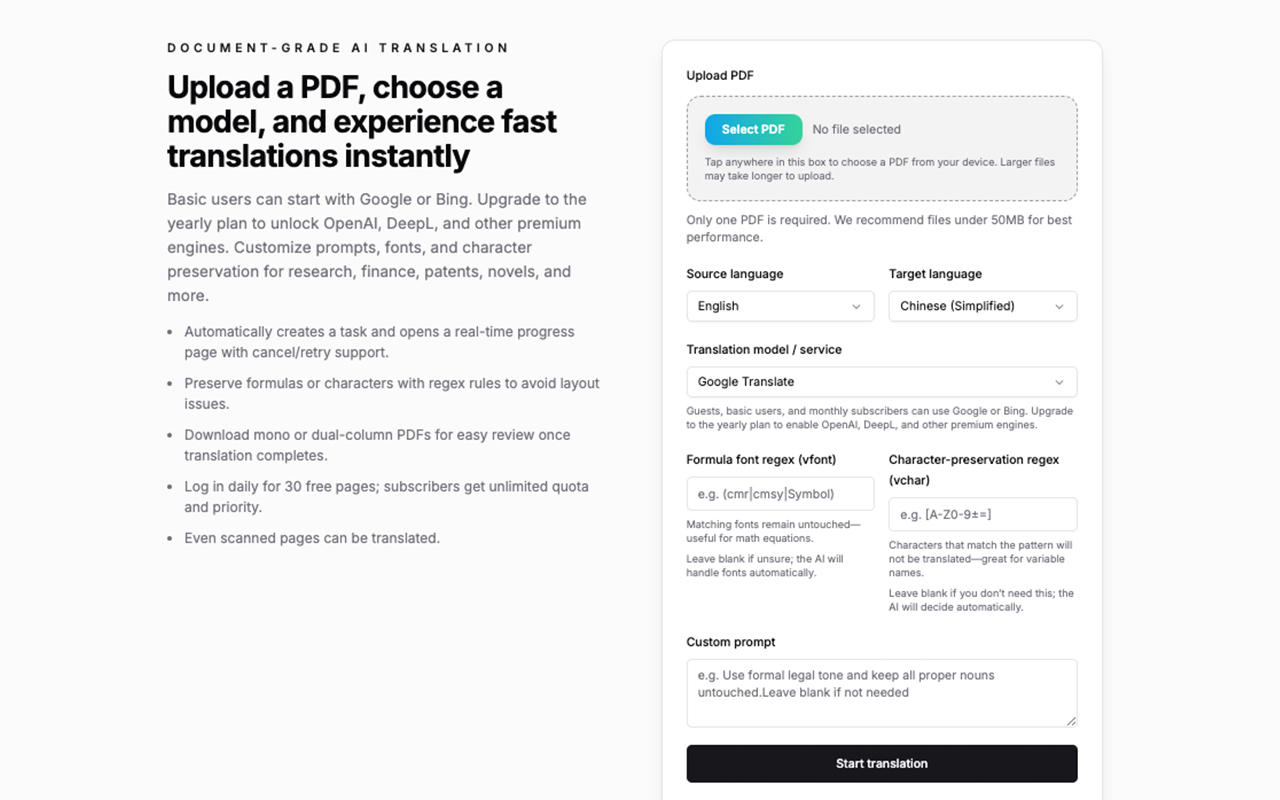
Step 2: Use a layout-aware PDF translation tool
Instead of copy-pasting into a chatbot, I use a tool that’s designed specifically for PDFs:
It allows me to upload a PDF, select a target language, and download a translated version that keeps most of the original layout intact.
That alone saves a lot of time compared to manual cleanup.
Step 3: Use prompts to refine or review specific sections
After translating the PDF, I sometimes paste small sections into an AI tool and use prompts like:
Prompt 1 — Clarify technical language
Explain this translated paragraph in simpler terms for a non-technical reader:
[PASTE PARAGRAPH HERE]
Prompt 2 — Check terminology
Are the technical terms in this paragraph translated correctly? Suggest improvements if needed:
[PASTE PARAGRAPH HERE]
Prompt 3 — Create a summary
Summarize this section in 5 bullet points:
[PASTE SECTION HERE]
This combination — tool first, prompts second — works better than trying to do everything inside one chat box.
Step 4: Share or use the result
Once the layout is preserved and the content is understandable, I can:
Share it with teammates
Use it in documentation or research
Store it for later reference
No formatting disaster, no manual rework.
Final thoughts
PDF translation is a small problem that still wastes a lot of time.
Using a layout-aware tool for the heavy lifting, and prompts for refinement, gives me the best balance between speed, readability, and quality.
Hope this workflow helps someone else too.






Top comments (0)