

One of the hardest parts of wedding planning isn't finding venues.
It's helping couples imagine the final atmosphere.
Mood boards are useful.
Sample photos help.
But clients often ask:
"Can you show me what this might actually look like?"
Creating custom preview videos used to require hours of editing.
I wanted something much faster for the early planning stage.
That's why I started experimenting with AI video workflows.
What
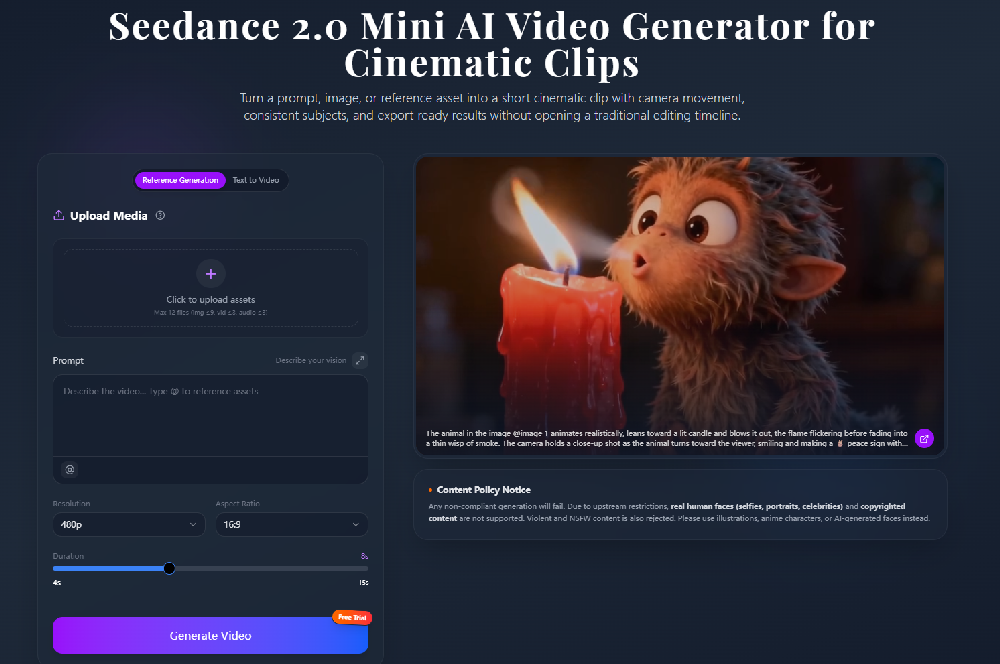
Recently I've been testing Seedance 2 Mini to create short concept videos before finalizing a wedding design.
Instead of producing a finished wedding film, I use it to visualize ideas.
Some features that fit this workflow include:
- Image-to-video generation
- Prompt-based scene creation
- Cinematic camera movement
- Consistent visual style
- Fast video generation
Seedance Mini is designed to generate short cinematic clips quickly while supporting text and image workflows, making it useful for rapid creative exploration.
How
Step 1: Collect Inspiration
I usually gather:
- venue photos
- flower arrangements
- table decorations
- color palette references
These become the visual foundation.
Step 2: Describe the Experience
Instead of listing decorations, I focus on the feeling.
Example:
elegant outdoor wedding ceremony at sunset, slow cinematic camera movement, warm golden lighting, romantic atmosphere
Step 3: Generate Several Concepts
Rather than making one long video, I create short clips showing:
- ceremony entrance
- reception setup
- dinner atmosphere
- evening lighting
Each clip highlights a different moment of the event.
Step 4: Present Different Styles
I usually prepare multiple versions:
- modern minimalist
- garden wedding
- luxury ballroom
- rustic outdoor celebration
This helps clients compare ideas much more easily.
Example Prompt
romantic garden wedding, white floral decorations, golden sunset lighting, slow camera glide, elegant cinematic atmosphere, soft depth of field
Use Case
This workflow works well for:
Wedding Planners
Presenting event concepts.
Event Designers
Visualizing decoration ideas.
Floral Studios
Showing arrangement styles.
Venue Managers
Creating promotional previews.
Couples
Exploring different wedding themes before making decisions.
Why
After several client presentations, I noticed a few benefits:
- Faster concept discussions
- Easier communication with clients
- More engaging visual proposals
- Less time creating manual mockups
- Quicker feedback before production begins
The biggest advantage wasn't creating a perfect video.
It was helping people imagine an event that hasn't happened yet.
For early-stage planning, a short visual concept often communicates mood and atmosphere far better than a collection of static reference images.
Final Thoughts
I still create detailed planning documents and mood boards.
But adding a short AI-generated concept video has made client meetings much more productive.
If you work in weddings, events, or creative planning, try turning your inspiration board into a short visual story before presenting it.
Sometimes seeing the atmosphere in motion makes decisions much easier than looking at individual photos.




Top comments (1)
Nice idea. By the help of this we literally check out out thoughts or idea how they are gone represent when it comes to real.